Benefits
Why Planned Maintenance System?
Key advantages of Planned Maintenance System as part of Navatom's integrated platform.
Zero Overdue Surprises Across Your Fleet
Dual calendar and running-hour triggers evaluate continuously. The show-only-in-range window surfaces upcoming jobs when 70% of the interval is elapsed — giving crew time to prepare without flooding the list with far-future tasks. Overdue items are immediately visible fleet-wide, not buried in vessel-specific spreadsheets.
Class-Traceable Maintenance Records from Day One
Every maintenance log is an immutable, comprehensively logged record with structured work logs, crew rank attribution, five evidence attachment types, and a complete approval chain. Classification societies, flag states, and P&I clubs will find a clean, chronological, tamper-evident record ready for immediate review.
One PMS Structure Deployed Across the Entire Fleet
Design your maintenance program once in the company office, then publish it to all vessels simultaneously. Deep copy and import/export eliminate redundant setup for sister ships. The entire fleet operates from a single controlled definition — eliminating the drift and inconsistency of per-vessel spreadsheet maintenance.
Postponements Controlled, Not Hidden
Three postponement types and 12 structured reasons transform schedule deviations from an informal practice into a formal, auditable workflow. Every postponement requires approval before the due date changes, and every reason is recorded for fleet-wide overdue root-cause analysis.
Procurement Integration Without Double Entry
Spare parts BOMs with VITAL/ESSENTIAL/DESIRABLE criticality live directly on equipment records, linking to the Material module catalog. Procurement teams see exactly which parts each maintenance job requires, with criticality already assigned. No separate spreadsheets, no duplicate part number lookups, no manual bridging between systems.
Proactive Reliability Intelligence, Not Reactive Firefighting
Ten dashboard widgets and fleet-wide overdue analytics — broken down by the 21-reason taxonomy across 7 categories — reveal whether overdue maintenance is driven by operational constraints, crew competency gaps, or systemic planning failures. Technical superintendents get the intelligence to act on root causes, not just chase individual overdue items.
Navatom PMS is the comprehensive Planned Maintenance System for maritime fleet management — tracking every equipment item, every maintenance definition, and every completed work record across your entire fleet in a single, cloud-synchronized platform. It replaces fragmented port-specific spreadsheets, offline Excel PMS records, and disconnected approval email chains with a controlled, class-traceable maintenance management system that gives your technical superintendents, fleet managers, and onboard officers a shared source of truth.
Built around a hierarchical equipment tree with unlimited depth, dual-dimension scheduling (calendar and running hours simultaneously), and a four-stage configurable approval workflow, PMS adapts to any vessel type, management structure, and class society requirement. Eight distinct maintenance types — Maintenance, Performance Test, Safety Check, Measurement, Visual Check, Calibration, Megger Test, and Overhaul — cover every job your crew will ever perform.
Twenty-one structured overdue reason codes across seven categories transform schedule deviations from a liability into a fleet reliability intelligence source.
With a dedicated Megger test data model capturing all six resistance readings, a spare parts Bill of Materials directly linked to the Material module catalog, a publish-and-synchronize pipeline for deploying one PMS structure across the entire fleet, and ten dashboard widgets providing real-time maintenance health KPIs, Navatom PMS is built for the scale, compliance requirements, and operational reality of professional ship management.
Capabilities
Key Features
How Planned Maintenance System helps ship managers work faster and stay compliant.
Hierarchical Equipment Structure Tree
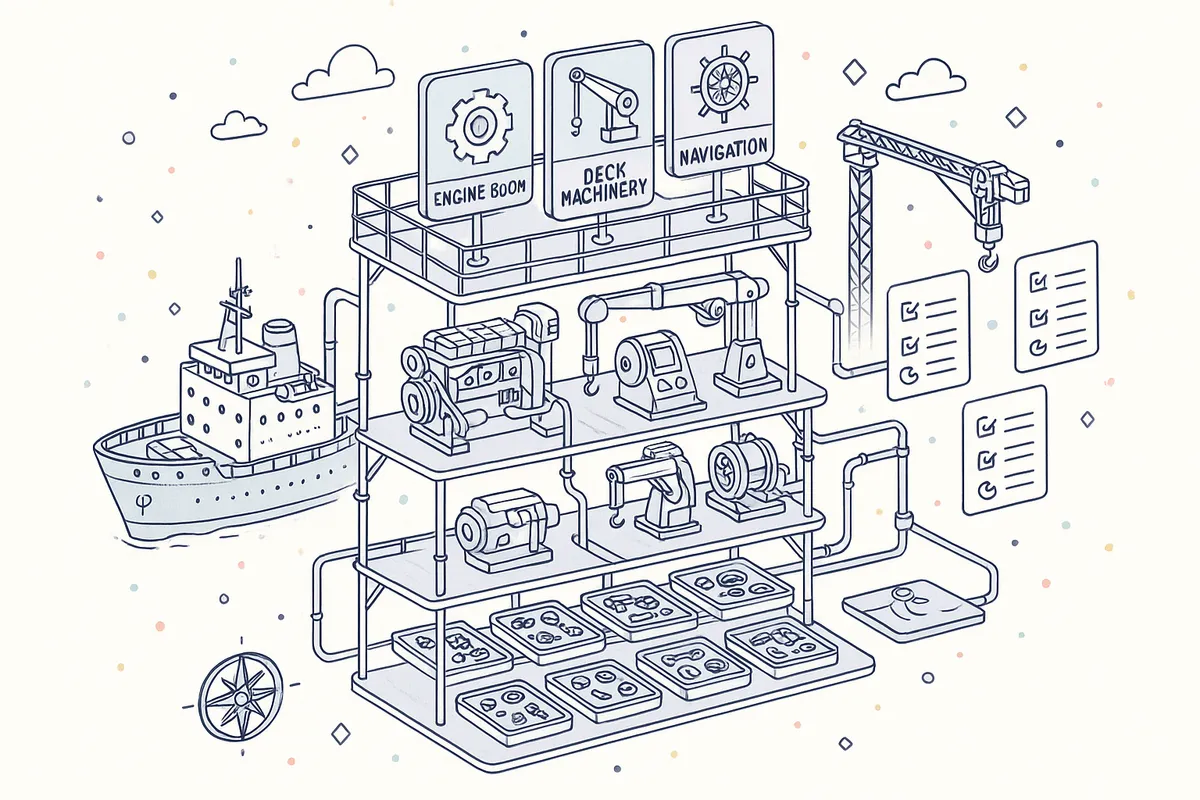
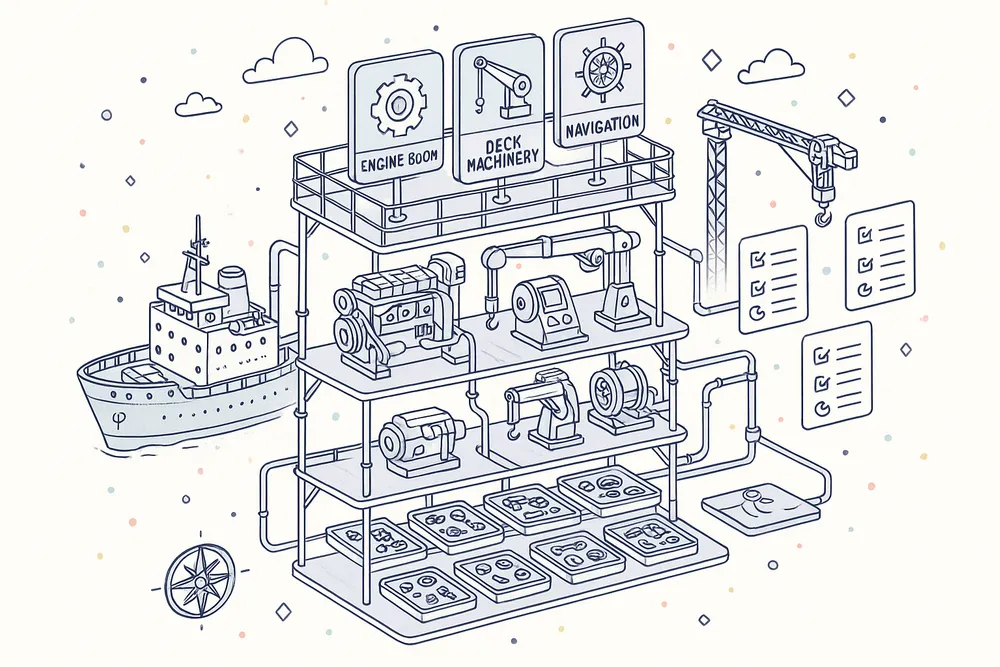
Organize every piece of machinery on your fleet using an unlimited-depth hierarchy: Categories group equipment families, Equipment nodes represent physical assets, and Sub-Equipment handles components within a unit. Each maintenance definition and its triggers attach directly to the equipment they govern, creating a single navigable tree that mirrors your vessel's actual arrangement.
The tree is the backbone of the entire PMS module — every maintenance job, running hour log, spare part BOM, and downtime record lives inside it. Deep copy functionality lets you replicate a branch from one vessel to another, eliminating redundant setup across sister ships.
Dual-Dimension Maintenance Scheduling
Every maintenance definition can carry two independent triggers simultaneously: a calendar-based interval measured in days, and a running-hours-based interval measured against a counter. Both triggers are evaluated continuously, and whichever threshold is reached first drives the next due date calculation.
The "show-only-in-range" visibility window (defaulting to 70% of elapsed interval) controls when a task surfaces in planners' views — so the maintenance list never floods with far-future jobs. Counter-type overhauls reset the running hour counter upon completion, ensuring recurrence is calculated correctly after major maintenance events.
- Calendar-based day intervals and counter-based running hour triggers
- Both dimensions active simultaneously on same definition
- Show-only-in-range visibility window (70% threshold)
- Overhaul counter reset on completion
- Dual trigger evaluation — whichever fires first wins

4-Stage Dual Approval Workflow
Completed maintenance passes through a configurable four-stage sign-off chain: Ship Responsible, Ship Approver, Company Reviewer, and Company Approver. Each stage independently configures its execution method — All (every designated person must approve), One (any single designee suffices), or NotRequired (stage is bypassed entirely).
The seven-status workflow (Waiting, In Progress, Waiting for Ship Approval, Waiting for Office Approval, Ship Not Approved, Office Not Approved, Office Approved) captures every position in the pipeline. This architecture accommodates everything from single-vessel operators who bypass all approval stages to large fleet managers who require dual office sign-off on every maintenance record.
- Ship Responsible → Ship Approver → Company Reviewer → Company Approver
- Each stage: All, One, or NotRequired execution method
- Seven-status workflow with full transition validation
- Configurable per equipment and maintenance definition
- Supports zero-approval to full four-tier sign-off

Maintenance Log & Work Record
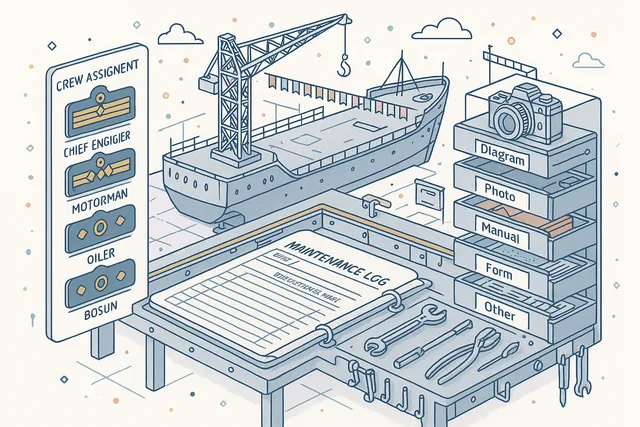
When a maintenance task is executed, a Maintenance Log captures the full record of what was done. The log includes work description, crew assignments from 29 supported ranks across Deck and Engine departments, five attachment types (Diagram, Photo, Manual, Form, Other), and structured approval tracking. A distributed lock prevents concurrent starts of the same job.
Twenty-one Maintenance Log Event Types track every action from creation through final office approval, creating a tamper-evident record ready for class society inspection. Each log carries a snapshot of the maintenance definition and equipment state at the time of completion.
- 29 crew ranks across Deck and Engine departments
- 5 evidence attachment types: Diagram, Photo, Manual, Form, Other
- 21 Maintenance Log Event Types tracked
- Distributed lock prevents concurrent job starts
- Equipment and definition snapshot preserved at completion
Megger Test Data Capture
Electrical insulation testing (megger testing) demands precision beyond a simple pass/fail checkbox. Navatom captures all six resistance readings — RS, ST, RT, RE, SE, and TE — alongside ampere and voltage values, measurement condition (cold or hot), and the final determination (pass or fail).
Every reading is stored as a structured numeric record rather than a free-text note.
This purpose-built data capture ensures your electrical survey records are machine-readable, trend-able, and immediately presentable to class surveyors. A separate Megger Tests list view aggregates all test results across the fleet for cross-vessel trend analysis.
- 6 resistance readings: RS, ST, RT, RE, SE, TE
- Ampere, voltage, and tester voltage fields
- Cold/Hot condition classification
- Structured Pass/Fail determination
- Fleet-wide trend analysis via dedicated list view

Running Hour Tracking & Automation
Running hour counters form the backbone of counter-based maintenance scheduling. Crew enter readings directly via dedicated ship-side entry forms, or approve officer-submitted readings through a structured request/approval flow.
A full Running Hour Logbook maintains the complete chronological record of every counter value ever recorded.
For vessels equipped with compatible third-party monitoring systems, the automation layer accepts pushed counter data without manual entry, eliminating transcription errors and ensuring trigger calculations always use the most current machinery state.
- Manual crew entry and officer request/approval flow
- Third-party monitoring system integration
- Full Running Hour Logbook with chronological history
- Violation detection warns when updates trigger overdue status
- Add and Reset counter types (reset after overhaul)

Equipment Explorer & Dual-Panel View
The Equipment Explorer presents the hierarchical equipment tree on the left alongside a contextual detail panel on the right, allowing superintendents and chief engineers to navigate the entire PMS structure without losing their place. Selecting any node in the tree instantly loads its equipment details, maintenance definitions, running hour history, and spare parts in the right panel.
High-performance server-side rendering handles fleets with tens of thousands of equipment records and hundreds of thousands of maintenance definitions without browser memory constraints. Twelve composable query filters allow any combination of equipment type, status, category, vessel, and date range to surface exactly the records needed.
- Hierarchical tree navigation on left panel
- Contextual equipment/maintenance detail on right panel
- 12 composable query filters across all dimensions
- High-performance server-side pagination
- Multi-equipment selection for comparison

Structured Maintenance Postponement
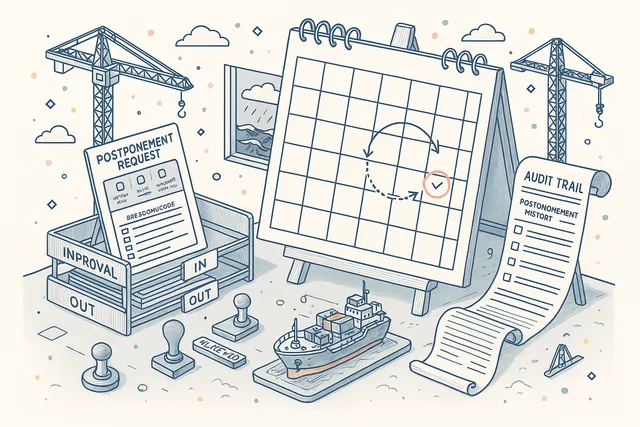
When operational reality prevents executing a maintenance task on schedule, the postponement workflow captures exactly why and by how much. Three postponement types — Dry Dock (deferred to the next scheduled drydock period), To Date (explicit new due date), and Additional Work Hour (counter-based extension) — cover every legitimate scenario.
Each postponement request records one of 12 structured reasons: Voyage Complications, Weather Conditions, Man Power, No Expertise, Parts Available, Inaccessible, Misuse, Management Hold Order, Officer Hold Order, Policies, Priority, or Other. Postponement requests go through an approve/reject workflow before the due date changes, creating an auditable record of every schedule deviation.
- Three types: Dry Dock, To Date, Additional Work Hour
- 12 structured postpone reasons
- Request → Approve/Reject workflow
- Due date unchanged until postponement approved
- Drydock type integrates with Drydock module
Equipment Downtime Tracking
Track every period an equipment item is unavailable, classifying each event as Planned or Unplanned. Planned downtime covers scheduled overhauls, drydock periods, and dry-run maintenance windows. Unplanned downtime captures breakdowns, failures, and emergency stops.
Monthly downtime distribution charts give technical superintendents fleet-wide visibility into availability trends. Linking downtime events to the parent equipment record — along with related deficiencies and maintenance logs — allows correlation between downtime patterns and maintenance history, surfacing recurring failure modes that demand preventive action.
- Planned and Unplanned downtime classification
- Monthly downtime distribution charts
- Link related deficiencies to downtime periods
- Link related maintenance logs to downtime periods
- Non-overlapping date range validation

Integrated Spare Parts Bill of Materials
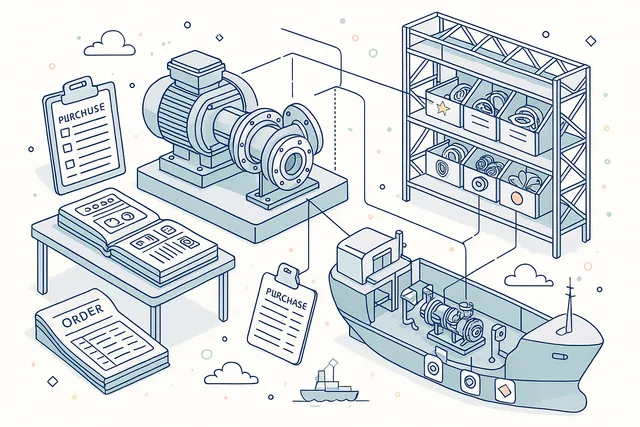
Every equipment item carries its own spare parts Bill of Materials linking directly to the Material module's catalog. Each spare part link assigns a criticality level — VITAL, ESSENTIAL, or DESIRABLE — giving procurement teams instant priority classification without consulting separate systems.
This bidirectional integration means that when a maintenance job is planned, the spare parts required are already listed against the equipment. Procurement can generate purchase requisitions directly from the BOM without manual part number lookups.
Conversely, when a part arrives in Inventory, the equipment it supports is immediately visible.
- Equipment-level BOM linked to Material module catalog
- VITAL / ESSENTIAL / DESIRABLE criticality levels
- Direct procurement requisition from BOM
- Bidirectional visibility between PMS and Inventory
- Min/max quantity tracking per equipment
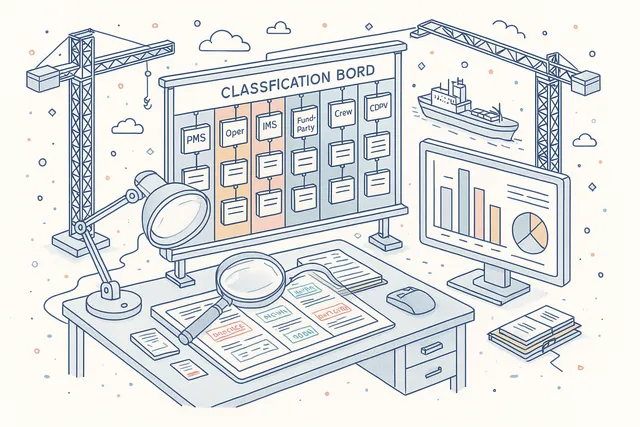
21-Reason Overdue Classification System
When a maintenance task passes its due date without completion, the system demands a structured explanation. Twenty-one overdue reason codes span seven categories: PMS (definition or scheduling errors), Operation (voyage and operational constraints), IMS (inventory and spare part issues), ThirdParty (contractor or survey delays), Crew (personnel or competency issues), Software (system-related causes), and Computer (hardware or connectivity problems).
This taxonomy transforms overdue reporting from a binary "late/not late" metric into a fleet reliability intelligence tool. Aggregate by reason category to distinguish systemic planning failures from one-off operational disruptions, and target corrective efforts where they will have the greatest impact.
- 7 categories: PMS, Operation, IMS, ThirdParty, Crew, Software, Computer
- 21 specific reason codes across all categories
- Required before overdue task sent for approval
- Fleet-wide overdue reason analytics
- Root-cause analysis for systemic improvement
PMS Publish & Office-Ship Synchronization
Company designs the PMS structure — equipment categories, equipment items, maintenance definitions, triggers, and assignments — in the office Structure editor. When the design is ready, a single Publish action deploys the entire structure to the target vessel, synchronizing definitions over satellite or broadband connections.
Ship-side deployments merge incoming structural changes without disturbing in-flight maintenance logs. Bidirectional synchronization uses conflict resolution rules that always preserve completed maintenance records.
Vessels operate independently when needed, with changes merging automatically when connectivity is available.
- Company designs structure, publishes to vessels
- Single-action fleet-wide PMS deployment
- Bidirectional satellite synchronization
- Conflict resolution preserves completed records
- Real-time fleet-wide synchronization

Trigger & Child Maintenance Chains
Maintenance definitions can trigger child definitions automatically. When a parent maintenance is completed, its child tasks become active — enabling multi-step maintenance procedures where a performance test follows an overhaul, or a visual check follows a calibration.
The trigger chain uses a parent-child hierarchy, where parent definitions list their triggered children and children reference their triggering parent. Child maintenances appear in the maintenance list with clear parent linkage, so crew know exactly which higher-level job they are supporting.
- Parent maintenance triggers child tasks on completion
- Parent-child hierarchy
- Multi-step procedures (overhaul → test → check)
- Child tasks inherit parent scheduling context
- Clear parent linkage visible in maintenance list

Dual Equipment Criticality Classification
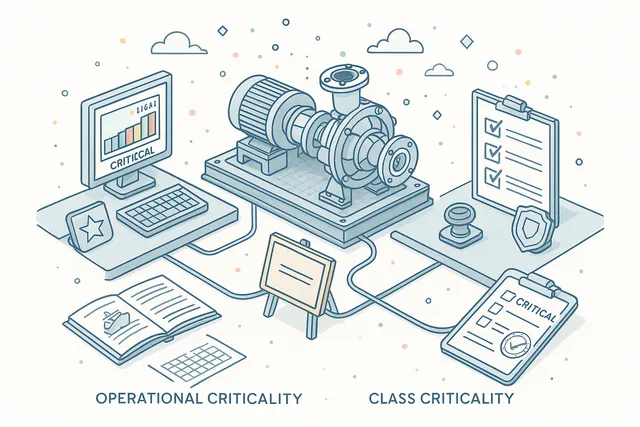
Equipment criticality in Navatom is not a single binary flag. Each equipment item carries two independent criticality dimensions: critical (operational criticality to the vessel) and classCritical (criticality from the classification society's perspective). These two dimensions are evaluated separately and can diverge.
This distinction matters for maintenance prioritization and survey planning. Class-critical equipment demands class-traceable maintenance records and defined intervals.
Operationally critical equipment demands higher postponement scrutiny. Filtering and analytics respect both dimensions independently.
- Independent operational and class criticality flags
- Critical: operational importance to vessel
- ClassCritical: classification society requirement
- Both dimensions filter and analyze independently
- Drives postponement scrutiny and survey planning
Full Maintenance History & Archive
Every completed maintenance log is preserved permanently in the archive with its full record — work logs, crew assignments, attachments, approval chain, readings, and the 29 Maintenance History Event Types that capture every action taken from creation to closure. The archive is searchable, filterable, and exportable.
Historical records serve multiple purposes: class society surveys, insurance claims, flag state inspections, and internal performance analysis. Because the archive is immutable and comprehensively logged, any reconstruction of what happened — and when, and by whom — is possible years after the fact.
- 29 Maintenance History Event Types recorded
- Immutable, tamper-proof event log
- Full work logs, attachments, and approval chain preserved
- Searchable and filterable archive
- Reconstruction possible years after the fact

Centralized Maintenance Approval Queue
Office-side reviewers and approvers work from a dedicated Approval Queue that aggregates all maintenance logs awaiting their action across the entire fleet. A single view surfaces every pending record, with filtering by vessel, equipment category, maintenance type, and urgency.
Approval actions — accept, reject, or return for correction — are executed directly from the queue without navigating into individual vessel records. Rejected logs automatically notify the originating ship with the rejection reason, feeding back into the ship-side correction workflow.
- Fleet-wide queue across all pending logs
- Filter by vessel, category, type, urgency
- Accept, reject, or return from queue directly
- Rejection auto-notifies originating ship
- No per-vessel navigation required

PMS Analytics & Dashboard Widgets
Ten dedicated dashboard widgets provide real-time KPIs for fleet maintenance health: overdue counts, upcoming maintenance by interval, completion rates by vessel, equipment downtime distribution, running hour trend lines, approval pipeline depth, and postponement frequency. Each widget drills down into the underlying maintenance records.
The Analytics section surfaces aggregate views across the fleet — overdue trend analysis by vessel, overdue breakdown by maintenance type and crew rank, and crew task distribution by department. These views give technical superintendents the intelligence to move from reactive firefighting to proactive fleet reliability management.
- 10 dedicated dashboard widgets
- Overdue count, upcoming maintenance, completion rate KPIs
- Overdue breakdown by maintenance type and crew rank
- Crew task distribution by department analytics
- Drill-down from any widget to underlying records

PMS Structure Import, Export & Deep Copy
The PMS tree is not built from scratch for every vessel. Category trees and equipment structures are importable and exportable between vessels, enabling rapid fleet-wide deployment of a standard PMS template.
The import process validates incoming data against the current schema before committing, preventing corrupt structures from reaching production.
Deep copy functionality allows any branch of the equipment tree — including all maintenance definitions, triggers, spare parts BOMs, and running hour configurations — to be duplicated from one vessel to another. This is essential for managing sister ships and near-identical vessel classes without manual re-entry.
- Category tree import/export between vessels
- Deep copy any branch with full definitions and BOMs
- Schema validation before import commit
- Sister-ship deployment in minutes not weeks
- No manual re-entry for near-identical vessel classes

FAQ
Frequently Asked Questions
Common questions about Planned Maintenance System answered.
How does the dual-dimension scheduling work in practice?+
Each maintenance definition can carry a calendar interval (days) and a running-hours interval simultaneously. Both are evaluated independently at all times.
Whichever threshold is reached first triggers the next due date. The "show-only-in-range" visibility threshold (defaulting to 70% elapsed) controls when the task first surfaces in the maintenance list, so planners have lead time without being buried in far-future jobs.
After an overhaul, the running hour counter resets and the calculation restarts from the recorded completion date.
What approval stages are required before a maintenance log is accepted by the office?+
The approval pipeline has four configurable stages: Ship Responsible, Ship Approver, Company Reviewer, and Company Approver. Each stage independently sets its execution method — All (every designated person must approve), One (any single designee suffices), or NotRequired (stage is bypassed).
The log moves through seven statuses: Waiting, In Progress, Waiting for Ship Approval, Waiting for Office Approval, Ship Not Approved, Office Not Approved, and Office Approved. A small operator might configure all four stages as NotRequired; a large fleet manager might require all four with All method for critical equipment.
How are overdue maintenance items managed and analyzed?+
When a maintenance task passes its due date without completion, the system captures a structured overdue reason from 21 predefined codes grouped into 7 categories: PMS (definition or scheduling errors), Operation (voyage and operational constraints), IMS (management system holds), ThirdParty (contractor or survey delays), Crew (personnel or competency issues), Software (system-related causes), and Computer (hardware or connectivity). Fleet-wide overdue analytics break down trends by reason category, vessel, and equipment type — so management can distinguish systemic planning problems from operational one-offs.
Can the PMS handle electrical insulation testing (megger tests) specifically?+
Yes. The Megger Test feature captures all six resistance readings (RS, ST, RT, RE, SE, TE), ampere, voltage, measurement condition (cold or hot), and a pass/fail determination as structured numeric data — not free text.
A dedicated Megger Tests list view aggregates results across the fleet for trend analysis. This data is immediately presentable to class surveyors in tabular form without manual extraction from attachments.
How does the system handle postponed maintenance?+
Postponements follow a formal request-approve-reject workflow. Three postponement types are supported: Dry Dock (defer to next scheduled drydock), To Date (explicit new calendar date), and Additional Work Hour (counter-based extension).
Each request must record one of 12 structured reasons — Voyage Complications, Weather Conditions, Man Power, No Expertise, Parts Available, Inaccessible, Misuse, Management Hold Order, Officer Hold Order, Policies, Priority, or Other. The due date does not change until the postponement is approved, creating an auditable trail of every schedule deviation.
How does running hour data get into the system for vessels with monitoring automation?+
Running hours can enter via three paths: manual entry by ship crew, officer-submitted reading requests (which go through an approval flow), or automated push from third-party vessel monitoring systems with compatible third-party systems. The automation layer stores pushed readings as structured records, which feed the same trigger evaluation pipeline as manual entries.
This ensures counter-based due dates are always current without requiring crew transcription, eliminating a major source of scheduling drift.
How are spare parts linked to maintenance tasks?+
Spare parts are attached to equipment records as a Bill of Materials, linking to the Material module catalog. Each spare part link carries a criticality classification — VITAL (must be onboard), ESSENTIAL (should be onboard), or DESIRABLE (nice to have).
When a maintenance job is planned, the required parts and their criticalities are visible directly on the equipment record. Procurement teams can generate requisitions from this BOM without manual part number lookup, and all purchasing flows through the integrated Procurement module without double entry.
Navatom AI
Ask Navatom AI about Planned Maintenance System
Ask about maintenance in plain language and get grounded, cited answers from your own live PMS records — overdue jobs, running hours, spares, and downtime.
- Show overdue maintenance on MV Horizon.
- Running-hours history for this generator.
- Spare-parts list for this pump.
- Downtime records for this equipment.
Navatom AI reports what is overdue and logged — it does not forecast failures.
Glossary
Related Maritime Terms
Key terms and concepts related to Planned Maintenance System.
Related Modules
Handle technical enquiries and communication between office and vessel with full traceability.
Real-time fleet overview with customizable widgets, KPIs, and operational insights.
Plan and manage drydock projects, specifications, and yard coordination end to end.
Ready to try Planned Maintenance System?
Start your free trial today and see how Planned Maintenance System fits into your fleet operations.
Free Trial
No credit card required
30+ Modules
Fully integrated platform
Cloud-Based
No installation needed