
Benefits
Why Running Cost?
Key advantages of Running Cost as part of Navatom's integrated platform.
Per-Ship Budget Templates for Consistent Cost Planning
One template per vessel, one category structure per template. The controlled template model ensures every vessel's budget follows the same organizational standards — no more inconsistent spreadsheets with different category names, missing departments, or incomparable line items across your fleet.
Real-Time Actual vs. Estimated Variance Analysis
See how actual spending compares to budget at every level — from individual categories to department totals to the entire vessel. Real-time variance tracking means budget overruns are caught early, underutilized allocations are identified for reallocation, and fleet financial health is always visible.
Heatmap Analytics Reveal Spending Patterns Instantly
Monthly and quarterly heatmaps turn raw expenditure data into visual spending intelligence. Spot seasonal peaks, identify consistently over-budget categories, and compare spending patterns across vessels — all from a single interactive view that transforms numbers into actionable insights.
Seven-Department Cost Breakdown for Full Operational Visibility
Every expenditure maps to one of seven departments — Crew, DPA, HSEQ, Operation, Purchasing, Technical, Training. This department-level breakdown provides management with a clear organizational view of where money is being spent, enabling department heads to own their budgets and fleet managers to see the big picture.
Scales from Single Vessel to Global Fleet
Background task executors, template-based architecture, and server-side data processing mean the system performs identically whether you manage one vessel or five hundred. Grow your fleet without outgrowing your budgeting platform — every new ship gets its own template, its own estimations, and its own analytics.
Navatom Running Cost is the fleet-wide budget planning and expenditure tracking platform — enabling ship managers to build per-ship cost templates, create period-based budget estimations, and compare actual spending against planned figures in real time. It replaces disconnected spreadsheets, emailed budget reports, and ad-hoc cost tracking with a structured, template-driven system that gives your finance team, fleet superintendent, and technical managers a single source of truth for every vessel's operating expenditure.
Built around a one-template-per-ship model with hierarchical expenditure categories, the module supports the full budget lifecycle — from draft template creation through publication, estimation setup with date ranges and per-category amounts, to real-time actual vs. estimated variance analysis. Seven expenditure departments (Crew, DPA, HSEQ, Operation, Purchasing, Technical, Training) ensure every cost line maps to the right organizational unit. Multi-currency support with per-template currency selection handles mixed-currency fleet operations.
A four-status expenditure lifecycle (Draft, In Progress, Verified, Cancelled) with configurable approval and review workflows — supporting All, One, or Not Required execution methods — ensures every cost entry is properly authorized. Heatmap analytics with monthly and quarterly period aggregation reveal spending patterns across your fleet.
Twenty-one event types (9 estimation + 12 template) record every budget change for full audit trail compliance, scaling seamlessly from a single vessel to a global fleet.
Capabilities
Key Features
How Running Cost helps ship managers work faster and stay compliant.

Per-Ship Cost Templates
Each vessel in your fleet receives exactly one running cost template — a unique, controlled budget structure that defines how operating costs are organized for that ship. The one-template-per-ship model enforces consistency and prevents duplicate or conflicting budget structures from proliferating across your fleet.
Templates follow a draft-to-published lifecycle. Build your category structure, configure approval rules, and refine the template in Draft status.
When ready, publish it to make the template available for live budget estimations. The published template becomes the authoritative cost structure for all estimations created against that vessel.
Hierarchical Category Tree
Organize your vessel's operating costs into a hierarchical tree of expenditure categories — parent categories contain child categories, and budgets roll up cumulatively from leaves to root. This tree structure mirrors real-world cost breakdowns: Crew costs contain subcategories for wages, overtime, travel, and provisions; Technical costs break down into maintenance, spares, repairs, and class surveys.
Each category in the tree carries its own estimated budget amount, assigned department, and approval configuration. The hierarchical rollup means you can see total estimated and actual spending at any level — from a single leaf category to an entire department or the vessel total. Add, reorder, and restructure categories at any time during the draft phase.
- Parent-child category nesting
- Cumulative budget rollup
- Per-category department assignment
- Unlimited tree depth
- Restructure during draft phase

Budget Estimation System
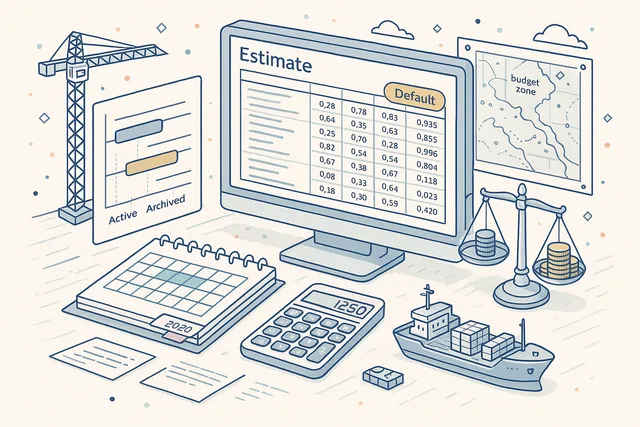
Create budget estimations for specific date ranges — annual budgets, quarterly plans, or any custom period your organization requires. Each estimation references the ship's published template and captures per-category budget amounts with BigDecimal precision, ensuring no rounding errors accumulate across hundreds of line items.
Multiple estimations can exist simultaneously for different periods, and one estimation is marked as the default for quick-access reporting. The estimation system supports the full lifecycle: create an estimation, populate category budgets, track actuals against estimates, and archive completed periods — all while maintaining a complete history of every budget figure change.
- Date-range based estimations
- Per-category budget amounts
- BigDecimal precision (no rounding errors)
- Multiple simultaneous estimations
- Default estimation flag
Actual vs. Estimated Tracking
Compare real expenditures against budgeted amounts in real time. As verified expenditures flow into the system, the module automatically aggregates actuals per category, per department, and per vessel — providing instant variance analysis at every level of the category hierarchy.
Drill down from fleet-level budget health to individual category variances. Identify overspends before they become critical, spot underutilized budgets that could be reallocated, and track cumulative variance trends across estimation periods.
The actual vs. estimated view is the financial pulse of your fleet operations.
- Real-time variance analysis
- Per-category actual aggregation
- Department-level comparisons
- Overspend early warning
- Hierarchical rollup at every level

Multiple Estimation Periods
Manage multiple budget estimations per vessel across different time periods. Active estimations track current spending, archived estimations preserve historical budget data for trend analysis and year-over-year comparison, and deleted estimations are soft-removed while maintaining audit trail integrity.
The three-status estimation lifecycle (Active, Archived, Deleted) ensures you always have a clean view of current budgets while retaining full historical data. Switch between estimation periods to compare spending patterns, analyze seasonal variations, and build more accurate future budgets based on actual historical performance.
- Active, Archived & Deleted statuses
- Year-over-year comparison
- Seasonal variation analysis
- Full historical data retention

Default Estimation Selection
Designate one estimation per vessel as the default — the primary budget that appears in dashboard widgets, fleet overview screens, and quick-access reports. The isDefault flag ensures that fleet managers always see the most relevant budget data without navigating through multiple estimation periods.
Change the default estimation at any time as budget cycles roll over. When a new annual budget is created, promote it to default and the entire reporting layer updates automatically. The previous default remains accessible as a standard estimation for historical comparison.
- isDefault flag per vessel
- Quick-access dashboard reporting
- Automatic reporting layer update
- Seamless budget cycle rollover

Category Import & Cloning
Bootstrap a new vessel's cost template by importing the category structure from an existing template. The import operation runs as a background task, asynchronously copying the complete hierarchical tree — categories, subcategories, department assignments, and budget configurations — without blocking the user interface.
Import is especially valuable when adding new vessels to your fleet. Rather than rebuilding the category structure from scratch, import from a similar vessel type and customize as needed.
The background executor handles large category trees efficiently, and the template's busy-state indicator prevents concurrent modifications during the import process.
- Import from existing template
- Async background processing
- Complete tree copy (categories + config)
- Busy-state lock during import

Category Move & Delete
When restructuring your cost template, move expenditures from one category to another before deleting the source category. The move-and-delete operation runs as a dedicated background task, reassigning all linked expenditures to the target category while preserving their full transaction history and approval status.
This safe deletion model ensures no expenditure data is orphaned when categories are reorganized. The background executor processes the move atomically — either all expenditures transfer successfully or the operation rolls back.
A busy-state lock prevents other users from modifying the template during the migration.
- Move expenditures before deletion
- Dedicated background executor
- Atomic move-or-rollback operation
- No orphaned expenditure data
- Busy-state lock protection

Multi-Currency Support
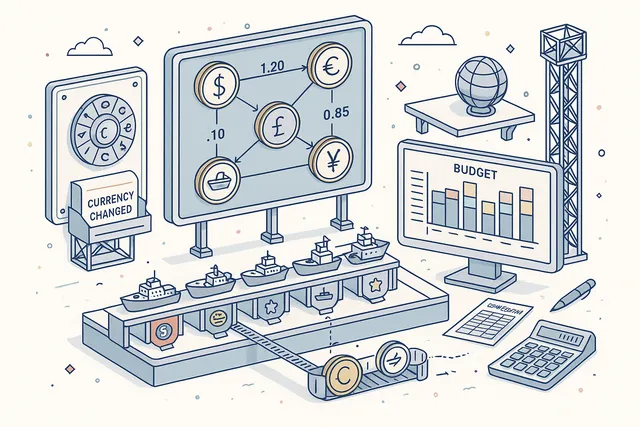
Set the operating currency per template, supporting fleets that operate across multiple currency zones. Each vessel's running cost template carries its own currency designation, and all budget amounts and actuals within that template are denominated in the selected currency.
Change the template currency when operational requirements shift — for example, when a vessel moves from a USD-denominated trade route to a EUR-denominated region. Currency changes are recorded as template events, maintaining a complete history of currency transitions for audit and reporting purposes.
- Per-template currency designation
- Mixed-currency fleet support
- Currency change event logging
- All amounts in template currency
Approval & Review Configuration
Configure per-category approvers and reviewers with three execution methods: All (every designated person must approve), One (any single approver is sufficient), or Not Required (skip the approval step entirely). This flexible model lets you enforce strict oversight on high-value categories while streamlining low-value routine expenses.
Set multiple approvers and multiple reviewers per category. The execution method determines how the approval chain resolves — unanimous consent for critical budget items, first-available approval for routine items, or direct processing for pre-approved categories.
Approval and review configurations are stored at the template level and apply to all estimations.
- Per-category approvers & reviewers
- Three execution methods (All, One, Not Required)
- Multiple approvers per category
- Template-level configuration
- Flexible oversight per cost tier

Expenditure Heatmap Analytics
Visualize spending patterns with heatmap analytics that aggregate expenditures by month or quarter across top-level categories. The heatmap view reveals seasonal spending peaks, identifies consistently over-budget categories, and highlights cost anomalies that warrant investigation.
Select monthly or quarterly period grouping and a date range spanning multiple years. The analytics engine expands the date range into individual periods, aggregates actual expenditures per top-level category per period, and renders the results as an interactive heatmap. Drill down from any cell to see the underlying expenditure transactions.
- Monthly & quarterly period grouping
- Top-level category aggregation
- Multi-year date range support
- Interactive drill-down per cell
- Visual spending pattern detection

Date Range Actuals Query
Filter actual expenditures by status and date range to isolate exactly the spending data you need. Query verified expenditures for a specific quarter, pull draft expenditures awaiting approval, or review cancelled items for audit purposes — all with precise date boundaries.
The date range query powers both the actual vs. estimated comparison and standalone expenditure reporting. Combine status filters (Draft, In Progress, Verified, Cancelled) with date boundaries to create focused views: "Show me all verified expenditures for Q3 2025 in the Technical department" or "List all cancelled expenditures across the fleet this year."
- Filter by status & date range
- Four expenditure statuses supported
- Department-level filtering
- Powers actual vs. estimated view

Excel Export
Export estimation vs. actual data to Excel with three export formats tailored to different reporting needs. The budget summary export shows per-category estimated vs. actual with variance calculations.
The detailed transaction export lists every individual expenditure with full metadata. The department rollup export aggregates by the seven expenditure departments.
Use Excel exports for board presentations, owner reporting, charterer budget submissions, and internal financial reviews. The export formats follow maritime industry conventions, ensuring your running cost data is immediately usable by external stakeholders without reformatting.
- Three export formats
- Budget summary with variance
- Detailed transaction listing
- Department rollup aggregation
- Maritime industry conventions

Comments & Event History
Add, edit, and delete comments on any budget estimation to maintain a running dialogue between fleet managers, finance staff, and technical superintendents. Comments provide context that numbers alone cannot — explaining why a category was overspent, noting a one-time extraordinary expense, or flagging a budget reallocation request.
Every action within the module is recorded across 21 event types — 9 estimation events (NewEstimationCreated, CategoryDeletedAndMoved, ChangedStatus, UpdatedEstimationForCategory, UpdatedStartDate, UpdatedEndDate, AddedComment, DeleteComment, EditComment) and 12 template events (NewTemplateCreated, TemplateTitleChange, CategoryUpdated, NewCategory, DeleteCategory, Publish, Import, DeleteAndMovedTo, ChangedCurrency, SetApprovalExecutionMethod, SetReviewalExecutionMethod, SetMultipleApprover, SetMultipleReviewer). The complete audit trail provides full accountability for every budget decision.
- 9 estimation event types
- 12 template event types
- Full user attribution per event
- Comment add, edit & delete
- Complete budget audit trail

FAQ
Frequently Asked Questions
Common questions about Running Cost answered.
How does budget estimation work?+
Each vessel has one running cost template that defines its expenditure category structure. , annual or quarterly budgets) against the published template.
Each estimation captures per-category budget amounts with BigDecimal precision. One estimation can be marked as the default for quick-access reporting.
Estimations follow a three-status lifecycle: Active, Archived, and Deleted.
Can we compare actual costs against estimates?+
Yes. As verified expenditures enter the system, the module automatically aggregates actuals per category, per department, and per vessel.
The actual vs. estimated view shows real-time variance at every level of the category hierarchy.
You can filter by date range and expenditure status (Draft, In Progress, Verified, Cancelled) to isolate exactly the data you need.
How are cost categories organized?+
Categories are organized in a hierarchical tree — parent categories contain child categories, and budgets roll up cumulatively from leaves to root. Each category carries a department assignment (one of seven: Crew, DPA, HSEQ, Operation, Purchasing, Technical, Training), an estimated budget amount, and configurable approval/review settings.
The tree structure can be as deep as your organization requires.
What analytics are available?+
The module provides heatmap analytics with monthly or quarterly period aggregation across top-level categories and configurable date ranges. The heatmap reveals seasonal spending patterns, identifies over-budget categories, and highlights cost anomalies.
Additionally, actual vs. estimated variance analysis is available at every level of the category hierarchy, and three Excel export formats support external reporting.
Can we import category structures from other ships?+
Yes. The category import feature copies the complete hierarchical tree — categories, subcategories, department assignments, and configurations — from one vessel's template to another.
The import runs as a background task to handle large category structures without blocking the interface. This is especially valuable when adding new vessels to your fleet.
Is there an audit trail for budget changes?+
Yes. Every action is recorded across 21 event types — 9 estimation events (including creation, category updates, date changes, status changes, and comment actions) and 12 template events (including category management, currency changes, publication, import, and approval/review configuration changes).
Each event carries full user attribution, timestamp, and contextual data.
Glossary
Related Maritime Terms
Key terms and concepts related to Running Cost.
Related Modules
Record and manage financial transactions with chart of accounts and journal entries.
Monitor fuel consumption, waste management, and environmental compliance across the fleet.
Plan and manage drydock projects, specifications, and yard coordination end to end.
Ready to try Running Cost?
Start your free trial today and see how Running Cost fits into your fleet operations.
Free Trial
No credit card required
30+ Modules
Fully integrated platform
Cloud-Based
No installation needed