
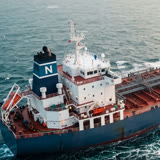
 MT BANE OF ISILDUR
Plan each vessel's operating budget by category and compare it with verified invoices.
Finance
Finance modules deliver running cost tracking and budget estimation for ship management companies. Monitor vessel expenditure against your estimates with real-time cost analysis, variance by category and department, and multi-currency support. Gain fleet performance analytics and maritime business intelligence by connecting operational spending to financial outcomes. Explore the module below.
4
Access Rights
Running Cost
2
Period Aggregation Types
Running Cost
3
Approval Methods
Running Cost
Fleet Financial Intelligence and Cost Control
Effective fleet financial management requires visibility across every vessel and cost category. Navatom Running Cost gives each ship its own cost template, sets budget estimations for the periods you choose, and compares them with the actual spending recorded in Bookkeeping — giving ship management companies the fleet performance analytics and cost control they need, vessel by vessel.
Actual spending against the estimate is tracked by cost category and department, and a monthly or quarterly heatmap shows where the money goes — helping fleet operators see early which vessels and categories need attention.
Running Cost keeps several estimations for each ship, one of them the default, and older estimations can be archived, or deleted to a list of their own, with their history intact. Every invoice for a vessel in Bookkeeping shows how much of each category's budget is already spent against the default estimation, so reviewers and approvers see it without leaving the invoice. Each cost category has its own reviewers and approvers, each step run as all, any one or not required. Actual spending can be read for any date range, not only the estimation's own period. Invoices in any currency are converted into the vessel's currency at the rate saved for their date, and comments and the event history show who changed an estimation and when.
RC
Running Cost
- Actual vs. Estimated Tracking
- Budget Check on Every Invoice
- Per-Ship Cost Templates
- Expenditure Heatmap Analytics
All Finance modules share data seamlessly with every other module in the Navatom platform. Data entered in one module is immediately available across your entire fleet management system — no duplication, no manual transfers, no delays.
This integrated architecture means your finance workflows connect directly to maintenance schedules, crew records, procurement orders, and compliance documentation — giving your team a single source of truth for every operational decision.
FAQ
Questions fleet managers ask about Finance
How does Running Cost compare the estimate with actual spending?
Each ship gets a cost template and budget estimations for the periods you choose. Actual spending comes from Bookkeeping and is compared by cost category and department.
Can I see spending month by month?
Yes. A heatmap shows spending by month or quarter, so the vessels and categories that drift from the estimate stand out.
How are a ship's cost categories set up?
Each ship's cost template is a tree of cost categories. You can import the structure from another ship, move categories later, and export the figures to Excel.
Ready to get started?
Start your free trial and explore the Running Cost module.
Explore Other Categories
Discover more modules across the Navatom platform.