
Benefits
Why Bookkeeping?
Key advantages of Bookkeeping as part of Navatom's integrated platform.
Seven-Department Cost Visibility Across Your Fleet
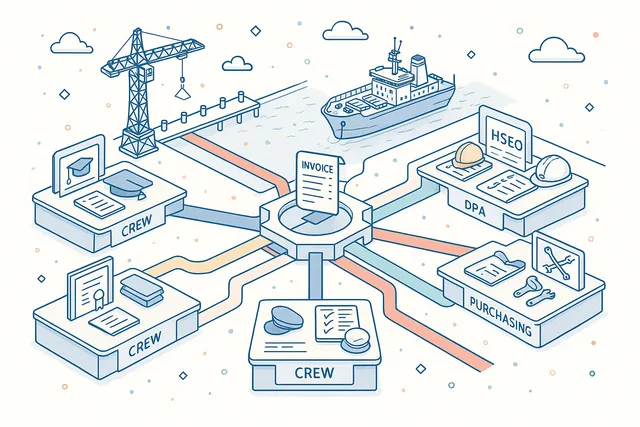
Allocate every expenditure to Crew, DPA, HSEQ, Operation, Purchasing, Technical, or Training departments. Filter and aggregate costs by department to understand spending patterns, identify savings opportunities, and report to stakeholders with functional cost breakdowns.
Multi-Level Approval Ensures Financial Control
Dual-stage review and approval workflows with three execution methods enforce your organization's authority structure. High-value expenditures require full approval chains, routine costs flow through with minimal friction, and every decision is logged for audit evidence.
Split Costs Across Categories with Distribution Posting
When a single invoice covers multiple cost centers — common in maritime operations — distribution-based posting allocates amounts precisely across categories. No more manual journal entries or spreadsheet workarounds to split port call charges.
Full Chart of Accounts with Nine Account Types
Define your complete general ledger structure with Profit and Loss, Revenue, Expense, Balance Sheet, Asset, Liability, Equity, Total, and Reporting account types. Parent-child hierarchies, offset accounts, and four account statuses provide the depth demanded by maritime accounting standards.
ISM-Compliant Financial Records with Complete Audit Trail
Twenty-five-plus event types, immutable logging, and full user attribution mean your financial records are always inspection-ready. ISM auditors, flag state inspectors, and external accountants will find a clean, chronological record of every financial action.
Scales from Single Vessel to Global Fleet
Server-side pagination, MongoDB aggregation pipelines, and secure company data isolation mean the system performs identically whether you manage one vessel or five hundred. Multi-currency support and per-category configuration handle the complexity of international fleet operations.
Navatom Bookkeeping is the maritime finance command center — giving fleet managers, accountants, and operations teams full control over expenditures, invoices, cost allocations, and general ledger structure across every vessel in the fleet. It replaces disconnected spreadsheets, emailed invoices, and manual approval chains with a controlled, cloud-synchronized financial management system that delivers real-time visibility from single-vessel cost tracking to consolidated fleet-wide reporting.
Built around a four-status expenditure lifecycle (Draft, In Progress, Verified, Cancelled) with dual-stage approval workflows (review + approval) and three execution methods (All, Any One, Not Required), the module enforces financial controls that scale from owner-managed single-vessel operations to global fleet management companies. Seven department cost centers (Crew, DPA, HSEQ, Operation, Purchasing, Technical, Training) ensure every transaction is allocated to the right cost category with full audit trail.
A hierarchical Chart of Accounts with nine account types (Profit & Loss, Revenue, Expense, Balance Sheet, Asset, Liability, Equity, Total, Reporting), multi-currency support with exchange rate snapshots, distribution-based cost posting, and credit-debit invoice linkage provide the financial depth demanded by maritime accounting standards. Twenty-five-plus event types track every change for ISM-compliant audit evidence, while three export formats and Jade-rendered print views make reporting effortless.
Capabilities
Key Features
How Bookkeeping helps ship managers work faster and stay compliant.

Expenditure Management
Manage every financial transaction across your fleet through a unified expenditure system that handles invoices, orders, and payments. Each expenditure record captures vendor details, invoice and order dates, amounts, tax information, and department allocation — everything your accounting team needs in a single, structured document.
The four-status lifecycle — Draft, In Progress, Verified, and Cancelled — enforces a controlled workflow from initial entry to final verification. Expenditures move through stages with full validation at each transition, ensuring that only properly reviewed and approved transactions reach the verified state. Every status change is logged with user attribution and timestamp.
Seven-Department Cost Allocation
Allocate every expenditure to one of seven predefined cost departments — Crew, DPA, HSEQ, Operation, Purchasing, Technical, and Training. Department-based allocation reflects the operational reality of ship management, where costs must be tracked and reported by functional area for budgeting, variance analysis, and regulatory compliance.
Each department serves as a cost center for fleet-wide financial reporting. Filter, sort, and aggregate expenditures by department to understand where money flows.
Department allocation integrates with the hierarchical category system, giving you both functional and categorical cost visibility across every vessel.
- Crew, DPA, HSEQ, Operation departments
- Purchasing, Technical, Training centers
- Fleet-wide department aggregation
- Functional cost reporting
Hierarchical Expenditure Categories
Organize your chart of expenditure categories into a hierarchical tree structure with parent-child relationships and cumulative budget tracking. Top-level categories define major cost groups, while sub-categories provide the granularity needed for detailed cost analysis. The tree supports unlimited nesting depth for complex organizational structures.
Eleven category operations — New Top, New Sub, Update, Delete, Publish, Move and Delete, Import, Set Currency, Set Reviewal Execution Method, Set Approval Execution Method, Set Multiple Approver, and Set Multiple Reviewer — give administrators full control over the category structure. Cumulative budgets roll up from child to parent, providing instant visibility into spending against plan at every level of the hierarchy.
- Parent-child tree structure
- Unlimited nesting depth
- Cumulative budget rollups
- 11 category operations
- Per-category currency & approvers

Multi-Level Approval Workflow
Enforce financial controls with a dual-stage approval engine that separates review from approval. Every expenditure can require both a review step and an approval step before reaching verified status.
Six action types — My Approve, My Review, My Verify, Waiting for Review, Waiting for Approval, and Waiting for Verify — track where each transaction stands in the workflow.
Three execution methods — All (every designated reviewer/approver must act), Any One (a single approval is sufficient), and Not Required (the stage is skipped) — let you configure approval workflows that match your organization's authority structure. Set execution methods per category, so high-value expenditures require full board approval while routine costs flow through with minimal friction.
- Separate review & approval stages
- All / Any One / Not Required methods
- 6 workflow action types
- Per-category execution configuration
- Full approval audit trail

Chart of Accounts
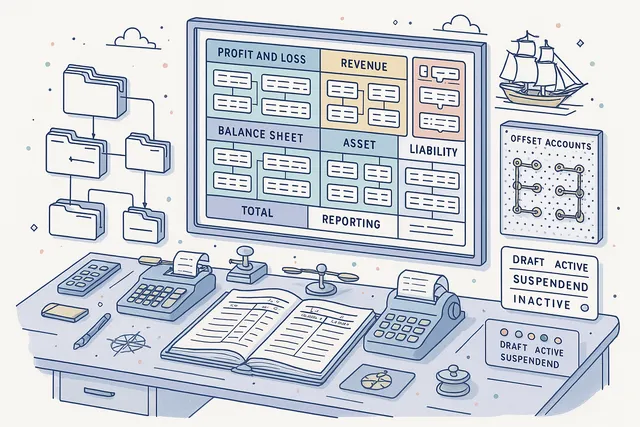
Define your complete general ledger structure with a hierarchical Chart of Accounts supporting nine account types: Profit and Loss, Revenue, Expense, Balance Sheet, Asset, Liability, Equity, Total, and Reporting. Each account carries a type classification, parent-child hierarchy, offset account linkage, and debit-credit orientation (Debit, Credit, or Both).
Four account statuses — Draft, Active, Suspended, and Inactive — control which accounts are available for posting. Parent-child relationships enable consolidation reporting, while offset accounts simplify double-entry bookkeeping by automatically linking contra accounts.
The chart scales from a simple single-vessel setup to a complex multi-company, multi-currency fleet structure.
- 9 account types (P&L, BS, etc.)
- Parent-child hierarchy
- Offset account linkage
- Debit / Credit / Both orientation
- Draft, Active, Suspended, Inactive
Credit & Debit Invoice System
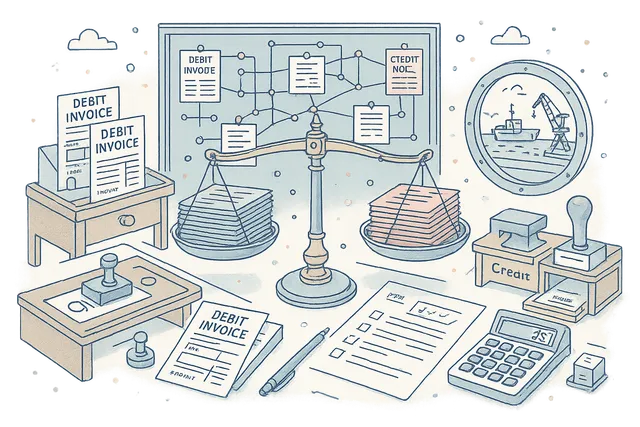
Handle both credit notes and debit invoices within a unified system that maintains proper linkage between related documents. Credit expenditures reduce vendor balances, while debit expenditures increase them — with full traceability between original invoices and their corresponding credit adjustments.
The credit-debit linkage system ensures that every credit note references its source invoice, maintaining audit integrity. Financial summaries automatically calculate net positions by combining debits and credits per vendor, per category, and per vessel.
This eliminates the reconciliation headaches common in maritime accounting where credit notes often arrive weeks after the original invoice.
- Credit notes & debit invoices
- Source invoice referencing
- Automatic net position calculation
- Per-vendor & per-category netting
Multi-Currency Support
Operate across currencies with built-in conversion rate management and per-category currency configuration. Each expenditure category can be denominated in a different currency, reflecting the multi-currency reality of international maritime operations where port charges, bunker costs, and crew wages are paid in different currencies.
Exchange rate snapshots capture the conversion rate at the time of each transaction, providing accurate historical cost records regardless of subsequent rate fluctuations. Currency conversion is applied automatically when aggregating across categories or generating fleet-wide reports, ensuring consistent and auditable multi-currency accounting.
- Per-category currency denomination
- Exchange rate snapshots per transaction
- Automatic conversion on aggregation
- Historical cost accuracy

Distribution-Based Cost Posting
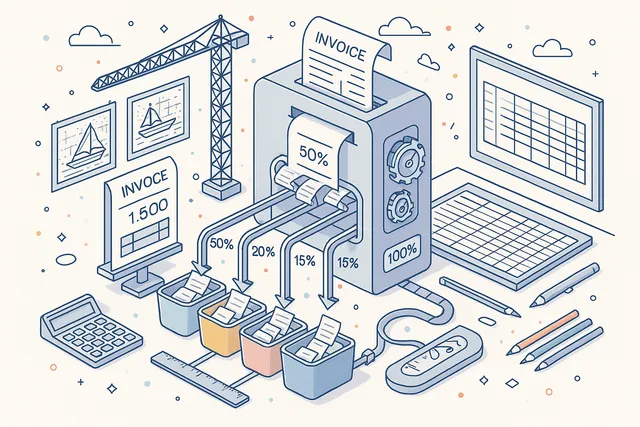
Split a single expenditure across multiple categories using distribution-based posting. When an invoice covers costs that span different departments or budget lines — common in maritime operations where a single port call generates charges across multiple cost centers — the distribution system allocates amounts precisely.
Each distribution line specifies the target category and the allocated amount or percentage. Distribution changes are tracked as dedicated event types in the audit trail, so you always know who allocated what and when.
The system validates that distributions sum to the total expenditure amount, preventing posting errors.
- Split single expenditure across categories
- Amount or percentage allocation
- Sum validation against total
- Dedicated audit trail events
Bank Account Management
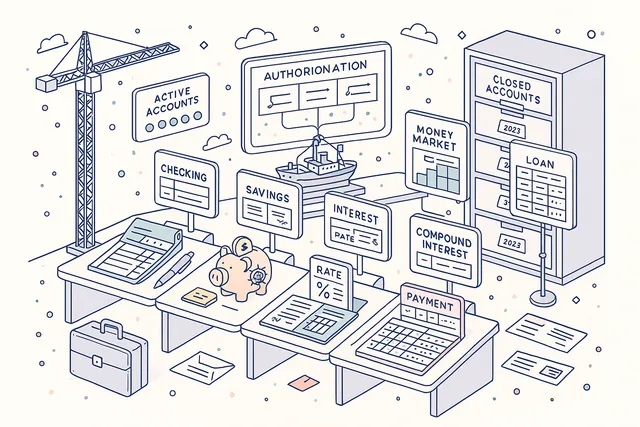
Manage your fleet's bank accounts with support for four account types: Checking, Savings, Money Market, and Loan. Each bank account record captures IBAN, SWIFT/BIC codes, bank name, branch details, and multi-holder information for accounts with joint signatories or corporate co-holders.
Two statuses — Active and Closed — track the lifecycle of each account. Bank account data integrates with payment processing, letting you associate expenditures with specific accounts for cash flow tracking.
Multi-holder support handles the common maritime scenario where vessel operating accounts have both the management company and the shipowner as authorized parties.
- Checking, Savings, Money Market, Loan
- IBAN & SWIFT/BIC support
- Multi-holder / joint signatory
- Active & Closed lifecycle
Tax Code & Group Configuration
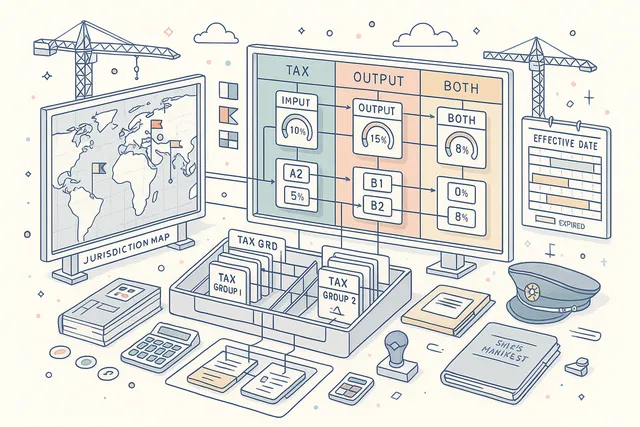
Configure tax codes and tax groups to handle the complex jurisdictional tax requirements of international maritime operations. Three tax types — Input, Output, and Both — classify each tax code by its direction in the VAT/GST cycle. Tax groups aggregate related tax codes for simplified application to expenditures.
Jurisdiction-based configuration with effective dates ensures that tax calculations reflect the correct rates for the time and place of each transaction. Tax codes carry percentage rates, valid date ranges, and group memberships. When tax regulations change, add new effective-dated entries without losing historical accuracy.
- Input, Output & Both tax types
- Jurisdiction-based configuration
- Effective date ranges
- Tax group aggregation
Payment Terms Management
Define payment terms that standardize your financial agreements with vendors across the fleet. Each payment term specifies net days (the number of days until payment is due), discount percentage for early payment, and discount days (the window within which the early payment discount applies).
Payment terms are linked to vendor records and applied automatically to new expenditures, reducing data entry and ensuring consistency. Standard maritime payment terms (Net 30, Net 60, 2/10 Net 30) can be configured once and applied fleet-wide, while custom terms handle special vendor agreements.
- Net days configuration
- Early payment discount percent
- Discount window (days)
- Auto-applied via vendor linkage

Vendor Integration
Link expenditures to vendor records from the integrated CRM system, maintaining a complete financial relationship history with every supplier. Vendor selection during expenditure creation pulls contact details, default payment terms, and tax information automatically — reducing manual entry and ensuring data consistency.
Twenty-two invoice operations — including Add Vendor, Set Vendor, Invoice Date, Order Date, and more — provide granular control over the vendor-expenditure relationship. Track spending per vendor across vessels, departments, and time periods to identify cost trends, negotiate better terms, and consolidate purchasing across your fleet.
- CRM-linked vendor records
- 22 invoice operations
- Per-vendor spending analytics
- Auto-populated payment terms & tax
- Fleet-wide vendor consolidation

Excel Export & Reporting
Export financial data in three formats — Flatten Categories, Flatten Categories Compact, and Regular — to support different analysis and reporting needs. Flatten exports denormalize the category hierarchy into flat columns for pivot table analysis, while Regular exports preserve the tree structure for hierarchical reporting.
Print-ready reports rendered via Jade templates produce professional PDF documents for management review, auditor submission, and regulatory compliance. The combination of structured data exports and formatted print reports ensures your bookkeeping data serves both analytical and presentational purposes.
- 3 export formats (Flatten, Compact, Regular)
- Pivot-table-ready flat exports
- Hierarchical tree exports
- Jade-rendered PDF print reports

Comments & Collaboration
Add, edit, and delete comments on any expenditure to create a communication thread between accounts payable, approvers, and management. Comments provide context that lives alongside the financial record — notes about invoice discrepancies, vendor discussions, approval conditions, or budget reallocation rationale.
Every comment action is recorded in the event log with full user attribution and timestamp. Comments become part of the permanent financial record, providing the narrative context that auditors value alongside the numbers.
The threaded conversation model eliminates the need for side-channel email discussions about specific transactions.
- Per-expenditure comment threads
- Add, edit & delete with attribution
- Audit-logged comment actions
- Permanent financial record context

Server-Side Row Model Grid
Handle large volumes of financial data with server-side row model grids backed by MongoDB aggregation pipelines. Whether you have hundreds or hundreds of thousands of expenditure records, the grid loads instantly with on-demand row fetching, server-side sorting, and multi-column filtering.
Advanced filtering lets you narrow results by status, department, vendor, date range, currency, category, and approval state. The aggregation pipeline handles complex calculations — budget rollups, currency conversions, department totals — at the database level, keeping the user interface responsive regardless of data volume.
- SSRM with MongoDB aggregation
- On-demand row fetching
- Multi-column filtering & sorting
- Budget rollups at database level
- Responsive at any data volume

Complete Audit Trail
Every action within the bookkeeping module is recorded in a granular event log with twenty-five-plus event types. From expenditure creation and vendor changes to status transitions, credit additions, distribution modifications, and category operations — every change is captured with full user attribution, timestamp, and contextual data.
Event types include ExpenditureAdded, VendorChange, StatusChange, CreditAdded, DistributionChange, and many more. The immutable event log provides a second-by-second narrative of your fleet's financial activity, fully auditable for ISM compliance, flag state inspections, and external audit requirements.
- 25+ event types
- ExpenditureAdded, VendorChange, etc.
- Full user attribution per event
- Immutable, tamper-proof logging
- ISM-compliant audit evidence

FAQ
Frequently Asked Questions
Common questions about Bookkeeping answered.
What types of financial transactions does the module handle?+
The Bookkeeping module manages expenditures including invoices, orders, and payments with both credit and debit transaction types. Each expenditure follows a four-status lifecycle — Draft, In Progress, Verified, and Cancelled — with full vendor integration, department allocation across seven cost centers (Crew, DPA, HSEQ, Operation, Purchasing, Technical, Training), and multi-currency support.
How does the approval workflow work?+
Expenditures pass through a dual-stage workflow with separate review and approval steps. Each stage supports three execution methods: All (every designated person must act), Any One (a single approval is sufficient), or Not Required (the stage is skipped).
Execution methods are configurable per expenditure category, so high-value items can require full board approval while routine costs flow through with minimal friction. Six action types track workflow status in real time.
Can we split costs across multiple categories?+
Yes. Distribution-based cost posting lets you split a single expenditure across multiple categories, each receiving a specified amount or percentage.
The system validates that all distributions sum to the total expenditure amount. Distribution changes are tracked as dedicated event types in the audit trail, providing full traceability of cost allocation decisions.
How does multi-currency support work?+
Each expenditure category can be denominated in a different currency, reflecting the multi-currency reality of international maritime operations. Exchange rate snapshots capture the conversion rate at the time of each transaction, preserving accurate historical costs.
Currency conversion is applied automatically when aggregating across categories or generating fleet-wide reports.
What is the Chart of Accounts?+
The Chart of Accounts defines your complete general ledger structure with nine account types: Profit and Loss, Revenue, Expense, Balance Sheet, Asset, Liability, Equity, Total, and Reporting. Accounts are organized in a parent-child hierarchy with offset account linkage and debit-credit orientation (Debit, Credit, or Both).
Four statuses — Draft, Active, Suspended, Inactive — control which accounts are available for posting.
Can we export financial data?+
Yes. Three export formats are available: Flatten Categories (denormalizes the hierarchy into flat columns for pivot table analysis), Flatten Categories Compact (condensed flat format), and Regular (preserves the tree structure).
Print-ready PDF reports rendered via Jade templates provide formatted documents for management review, auditor submission, and regulatory compliance.
Is there an audit trail for financial changes?+
Every action is recorded across twenty-five-plus event types — including ExpenditureAdded, VendorChange, StatusChange, CreditAdded, DistributionChange, and many more. Each event carries full user attribution, timestamp, and contextual data.
The immutable event log provides a complete chronological record of all financial activity, fully auditable for ISM compliance and external inspection.
Related Modules
Track and analyze vessel operating expenses with budget comparison and forecasting.
Streamline purchasing workflows from requisition to delivery with supplier integration.
Centralized contact directory for vendors, suppliers, class societies, and stakeholders.
Ready to try Bookkeeping?
Start your free trial today and see how Bookkeeping fits into your fleet operations.
Free Trial
No credit card required
30+ Modules
Fully integrated platform
Cloud-Based
No installation needed