All 14 Features
Every feature in Work & Rest Hours is built for daily maritime work — simple to use, fast to navigate, and fully integrated with the rest of Navatom.
Four Regulatory Compliance Regimes

Configure your fleet's work and rest hour rules under four distinct regulatory frameworks: STCW 2010, ILO Maritime Labour Convention, OCIMF tanker vetting standards, and a fully customizable regime for company-specific or flag-state-specific requirements. Each regime defines its own thresholds for minimum rest, maximum work, and rest period division rules.
Switch between regimes at the vessel level or apply a single standard fleet-wide. The Custom regime lets you define bespoke thresholds that go beyond or between the standard frameworks — useful for companies operating under stricter charterer requirements or national regulations that differ from international conventions.
- STCW 2010 standard compliance
- ILO Maritime Labour Convention
- OCIMF tanker vetting standards
- Fully customizable regime option
- Per-vessel or fleet-wide application
Three Ship Operational Modes

Track crew schedules under three distinct operational modes — Sea, Port, and Anchorage — reflecting the reality that work patterns change fundamentally with vessel status. Each mode carries its own scheduling context, allowing the system to apply mode-appropriate validation rules and display mode-specific schedule templates.
Operational mode transitions are recorded with timestamps, creating a clear log of when the vessel changed status. This mode-aware tracking ensures that compliance calculations account for the different demands of ocean passage, cargo operations in port, and anchor watch duties.
- Sea, Port & Anchorage modes
- Mode-specific schedule validation
- Timestamped mode transitions
- Context-aware compliance checks
Five Non-Compliance Violation Types

The compliance engine monitors five specific violation types in real time for every crew member: minimum continuous rest hours in a 24-hour period (STCW requires at least 6 hours), minimum total rest hours in 24 hours (at least 10 hours), minimum total rest hours in a 7-day rolling period (at least 77 hours), maximum total work hours in 24 hours, and rest division rules within a 24-hour period.
Each violation type is independently configurable per regulatory regime. When a crew member's recorded hours breach any threshold, the system immediately flags the non-compliance with the specific violation type, the crew member's name, the date, and the exact values that triggered the alert. No more end-of-month surprises — violations surface the moment they occur.
- Min continuous rest in 24h (6h STCW)
- Min total rest in 24h (10h)
- Min total rest in 7 days (77h)
- Max total work hours in 24h
- Rest division rule monitoring
Half-Hour Granularity Logging

Record work and rest periods in precise 30-minute increments using a 48-cell time grid for each crew member per day. Each cell represents a half-hour block from 0000 to 2330, with work and rest states clearly distinguished. The "0730" format ensures consistency with IMO standard record-keeping conventions.
The half-hour grid provides the resolution needed for accurate compliance calculation without the overhead of minute-by-minute tracking. Bulk fill operations let you paint work or rest across multiple cells in a single action, while individual cell editing handles exceptions and corrections.
- 48 cells per crew member per day
- 30-minute increment precision
- IMO standard 0730 format
- Bulk fill & individual cell editing
Work/Rest Pattern Templates

Create named schedule templates that define standard work and rest patterns for common watch rotations and duty schedules. Templates are defined per ship and can be reused across days, weeks, and crew members — eliminating the need to manually fill 48 cells for every person every day.
Templates support Active and Inactive status management, so you can maintain a library of patterns for different operational scenarios without cluttering the active template list. Apply a template to a crew member's day with a single action, then adjust individual cells as needed for deviations from the standard pattern.
- Named reusable schedule patterns
- Per-ship template assignment
- Active/Inactive status management
- One-click template application
- Exception handling for deviations
Operations Management
Track special work operations — port calls, emergency responses, cargo operations, bunkering, and other non-routine activities — as distinct operation blocks with their own time boundaries. Operations provide context for why crew members were working outside normal patterns, giving inspectors and auditors the full picture.
Each operation records its type, start and end times, and the crew members involved. Operations integrate with the daily time grid, overlaying special work blocks on the standard schedule.
This separation ensures that routine watch hours and exceptional work periods are tracked independently for accurate compliance reporting.
- Special work operation tracking
- Port call & emergency logging
- Time-bounded operation blocks
- Crew member assignment per operation
- Overlay on daily time grid
Color-Coded Operation Templates

Assign distinct colors from a predefined palette to operation templates for instant visual identification on the time grid. Color coding lets crew and managers identify operation types at a glance — blue for sea watches, gold for cargo operations, coral for emergency drills, teal for maintenance periods.
The same-work-color option ensures that identical operation types always display consistently across crew members and days. Templates carry Active or Inactive status, keeping your color-coded library organized.
The visual system transforms the daily time grid from a monochrome spreadsheet into an intuitive, scannable schedule.
- Predefined color palette assignment
- Same-work-color consistency option
- Active/Inactive template lifecycle
- Instant visual type identification
Daily & Monthly Log Views

View crew work and rest records in three complementary formats: a multi-crew daily view showing all crew members' 48-cell grids for a single day, a single-crew daily view for detailed individual analysis, and a single-crew monthly view providing the full calendar picture required by STCW record-keeping regulations.
The multi-crew daily view is the primary operational tool — the officer responsible for hours-of-rest records can see the entire crew's schedule at once, spot gaps, and identify potential violations before they occur. The monthly view aggregates daily data into the format needed for regulatory submissions and Port State Control inspections.
- Multi-crew daily overview grid
- Single-crew daily detail view
- Single-crew monthly calendar view
- STCW-compliant record format
- Pre-violation gap identification
Watchkeeper Role Tracking

Designate crew members as watchkeepers on a per-month basis, tracking which personnel are assigned to bridge watch duties. Watchkeeper designation is critical for compliance because STCW applies additional rest requirements to crew members responsible for navigational or engineering watches.
The monthly watchkeeper roster integrates with the daily time grid and compliance engine. When a crew member is designated as a watchkeeper, the system applies the appropriate rest requirements for watch-standing personnel. Changes to watchkeeper assignments are logged for audit trail purposes.
- Per-month watchkeeper designation
- Bridge watch crew identification
- Additional STCW rest requirements
- Assignment change audit logging
Non-Conformity Report Generation

Generate formal non-conformity reports for any detected violation with a single action. Reports are rendered from structured templates and include the crew member's details, the violation type, the specific threshold breached, the actual recorded values, the date and time period, and the applicable regulatory regime.
Non-conformity reports serve as the official record for Port State Control inspections, flag state audits, and internal safety reviews. The structured format ensures consistency across your fleet — every non-conformity report follows the same template regardless of which vessel or officer generates it.
- One-action report generation
- Structured template rendering
- Violation type & threshold details
- Fleet-consistent report formatting
- PSC inspection-ready output
Work Summary Reports

Generate aggregated work summary reports that compile crew hours across configurable date ranges. Summary reports show total work hours, total rest hours, average daily work, and compliance status for each crew member — providing management with a fleet-level view of working time patterns.
Print functionality produces formatted reports suitable for office review, flag state submission, and company record-keeping. Summary reports can be filtered by vessel, date range, department, and rank to answer specific management questions about crew workload distribution.
- Aggregated hours across date ranges
- Per-crew compliance status summary
- Print-ready formatted output
- Filter by vessel, rank & department
Crew Remarks & Annotations

Add per-date, per-crew remarks to document the context behind unusual work patterns, schedule deviations, or operational circumstances. Remarks include a description field that captures the officer's narrative explanation — essential for justifying non-standard hours during inspections.
Remarks become part of the permanent daily record alongside the time grid data. During a Port State Control inspection, the inspector can see not only what hours were worked but why.
This contextual layer transforms raw schedule data into a complete, defensible record of crew working time.
- Per-date, per-crew remark fields
- Narrative context for deviations
- Permanent daily record attachment
- Inspection-defensible documentation
OPA Clause & Manila Exception Support

Handle regulatory exceptions with built-in support for the OPA (overriding operational conditions) clause and the Manila Amendments exception provisions. The allowOPAClause and allowManilaException flags can be enabled at the vessel or regime level, modifying how the compliance engine evaluates rest period requirements during qualifying circumstances.
When an OPA clause or Manila exception applies, the system adjusts its violation thresholds accordingly and records the exception in the compliance log. This ensures that legitimate exceptions are properly documented rather than appearing as unexplained violations — critical for demonstrating good-faith compliance during inspections.
- OPA overriding conditions clause
- Manila Amendments exception handling
- Per-vessel or per-regime toggles
- Adjusted violation thresholds
- Exception logging in compliance trail
Dashboard & Analytics

Monitor your fleet's work and rest hour compliance health with dedicated dashboard widgets. Track violation counts, compliance rates, crew workload distribution, and watchkeeper coverage across your entire fleet at a glance.
Widgets provide at-a-glance KPIs for fleet superintendents and DPAs: How many violations occurred this week? Which vessels have the highest non-compliance rates?
Are watchkeeper rest requirements being met? Drill down from any widget to the underlying crew data for immediate action.
- Dedicated dashboard widgets
- Fleet-wide violation count tracking
- Compliance rate monitoring
- Watchkeeper coverage overview
- Drill-down to crew-level data
Four Regulatory Compliance Regimes

Configure your fleet's work and rest hour rules under four distinct regulatory frameworks: STCW 2010, ILO Maritime Labour Convention, OCIMF tanker vetting standards, and a fully customizable regime for company-specific or flag-state-specific requirements. Each regime defines its own thresholds for minimum rest, maximum work, and rest period division rules.
Switch between regimes at the vessel level or apply a single standard fleet-wide. The Custom regime lets you define bespoke thresholds that go beyond or between the standard frameworks — useful for companies operating under stricter charterer requirements or national regulations that differ from international conventions.
- STCW 2010 standard compliance
- ILO Maritime Labour Convention
- OCIMF tanker vetting standards
- Fully customizable regime option
- Per-vessel or fleet-wide application
Three Ship Operational Modes

Track crew schedules under three distinct operational modes — Sea, Port, and Anchorage — reflecting the reality that work patterns change fundamentally with vessel status. Each mode carries its own scheduling context, allowing the system to apply mode-appropriate validation rules and display mode-specific schedule templates.
Operational mode transitions are recorded with timestamps, creating a clear log of when the vessel changed status. This mode-aware tracking ensures that compliance calculations account for the different demands of ocean passage, cargo operations in port, and anchor watch duties.
- Sea, Port & Anchorage modes
- Mode-specific schedule validation
- Timestamped mode transitions
- Context-aware compliance checks
Five Non-Compliance Violation Types

The compliance engine monitors five specific violation types in real time for every crew member: minimum continuous rest hours in a 24-hour period (STCW requires at least 6 hours), minimum total rest hours in 24 hours (at least 10 hours), minimum total rest hours in a 7-day rolling period (at least 77 hours), maximum total work hours in 24 hours, and rest division rules within a 24-hour period.
Each violation type is independently configurable per regulatory regime. When a crew member's recorded hours breach any threshold, the system immediately flags the non-compliance with the specific violation type, the crew member's name, the date, and the exact values that triggered the alert. No more end-of-month surprises — violations surface the moment they occur.
- Min continuous rest in 24h (6h STCW)
- Min total rest in 24h (10h)
- Min total rest in 7 days (77h)
- Max total work hours in 24h
- Rest division rule monitoring
Half-Hour Granularity Logging

Record work and rest periods in precise 30-minute increments using a 48-cell time grid for each crew member per day. Each cell represents a half-hour block from 0000 to 2330, with work and rest states clearly distinguished. The "0730" format ensures consistency with IMO standard record-keeping conventions.
The half-hour grid provides the resolution needed for accurate compliance calculation without the overhead of minute-by-minute tracking. Bulk fill operations let you paint work or rest across multiple cells in a single action, while individual cell editing handles exceptions and corrections.
- 48 cells per crew member per day
- 30-minute increment precision
- IMO standard 0730 format
- Bulk fill & individual cell editing
Work/Rest Pattern Templates

Create named schedule templates that define standard work and rest patterns for common watch rotations and duty schedules. Templates are defined per ship and can be reused across days, weeks, and crew members — eliminating the need to manually fill 48 cells for every person every day.
Templates support Active and Inactive status management, so you can maintain a library of patterns for different operational scenarios without cluttering the active template list. Apply a template to a crew member's day with a single action, then adjust individual cells as needed for deviations from the standard pattern.
- Named reusable schedule patterns
- Per-ship template assignment
- Active/Inactive status management
- One-click template application
- Exception handling for deviations
Operations Management
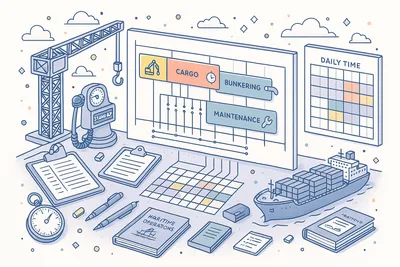
Track special work operations — port calls, emergency responses, cargo operations, bunkering, and other non-routine activities — as distinct operation blocks with their own time boundaries. Operations provide context for why crew members were working outside normal patterns, giving inspectors and auditors the full picture.
Each operation records its type, start and end times, and the crew members involved. Operations integrate with the daily time grid, overlaying special work blocks on the standard schedule.
This separation ensures that routine watch hours and exceptional work periods are tracked independently for accurate compliance reporting.
- Special work operation tracking
- Port call & emergency logging
- Time-bounded operation blocks
- Crew member assignment per operation
- Overlay on daily time grid
Color-Coded Operation Templates

Assign distinct colors from a predefined palette to operation templates for instant visual identification on the time grid. Color coding lets crew and managers identify operation types at a glance — blue for sea watches, gold for cargo operations, coral for emergency drills, teal for maintenance periods.
The same-work-color option ensures that identical operation types always display consistently across crew members and days. Templates carry Active or Inactive status, keeping your color-coded library organized.
The visual system transforms the daily time grid from a monochrome spreadsheet into an intuitive, scannable schedule.
- Predefined color palette assignment
- Same-work-color consistency option
- Active/Inactive template lifecycle
- Instant visual type identification
Daily & Monthly Log Views

View crew work and rest records in three complementary formats: a multi-crew daily view showing all crew members' 48-cell grids for a single day, a single-crew daily view for detailed individual analysis, and a single-crew monthly view providing the full calendar picture required by STCW record-keeping regulations.
The multi-crew daily view is the primary operational tool — the officer responsible for hours-of-rest records can see the entire crew's schedule at once, spot gaps, and identify potential violations before they occur. The monthly view aggregates daily data into the format needed for regulatory submissions and Port State Control inspections.
- Multi-crew daily overview grid
- Single-crew daily detail view
- Single-crew monthly calendar view
- STCW-compliant record format
- Pre-violation gap identification
Watchkeeper Role Tracking
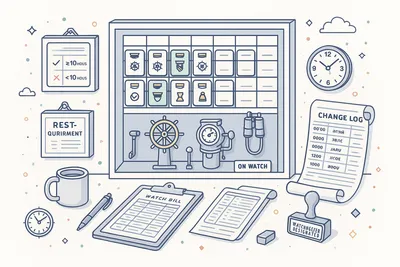
Designate crew members as watchkeepers on a per-month basis, tracking which personnel are assigned to bridge watch duties. Watchkeeper designation is critical for compliance because STCW applies additional rest requirements to crew members responsible for navigational or engineering watches.
The monthly watchkeeper roster integrates with the daily time grid and compliance engine. When a crew member is designated as a watchkeeper, the system applies the appropriate rest requirements for watch-standing personnel. Changes to watchkeeper assignments are logged for audit trail purposes.
- Per-month watchkeeper designation
- Bridge watch crew identification
- Additional STCW rest requirements
- Assignment change audit logging
Non-Conformity Report Generation

Generate formal non-conformity reports for any detected violation with a single action. Reports are rendered from structured templates and include the crew member's details, the violation type, the specific threshold breached, the actual recorded values, the date and time period, and the applicable regulatory regime.
Non-conformity reports serve as the official record for Port State Control inspections, flag state audits, and internal safety reviews. The structured format ensures consistency across your fleet — every non-conformity report follows the same template regardless of which vessel or officer generates it.
- One-action report generation
- Structured template rendering
- Violation type & threshold details
- Fleet-consistent report formatting
- PSC inspection-ready output
Work Summary Reports

Generate aggregated work summary reports that compile crew hours across configurable date ranges. Summary reports show total work hours, total rest hours, average daily work, and compliance status for each crew member — providing management with a fleet-level view of working time patterns.
Print functionality produces formatted reports suitable for office review, flag state submission, and company record-keeping. Summary reports can be filtered by vessel, date range, department, and rank to answer specific management questions about crew workload distribution.
- Aggregated hours across date ranges
- Per-crew compliance status summary
- Print-ready formatted output
- Filter by vessel, rank & department
Crew Remarks & Annotations

Add per-date, per-crew remarks to document the context behind unusual work patterns, schedule deviations, or operational circumstances. Remarks include a description field that captures the officer's narrative explanation — essential for justifying non-standard hours during inspections.
Remarks become part of the permanent daily record alongside the time grid data. During a Port State Control inspection, the inspector can see not only what hours were worked but why.
This contextual layer transforms raw schedule data into a complete, defensible record of crew working time.
- Per-date, per-crew remark fields
- Narrative context for deviations
- Permanent daily record attachment
- Inspection-defensible documentation
OPA Clause & Manila Exception Support
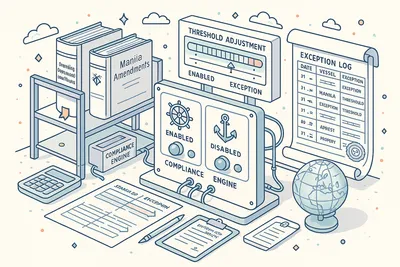
Handle regulatory exceptions with built-in support for the OPA (overriding operational conditions) clause and the Manila Amendments exception provisions. The allowOPAClause and allowManilaException flags can be enabled at the vessel or regime level, modifying how the compliance engine evaluates rest period requirements during qualifying circumstances.
When an OPA clause or Manila exception applies, the system adjusts its violation thresholds accordingly and records the exception in the compliance log. This ensures that legitimate exceptions are properly documented rather than appearing as unexplained violations — critical for demonstrating good-faith compliance during inspections.
- OPA overriding conditions clause
- Manila Amendments exception handling
- Per-vessel or per-regime toggles
- Adjusted violation thresholds
- Exception logging in compliance trail
Dashboard & Analytics
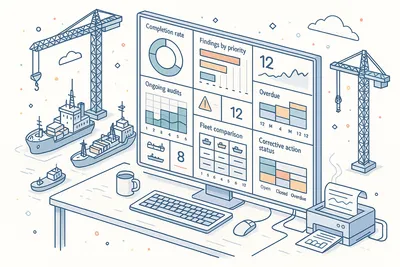
Monitor your fleet's work and rest hour compliance health with dedicated dashboard widgets. Track violation counts, compliance rates, crew workload distribution, and watchkeeper coverage across your entire fleet at a glance.
Widgets provide at-a-glance KPIs for fleet superintendents and DPAs: How many violations occurred this week? Which vessels have the highest non-compliance rates?
Are watchkeeper rest requirements being met? Drill down from any widget to the underlying crew data for immediate action.
- Dedicated dashboard widgets
- Fleet-wide violation count tracking
- Compliance rate monitoring
- Watchkeeper coverage overview
- Drill-down to crew-level data
Technical
Under the Hood
Architecture and engineering behind Work & Rest Hours — data handling, real-time sync, and interface design.
Real-Time Compliance Validation Engine
Five violation checks run for every crew member on every day — minimum continuous rest in 24 hours, minimum total rest in 24 hours, minimum total rest in a rolling 7-day period, maximum total work in 24 hours, and rest division in 24 hours. Violations surface immediately as data is entered, not at end-of-month review.
Multi-Regime Rule Configuration
Four regulatory frameworks (STCW 2010, ILO, OCIMF, Custom) with independently configurable thresholds for every violation type. Custom regimes support arbitrary rest and work limits, OPA clause toggles, and Manila exception flags — adapting to any flag state or charterer requirement.
Half-Hour Resolution Time Grid
Forty-eight cells per crew member per day provide 30-minute granularity for work and rest recording. Bulk fill, template application, and individual cell editing support efficient data entry.
The grid model powers both the daily view and the compliance calculation engine.
Template-Based Schedule Pattern System
Named operation templates with color coding, Active/Inactive lifecycle, and per-ship assignment enable one-click schedule population. Templates define standard watch patterns that can be applied across crew members and days, reducing data entry from 48 cells to a single action.
Rolling 7-Day Rest Period Calculator
The compliance engine maintains a rolling 7-day window for each crew member, continuously recalculating total rest hours as new daily data is entered. The 77-hour minimum rest requirement over any 7-day period is evaluated in real time, catching violations that span across individual days.
Office-Ship Synchronization
Work and rest data synchronizes between office and vessel over satellite links with automatic conflict resolution. Crew can record hours, apply templates, and add remarks offline, with changes merging seamlessly when connectivity is restored.
Same Category
Related Modules
Other Human Resources modules that integrate with Work & Rest Hours.
Solutions
Explore Solutions
Compliance and operational solutions powered by Work & Rest Hours.
Ship Management for Large Fleets
Navatom is an integrated ship management platform that manages large fleets with the same ease as small ones — 30+ modules, instant vessel onboarding, years of operational data retained without performance loss, and a zero data loss track record since launch.
SIRE 2.0 Readiness
Get your fleet inspection-ready for SIRE 2.0 with Navatom. Track findings, manage non-conformities, and maintain audit trails across all vessel operations in real time.
Ship Management for Small Fleets
Navatom gives small fleet operators access to the same 30+ integrated ship management modules used by large fleets — with no installation, per-ship pricing, and the ability to start from just one vessel.
TMSA Compliance
Track all 13 TMSA elements with Navatom's integrated ship management platform, supporting evidence-based self assessment, audit trails, and continuous improvement for tanker operators.
Ready to try Work & Rest Hours?
Start your free trial today and see how Work & Rest Hours fits into your fleet operations.