All 16 Features
Every feature in Procurement is built for daily maritime work — simple to use, fast to navigate, and fully integrated with the rest of Navatom.
Purchase Requisition Workflow

Initiate procurement requests with a structured, 10-state workflow that takes a requisition from Draft through In Review, Approved, and on to Fulfilled — with branching paths for Change Requested, Partially Approved, Rejected, Recalled, and Cancelled states. Every status transition is enforced by the system, ensuring no shortcuts.
Line items link directly to your Material catalog for instant part identification, or create temporary materials on the fly for ad-hoc requests. Track partial fulfillment at the line level — one requisition, multiple purchase orders, complete traceability from request to receipt.
- 10-state lifecycle with partial fulfillment
- Line-level material catalog linking
- Temporary material creation for ad-hoc items
- Full traceability from request to receipt
Requisition Templates

Eliminate repetitive data entry with reusable purchase requisition templates. Define template sections with pre-populated material lines, quantities, and specifications.
Templates follow their own lifecycle — Draft, Active, Archived — so only validated, current templates are available for use.
When a crew member needs to order a standard set of spares, one click generates a fully populated requisition from the template. Edit quantities, add or remove lines as needed, and submit.
Template usage is tracked so you know which templates drive the most procurement activity.
- Reusable pre-populated templates
- Section-based line organization
- Draft → Active → Archived lifecycle
- Template usage tracking & analytics
Request for Quotation Management

Create multi-vendor RFQs with detailed line-item specifications, quantities, and delivery requirements. The 9-state RFQ workflow tracks each request from Draft through Approved, Sent to vendors, Received, and finally Awarded — with full audit trail at every transition.
Invite multiple suppliers to quote against the same requirement, set submission deadlines, and manage the entire quotation collection process from a single screen. When all quotes are in, move seamlessly into award scenario analysis.
- 9-state RFQ workflow
- Multi-vendor invitation & deadline management
- Line-item specifications with quantities
- Seamless flow into award analysis
Vendor Quotation Comparison

Receive and evaluate vendor quotations with 12 configurable fields per line — unit price, quoted quantity, discount percentage, tax code, freight cost, insurance cost, packaging cost, proposed delivery date, lead time days, vendor item number, and notes. Every field is captured for full comparison.
Eleven built-in comparison indicators — Lowest Price, Highest Price, Fastest Delivery, Shortest Lead Time, Best Value, Full Quantity, Partial Quantity, Awarded, Fully Awarded, Can Be Awarded, and Cannot Be Awarded — surface instantly across all quotations, highlighting the best and worst offers in every dimension.
- 12 configurable fields per quotation line
- 11 built-in comparison indicators
- Price, delivery & value analysis
- Automatic best/worst offer highlighting
Intelligent Award Scenarios

Stop guessing which vendor to choose. Five pre-built award scenario types — Manual, Lowest Price Per Line, Fastest Delivery Per Line, Best Value Per Line, and Lowest Total Single Vendor — analyze all quotations and recommend optimal allocation strategies in seconds.
Draft multiple scenarios side by side, compare line-level and vendor-level allocations, and select the winner with full transparency. Three-tier price competitiveness scoring — Best, Competitive, and High — flags outliers before you commit.
Award status tracking shows Not Started, Partial, and Complete stages for every line.
- 5 pre-built award scenario types
- Side-by-side scenario comparison
- Three-tier price competitiveness scoring
- Line-level & vendor-level allocation
Purchase Order Lifecycle

Track purchase orders through a comprehensive 13-state workflow: Draft, In Review, Change Requested, Rejected, Partially Approved, Approved, Sent, Acknowledged, Partially Received, Received, Invoiced, Closed, and Cancelled. Every state transition is enforced, audited, and reversible where appropriate.
Purchase orders can originate from five sources — Manual creation, from a Purchase Requisition, from an RFQ, from a Vendor Quotation, or as a Contract Release — and the system tracks the origin chain for full traceability back to the original request.
- 13-state workflow with full tracking
- 5 PO origin types (Manual, PR, RFQ, VQ, Contract)
- Receipt & invoice matching
- Vendor acknowledgment tracking
Goods Receipt & Delivery Tracking

Record received goods with an 8-state workflow — Draft, In Review, Approved, Rejected, Change Requested, Posted, Cancelled, and Reversed. Each receipt links to its purchase order for three-way matching between order, receipt, and invoice.
Line-level receipt tracking captures actual quantities, conditions, and discrepancies. Post receipts to update inventory automatically, or reverse posted receipts when goods are returned.
The complete delivery event history — from shipment to warehouse — is always one click away.
- 8-state receipt workflow
- Three-way PO/GR/Invoice matching
- Line-level quantity & condition capture
- Reversible posted receipts
Multi-Tier Approval Engine

Configure approval rules that match your organization's authority structure. Set approval chains based on document type, value thresholds, procurement categories, and requesting department. Route documents to the right approvers automatically.
Authorization rules define who can create, submit, approve, and modify each document type. Combined with approval rules, you get fine-grained control: a junior buyer can create requisitions up to $5,000, but anything above requires superintendent sign-off. All approval decisions are timestamped and auditable.
- Value-based approval thresholds
- Category-specific approval chains
- Role-based routing rules
- Timestamped approval audit trail
Procurement Task Center

A unified task dashboard aggregates every pending action across all procurement document types. Six task types — Approve Header, Complete Goods Receipt, Review Change Request, Review Quotation, Send to Vendor, and Submit to Approval — are organized into 10 smart views: All, Approvals, My Actions, Critical, Overdue, and filtered by document type.
Group tasks by document type, task type, priority, or date to focus on what matters most. Critical and overdue items surface automatically, so nothing slips through the cracks. Your purchasing team starts every day knowing exactly what needs attention.
- 6 task types across all document types
- 10 smart task views with filters
- Group by type, priority, or date
- Critical & overdue auto-surfacing
Vendor Management

Maintain a comprehensive vendor registry integrated with the CRM Directory module. Track vendor performance across quotation response times, price competitiveness, delivery reliability, and quality metrics.
Every interaction — from RFQ invitation to goods receipt — builds the vendor's performance profile.
Vendor-specific pricing, payment terms, Incoterms, and freight terms are stored at the relationship level. When creating a new RFQ or purchase order, the system surfaces each vendor's historical performance and pricing to inform your selection.
- CRM Directory integration
- Performance tracking per vendor
- Historical pricing & delivery metrics
- Vendor-specific terms & Incoterms
Multi-Currency Purchasing

Buy from global suppliers in their preferred currency. Embedded currency support with configurable exchange rates ensures every quotation, purchase order, and invoice is recorded in both the transaction currency and your base reporting currency.
Tax code configuration handles regional VAT, GST, and customs duty requirements. The system calculates totals including freight, insurance, packaging, discount, and tax — giving you a true landed cost for every line item.
- Transaction & base currency support
- Configurable exchange rates
- Regional tax code handling (VAT, GST)
- True landed cost calculation
Purchase Price History

Track material pricing trends over time with a dedicated price history module. See how unit prices have moved across vendors, currencies, and time periods.
Spot cost increases before they compound and identify suppliers who consistently deliver the best value.
Every data point links back to the original transaction — vendor, quantity, currency, purchase order reference, and goods receipt date — giving your procurement team full context behind every price movement. Use historical data to negotiate better terms on future orders.
- Price trend tracking over time
- Cross-vendor price comparison
- Full transaction linkage per data point
- Negotiation intelligence from historical data
Procurement Analytics Dashboard

Build custom dashboards with widgets tailored to your procurement priorities. Seven pre-built dashboard widgets — Process Overview, Status Counts, Vendor Spend, Overdue POs, Pending Receipts, Received Not Invoiced, and Draft/Pending Approval queues — give instant visibility into your purchasing pipeline.
Drill down from any dashboard metric to the underlying documents. See which purchase orders are overdue for delivery, which goods receipts are pending posting, and which requisitions are stuck in approval — all from a single screen.
- 7 pre-built dashboard widgets
- Vendor spend & status count views
- Overdue PO & pending receipt tracking
- Drill-down from metric to document
Procurement Category Hierarchy

Organize your purchasing spend with a hierarchical category system that mirrors your company's cost structure. Assign categories to materials, set category-level procurement policies, and track spending by category across your entire fleet.
Categories drive approval routing, budget allocation, and reporting rollups. Configure which material types, locations, and approval rules apply to each category.
The category detail view provides dedicated tabs for general settings, materials, locations, approval rules, and authorization policies.
- Hierarchical spend classification
- Category-level procurement policies
- Approval & authorization per category
- Material type & location restrictions
Document-Level Authorization

Control exactly who can do what on every procurement document. Authorization rules define create, read, update, and transition permissions per document type, per role, and per procurement category.
A purchasing agent in Hamburg sees different documents than a superintendent in Singapore.
Combined with the approval engine, authorization creates a complete governance framework: access control determines who can work with a document, approval rules determine who must sign off before it progresses. Both layers work together seamlessly.
- CRUD permissions per document type
- Role & category-based access control
- Combined with approval for full governance
- Regional visibility rules
Complete Audit Trail

Every change to every procurement document is recorded with full attribution — who changed what, when, and to what value. From status transitions to line item edits, from approval decisions to vendor communications, the complete event history is always one click away.
Built for regulated maritime industries where traceability is not optional. ISM, TMSA, and class society auditors will find a clean, chronological record of every procurement action, decision, and modification.
- Immutable event-sourced change log
- Full user attribution on every action
- Status transition history
- ISM & TMSA inspection-ready records
Purchase Requisition Workflow

Initiate procurement requests with a structured, 10-state workflow that takes a requisition from Draft through In Review, Approved, and on to Fulfilled — with branching paths for Change Requested, Partially Approved, Rejected, Recalled, and Cancelled states. Every status transition is enforced by the system, ensuring no shortcuts.
Line items link directly to your Material catalog for instant part identification, or create temporary materials on the fly for ad-hoc requests. Track partial fulfillment at the line level — one requisition, multiple purchase orders, complete traceability from request to receipt.
- 10-state lifecycle with partial fulfillment
- Line-level material catalog linking
- Temporary material creation for ad-hoc items
- Full traceability from request to receipt
Requisition Templates

Eliminate repetitive data entry with reusable purchase requisition templates. Define template sections with pre-populated material lines, quantities, and specifications.
Templates follow their own lifecycle — Draft, Active, Archived — so only validated, current templates are available for use.
When a crew member needs to order a standard set of spares, one click generates a fully populated requisition from the template. Edit quantities, add or remove lines as needed, and submit.
Template usage is tracked so you know which templates drive the most procurement activity.
- Reusable pre-populated templates
- Section-based line organization
- Draft → Active → Archived lifecycle
- Template usage tracking & analytics
Request for Quotation Management

Create multi-vendor RFQs with detailed line-item specifications, quantities, and delivery requirements. The 9-state RFQ workflow tracks each request from Draft through Approved, Sent to vendors, Received, and finally Awarded — with full audit trail at every transition.
Invite multiple suppliers to quote against the same requirement, set submission deadlines, and manage the entire quotation collection process from a single screen. When all quotes are in, move seamlessly into award scenario analysis.
- 9-state RFQ workflow
- Multi-vendor invitation & deadline management
- Line-item specifications with quantities
- Seamless flow into award analysis
Vendor Quotation Comparison

Receive and evaluate vendor quotations with 12 configurable fields per line — unit price, quoted quantity, discount percentage, tax code, freight cost, insurance cost, packaging cost, proposed delivery date, lead time days, vendor item number, and notes. Every field is captured for full comparison.
Eleven built-in comparison indicators — Lowest Price, Highest Price, Fastest Delivery, Shortest Lead Time, Best Value, Full Quantity, Partial Quantity, Awarded, Fully Awarded, Can Be Awarded, and Cannot Be Awarded — surface instantly across all quotations, highlighting the best and worst offers in every dimension.
- 12 configurable fields per quotation line
- 11 built-in comparison indicators
- Price, delivery & value analysis
- Automatic best/worst offer highlighting
Intelligent Award Scenarios

Stop guessing which vendor to choose. Five pre-built award scenario types — Manual, Lowest Price Per Line, Fastest Delivery Per Line, Best Value Per Line, and Lowest Total Single Vendor — analyze all quotations and recommend optimal allocation strategies in seconds.
Draft multiple scenarios side by side, compare line-level and vendor-level allocations, and select the winner with full transparency. Three-tier price competitiveness scoring — Best, Competitive, and High — flags outliers before you commit.
Award status tracking shows Not Started, Partial, and Complete stages for every line.
- 5 pre-built award scenario types
- Side-by-side scenario comparison
- Three-tier price competitiveness scoring
- Line-level & vendor-level allocation
Purchase Order Lifecycle
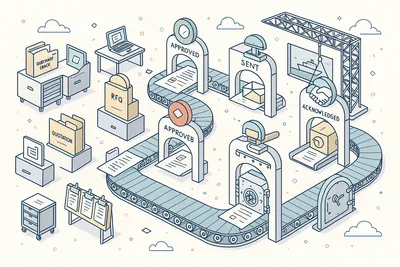
Track purchase orders through a comprehensive 13-state workflow: Draft, In Review, Change Requested, Rejected, Partially Approved, Approved, Sent, Acknowledged, Partially Received, Received, Invoiced, Closed, and Cancelled. Every state transition is enforced, audited, and reversible where appropriate.
Purchase orders can originate from five sources — Manual creation, from a Purchase Requisition, from an RFQ, from a Vendor Quotation, or as a Contract Release — and the system tracks the origin chain for full traceability back to the original request.
- 13-state workflow with full tracking
- 5 PO origin types (Manual, PR, RFQ, VQ, Contract)
- Receipt & invoice matching
- Vendor acknowledgment tracking
Goods Receipt & Delivery Tracking

Record received goods with an 8-state workflow — Draft, In Review, Approved, Rejected, Change Requested, Posted, Cancelled, and Reversed. Each receipt links to its purchase order for three-way matching between order, receipt, and invoice.
Line-level receipt tracking captures actual quantities, conditions, and discrepancies. Post receipts to update inventory automatically, or reverse posted receipts when goods are returned.
The complete delivery event history — from shipment to warehouse — is always one click away.
- 8-state receipt workflow
- Three-way PO/GR/Invoice matching
- Line-level quantity & condition capture
- Reversible posted receipts
Multi-Tier Approval Engine

Configure approval rules that match your organization's authority structure. Set approval chains based on document type, value thresholds, procurement categories, and requesting department. Route documents to the right approvers automatically.
Authorization rules define who can create, submit, approve, and modify each document type. Combined with approval rules, you get fine-grained control: a junior buyer can create requisitions up to $5,000, but anything above requires superintendent sign-off. All approval decisions are timestamped and auditable.
- Value-based approval thresholds
- Category-specific approval chains
- Role-based routing rules
- Timestamped approval audit trail
Procurement Task Center

A unified task dashboard aggregates every pending action across all procurement document types. Six task types — Approve Header, Complete Goods Receipt, Review Change Request, Review Quotation, Send to Vendor, and Submit to Approval — are organized into 10 smart views: All, Approvals, My Actions, Critical, Overdue, and filtered by document type.
Group tasks by document type, task type, priority, or date to focus on what matters most. Critical and overdue items surface automatically, so nothing slips through the cracks. Your purchasing team starts every day knowing exactly what needs attention.
- 6 task types across all document types
- 10 smart task views with filters
- Group by type, priority, or date
- Critical & overdue auto-surfacing
Vendor Management

Maintain a comprehensive vendor registry integrated with the CRM Directory module. Track vendor performance across quotation response times, price competitiveness, delivery reliability, and quality metrics.
Every interaction — from RFQ invitation to goods receipt — builds the vendor's performance profile.
Vendor-specific pricing, payment terms, Incoterms, and freight terms are stored at the relationship level. When creating a new RFQ or purchase order, the system surfaces each vendor's historical performance and pricing to inform your selection.
- CRM Directory integration
- Performance tracking per vendor
- Historical pricing & delivery metrics
- Vendor-specific terms & Incoterms
Multi-Currency Purchasing

Buy from global suppliers in their preferred currency. Embedded currency support with configurable exchange rates ensures every quotation, purchase order, and invoice is recorded in both the transaction currency and your base reporting currency.
Tax code configuration handles regional VAT, GST, and customs duty requirements. The system calculates totals including freight, insurance, packaging, discount, and tax — giving you a true landed cost for every line item.
- Transaction & base currency support
- Configurable exchange rates
- Regional tax code handling (VAT, GST)
- True landed cost calculation
Purchase Price History
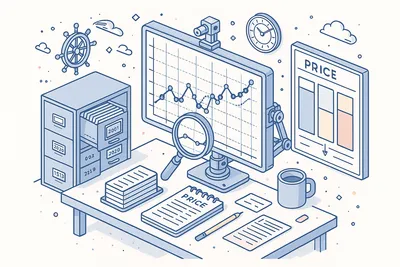
Track material pricing trends over time with a dedicated price history module. See how unit prices have moved across vendors, currencies, and time periods.
Spot cost increases before they compound and identify suppliers who consistently deliver the best value.
Every data point links back to the original transaction — vendor, quantity, currency, purchase order reference, and goods receipt date — giving your procurement team full context behind every price movement. Use historical data to negotiate better terms on future orders.
- Price trend tracking over time
- Cross-vendor price comparison
- Full transaction linkage per data point
- Negotiation intelligence from historical data
Procurement Analytics Dashboard

Build custom dashboards with widgets tailored to your procurement priorities. Seven pre-built dashboard widgets — Process Overview, Status Counts, Vendor Spend, Overdue POs, Pending Receipts, Received Not Invoiced, and Draft/Pending Approval queues — give instant visibility into your purchasing pipeline.
Drill down from any dashboard metric to the underlying documents. See which purchase orders are overdue for delivery, which goods receipts are pending posting, and which requisitions are stuck in approval — all from a single screen.
- 7 pre-built dashboard widgets
- Vendor spend & status count views
- Overdue PO & pending receipt tracking
- Drill-down from metric to document
Procurement Category Hierarchy

Organize your purchasing spend with a hierarchical category system that mirrors your company's cost structure. Assign categories to materials, set category-level procurement policies, and track spending by category across your entire fleet.
Categories drive approval routing, budget allocation, and reporting rollups. Configure which material types, locations, and approval rules apply to each category.
The category detail view provides dedicated tabs for general settings, materials, locations, approval rules, and authorization policies.
- Hierarchical spend classification
- Category-level procurement policies
- Approval & authorization per category
- Material type & location restrictions
Document-Level Authorization

Control exactly who can do what on every procurement document. Authorization rules define create, read, update, and transition permissions per document type, per role, and per procurement category.
A purchasing agent in Hamburg sees different documents than a superintendent in Singapore.
Combined with the approval engine, authorization creates a complete governance framework: access control determines who can work with a document, approval rules determine who must sign off before it progresses. Both layers work together seamlessly.
- CRUD permissions per document type
- Role & category-based access control
- Combined with approval for full governance
- Regional visibility rules
Complete Audit Trail

Every change to every procurement document is recorded with full attribution — who changed what, when, and to what value. From status transitions to line item edits, from approval decisions to vendor communications, the complete event history is always one click away.
Built for regulated maritime industries where traceability is not optional. ISM, TMSA, and class society auditors will find a clean, chronological record of every procurement action, decision, and modification.
- Immutable event-sourced change log
- Full user attribution on every action
- Status transition history
- ISM & TMSA inspection-ready records
Technical
Under the Hood
Architecture and engineering behind Procurement — data handling, real-time sync, and interface design.
Six-Document State Machine Engine
Each procurement document type operates its own purpose-built state machine — from 8-state Goods Receipts to 13-state Purchase Orders. State transitions are enforced server-side with validation, authorization checks, and automatic event emission.
Server-Side Data Grids with SSRM
Procurement lists use server-side row model (SSRM) pagination with faceted filtering, supporting hundreds of thousands of documents without browser memory limits. Filter, sort, and group on any column — the server does the heavy lifting.
Configurable Approval Rule Engine
Multi-tier approval chains are configured per document type, value threshold, and procurement category. The rule engine evaluates approval requirements at submission time and routes documents through the correct approval chain automatically.
Cross-Document Traceability
Every document maintains references to its origin documents — requisitions link to purchase orders, purchase orders link to goods receipts, goods receipts link to inventory arrival journals. The full procurement chain is navigable in both directions.
Cartesian Award Scenario Engine
Award scenarios compute optimal vendor allocation using Cartesian analysis across price, delivery, and value dimensions. Five pre-built algorithms handle common award strategies, with manual override for complex multi-vendor splits.
Event-Sourced Audit Architecture
All procurement operations emit domain events captured in an immutable event store. Events power the audit trail, real-time notifications, and cross-module integrations — ensuring complete observability across the procurement lifecycle.
Multi-Currency Calculation Pipeline
Line totals compute across unit price, quantity, discount, tax, freight, insurance, and packaging — in both transaction and base currencies. Exchange rates are applied at the document level with configurable rate sources.
Office-Ship Synchronization
Procurement documents synchronize between office and vessel deployments in real time via the Navatom cloud sync engine. Ship-originated requisitions appear at the office instantly, and purchase order updates propagate back to the vessel.
Same Category
Related Modules
Other Inventory Management modules that integrate with Procurement.
Track spare parts, consumables, and stock levels across all vessels in real time.
Manage material catalogs, specifications, and cross-vessel standardization.
Ready to try Procurement?
Start your free trial today and see how Procurement fits into your fleet operations.