All 18 Features
Every feature in Material is built for daily maritime work — simple to use, fast to navigate, and fully integrated with the rest of Navatom.
Three-Tier Catalog Architecture

Organize your entire material universe with a Catalog → Category Group → Category hierarchy that supports unlimited nesting depth. Mirror your company's exact classification structure — from broad equipment families down to the most specific sub-component types.
Catalogs carry their own lifecycle (Draft, Active, Inactive, Deprecated), location restrictions, and procurement policies. Lock a catalog to specific warehouses or vessels, enforce material type requirements, and control who can modify what — all from a single, intuitive management screen.
- Category → Group → Material hierarchy
- Drag-and-drop reorganization
- Unlimited nesting depth
- Bulk classification tools
Behavioral Material Types

Not all materials behave the same way. Define material types with five behavioral flags — Purchasable, Stockable, Valuated, Salable, and Manufacturable — and let the system adapt automatically.
Toggle "Purchasable" off, and procurement fields disappear system-wide. Toggle "Stockable" on, and inventory tracking activates instantly.
Changes cascade to every material of that type in real time. One toggle, thousands of materials updated — no migration scripts, no manual cleanup.
- Consumable, Spare Part, Equipment types
- Type-driven field visibility
- Automatic validation rules
- Custom type definitions
Master/Variant Product Modeling

Create a single master material, define dimension groups like Size, Color, or Grade, and generate every possible variant in one click. Navatom computes every possible combination — turning hours of manual data entry into seconds.
Variants inherit their master's core properties while maintaining their own identity, part numbers, and stock records. Share attributes and physical dimensions across variants, or let each stand alone. The choice is yours.
- Parent-child material relationships
- Shared base attributes
- Variant-specific overrides
- Inheritance-based defaults
Dynamic Custom Attributes

Every industry classifies materials differently. Build your own data model with typed attributes — text, numbers, decimals, dates, booleans, or predefined pick lists.
Assign attribute types at the category level and let inheritance propagate them automatically down the tree.
Group related attributes together for clean, organized editing. Define numeric ranges, allow multiple values, and keep your material data structured and queryable — not buried in free-text description fields.
- User-defined field creation
- Type-safe value storage
- Filterable in search & reports
- No schema changes required
Multi-Unit Intelligence

Buy in pallets, store in boxes, sell in pieces — Navatom handles the math. Assign separate units of measure for Inventory, Purchase, and Sales, and define bidirectional conversion factors between them.
When you set a unit, the system automatically searches for known conversions and applies them. No manual factor entry for standard conversions.
And when you need custom ratios, adding them takes a single form — both directions are created simultaneously.
- Base + alternate unit support
- Automatic conversion factors
- Unit-aware calculations
- Purchase vs stock unit mapping
Five-Dimension Inventory Tracking

Track inventory with the precision your operation demands. Enable up to five tracking dimensions per material — Space, Status, Batch, Serial Number, and Owner — and combine them freely for full traceability.
Need simple location tracking for consumables? Enable Space only.
Need full serial traceability for safety-critical spares? Stack Serial on top of Space and Status.
Each material gets exactly the tracking depth it requires — no more, no less.
- Location, Batch, Serial dimensions
- Owner & Status tracking
- Per-material dimension config
- Cross-dimension reporting
Batch Lifecycle Management

When batch tracking is enabled, Navatom unlocks a complete batch lifecycle: configure manufacturing dates, shelf life periods, best-before dates, and expiry windows. Monitor aging across your fleet and ensure no expired material ever reaches a work order.
Batch properties are fully configurable per material — enable only the dates that matter for each product type, and let the system enforce the rest.
- Expiry date tracking per batch
- Batch-level status control
- Manufacturer lot references
- Full batch history timeline
Per-Location Stock Planning

Configure replenishment parameters for every warehouse, vessel, and storage location independently. Set minimum, optimal, and maximum stock levels.
Assign criticality ratings and valuation categories. Choose MRP types and lot sizing procedures.
Fine-tune order modifiers — minimum and maximum order quantities, fixed lot sizes, and rounding multiples. Define planned delivery lead times, goods receipt processing days, and over/under delivery tolerances. Everything your planners need to make smarter restocking decisions.
- Min/max/reorder per location
- Visual stock level indicators
- Automatic replenishment alerts
- Location-specific lead times
Equipment-Material Linkage

Bridge the gap between maintenance and supply chain. Link materials directly to vessel equipment from the Planned Maintenance System, so your team can instantly answer "what spares does this engine need?" or "which vessels use this bearing?"
Relationships are vessel-aware — the same material can be linked to different equipment on different ships, with each relationship tracked independently.
- Material-to-equipment mapping
- Where-used analysis
- BOM-driven consumption
- Cross-reference search
Multi-Supplier Part Numbers

Store part numbers from every supplier alongside your internal material code. Each material can carry unlimited external part numbers with verified supplier company references — making RFQ creation faster and cross-referencing effortless.
When procurement needs to source a part, every supplier's catalog number is already at their fingertips. No more digging through emails or supplier portals.
- Multiple supplier catalogs per item
- Preferred supplier ranking
- Price comparison across suppliers
- Automatic part number mapping
Standard Catalog Distribution

Start with a head start. Access centrally maintained, industry-standard material catalogs managed by Navatom.
Import them into your company with a single request — instantly populating thousands of pre-classified, ready-to-use materials.
Imported catalogs are read-only to preserve their integrity, but you can build on top of them with your own categories, attributes, and customizations. Standardization without rigidity.
- Centralized catalog publishing
- Fleet-wide material sync
- Vessel-specific overrides
- Catalog version management
Interactive Price Analytics

Track material pricing trends with an interactive chart showing unit prices over time, five-period moving averages, and statistical overlays for average, minimum, and maximum prices. Spot cost anomalies and supplier pricing shifts before they impact your budget.
Every data point links back to the original transaction — vendor, quantity, currency, and goods receipt reference — giving your procurement team full context behind every price movement.
- Price trend visualizations
- Supplier comparison charts
- Cost variance analysis
- Historical price tracking
Real-Time On-Hand Visibility

See current stock quantities broken down by every enabled tracking dimension — location, space, batch, serial number, status, and owner — all in a single, expandable grid. Drill into any row to see the full detail behind the number.
The on-hand view adapts dynamically to each material's tracking configuration. Batch-tracked materials show batch columns; serial-tracked materials show serial columns. No clutter, no irrelevant data — just the information your team needs.
- Live stock levels across fleet
- Multi-location aggregation
- Dimension-filtered views
- Exportable inventory snapshots
Smart Violation Detection

A continuous compliance engine monitors every material for configuration gaps — missing units, broken conversions, inactive categories, incompatible types, and more. Violations surface as actionable alerts directly on the material detail page.
Not every violation needs immediate action. Consciously acknowledge known gaps by muting violations — they stay tracked but stop interrupting your workflow. Unmute them anytime when you are ready to resolve.
- Configurable validation rules
- Real-time constraint checking
- Violation severity levels
- Auto-suggested corrections
Transaction-Aware Structural Protection

Once a material has real inventory movements, Navatom automatically locks structural fields — type, category, units of measure, and tracking dimensions. Your operational data stays consistent, even as your team continues refining the material master.
Basic edits like name, description, and part number remain open. Only the changes that could break existing transaction history are protected — the right balance between flexibility and data integrity.
- Safe deletion checks
- Referential integrity guards
- Active transaction detection
- Cascade impact preview
Visual Material Gallery

Upload product images with a built-in carousel viewer, full-size lightbox, and multi-image batch upload. Give your team — from warehouse operators to purchasing agents — a clear visual reference for every material in the catalog.
No more guessing whether "Gasket Type B-14" is the red one or the blue one. A picture is worth a thousand part numbers.
- Multi-image per material
- Image zoom & compare
- Drag-and-drop upload
- Gallery thumbnail grid
Complete Audit Trail

Every change to every material is recorded with full attribution — who changed what, when, and to what value. From name edits to category reassignments, from status transitions to attribute updates, the complete event history is always one click away.
Built for regulated industries where traceability is not optional. ISM, ISO, and class society auditors will find a clean, chronological record of every material master change.
- Immutable change log
- Full user attribution
- Before/after snapshots
- Exportable audit reports
Configurable Dashboards & KPIs

Build custom dashboards with widgets tailored to your material management priorities. Monitor catalog completeness, stock coverage health, violation trends, and material master quality metrics from a single screen.
Share dashboard configurations across your team so everyone — from the Superintendent to the Purchasing Manager — sees the KPIs that matter to their role.
- Per-role widget layouts
- Real-time metric cards
- Customizable dashboard grids
- Drill-down from KPI to detail
Three-Tier Catalog Architecture

Organize your entire material universe with a Catalog → Category Group → Category hierarchy that supports unlimited nesting depth. Mirror your company's exact classification structure — from broad equipment families down to the most specific sub-component types.
Catalogs carry their own lifecycle (Draft, Active, Inactive, Deprecated), location restrictions, and procurement policies. Lock a catalog to specific warehouses or vessels, enforce material type requirements, and control who can modify what — all from a single, intuitive management screen.
- Category → Group → Material hierarchy
- Drag-and-drop reorganization
- Unlimited nesting depth
- Bulk classification tools
Behavioral Material Types

Not all materials behave the same way. Define material types with five behavioral flags — Purchasable, Stockable, Valuated, Salable, and Manufacturable — and let the system adapt automatically.
Toggle "Purchasable" off, and procurement fields disappear system-wide. Toggle "Stockable" on, and inventory tracking activates instantly.
Changes cascade to every material of that type in real time. One toggle, thousands of materials updated — no migration scripts, no manual cleanup.
- Consumable, Spare Part, Equipment types
- Type-driven field visibility
- Automatic validation rules
- Custom type definitions
Master/Variant Product Modeling

Create a single master material, define dimension groups like Size, Color, or Grade, and generate every possible variant in one click. Navatom computes every possible combination — turning hours of manual data entry into seconds.
Variants inherit their master's core properties while maintaining their own identity, part numbers, and stock records. Share attributes and physical dimensions across variants, or let each stand alone. The choice is yours.
- Parent-child material relationships
- Shared base attributes
- Variant-specific overrides
- Inheritance-based defaults
Dynamic Custom Attributes

Every industry classifies materials differently. Build your own data model with typed attributes — text, numbers, decimals, dates, booleans, or predefined pick lists.
Assign attribute types at the category level and let inheritance propagate them automatically down the tree.
Group related attributes together for clean, organized editing. Define numeric ranges, allow multiple values, and keep your material data structured and queryable — not buried in free-text description fields.
- User-defined field creation
- Type-safe value storage
- Filterable in search & reports
- No schema changes required
Multi-Unit Intelligence

Buy in pallets, store in boxes, sell in pieces — Navatom handles the math. Assign separate units of measure for Inventory, Purchase, and Sales, and define bidirectional conversion factors between them.
When you set a unit, the system automatically searches for known conversions and applies them. No manual factor entry for standard conversions.
And when you need custom ratios, adding them takes a single form — both directions are created simultaneously.
- Base + alternate unit support
- Automatic conversion factors
- Unit-aware calculations
- Purchase vs stock unit mapping
Five-Dimension Inventory Tracking

Track inventory with the precision your operation demands. Enable up to five tracking dimensions per material — Space, Status, Batch, Serial Number, and Owner — and combine them freely for full traceability.
Need simple location tracking for consumables? Enable Space only.
Need full serial traceability for safety-critical spares? Stack Serial on top of Space and Status.
Each material gets exactly the tracking depth it requires — no more, no less.
- Location, Batch, Serial dimensions
- Owner & Status tracking
- Per-material dimension config
- Cross-dimension reporting
Batch Lifecycle Management

When batch tracking is enabled, Navatom unlocks a complete batch lifecycle: configure manufacturing dates, shelf life periods, best-before dates, and expiry windows. Monitor aging across your fleet and ensure no expired material ever reaches a work order.
Batch properties are fully configurable per material — enable only the dates that matter for each product type, and let the system enforce the rest.
- Expiry date tracking per batch
- Batch-level status control
- Manufacturer lot references
- Full batch history timeline
Per-Location Stock Planning

Configure replenishment parameters for every warehouse, vessel, and storage location independently. Set minimum, optimal, and maximum stock levels.
Assign criticality ratings and valuation categories. Choose MRP types and lot sizing procedures.
Fine-tune order modifiers — minimum and maximum order quantities, fixed lot sizes, and rounding multiples. Define planned delivery lead times, goods receipt processing days, and over/under delivery tolerances. Everything your planners need to make smarter restocking decisions.
- Min/max/reorder per location
- Visual stock level indicators
- Automatic replenishment alerts
- Location-specific lead times
Equipment-Material Linkage
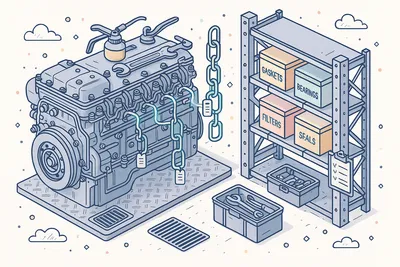
Bridge the gap between maintenance and supply chain. Link materials directly to vessel equipment from the Planned Maintenance System, so your team can instantly answer "what spares does this engine need?" or "which vessels use this bearing?"
Relationships are vessel-aware — the same material can be linked to different equipment on different ships, with each relationship tracked independently.
- Material-to-equipment mapping
- Where-used analysis
- BOM-driven consumption
- Cross-reference search
Multi-Supplier Part Numbers

Store part numbers from every supplier alongside your internal material code. Each material can carry unlimited external part numbers with verified supplier company references — making RFQ creation faster and cross-referencing effortless.
When procurement needs to source a part, every supplier's catalog number is already at their fingertips. No more digging through emails or supplier portals.
- Multiple supplier catalogs per item
- Preferred supplier ranking
- Price comparison across suppliers
- Automatic part number mapping
Standard Catalog Distribution

Start with a head start. Access centrally maintained, industry-standard material catalogs managed by Navatom.
Import them into your company with a single request — instantly populating thousands of pre-classified, ready-to-use materials.
Imported catalogs are read-only to preserve their integrity, but you can build on top of them with your own categories, attributes, and customizations. Standardization without rigidity.
- Centralized catalog publishing
- Fleet-wide material sync
- Vessel-specific overrides
- Catalog version management
Interactive Price Analytics

Track material pricing trends with an interactive chart showing unit prices over time, five-period moving averages, and statistical overlays for average, minimum, and maximum prices. Spot cost anomalies and supplier pricing shifts before they impact your budget.
Every data point links back to the original transaction — vendor, quantity, currency, and goods receipt reference — giving your procurement team full context behind every price movement.
- Price trend visualizations
- Supplier comparison charts
- Cost variance analysis
- Historical price tracking
Real-Time On-Hand Visibility

See current stock quantities broken down by every enabled tracking dimension — location, space, batch, serial number, status, and owner — all in a single, expandable grid. Drill into any row to see the full detail behind the number.
The on-hand view adapts dynamically to each material's tracking configuration. Batch-tracked materials show batch columns; serial-tracked materials show serial columns. No clutter, no irrelevant data — just the information your team needs.
- Live stock levels across fleet
- Multi-location aggregation
- Dimension-filtered views
- Exportable inventory snapshots
Smart Violation Detection

A continuous compliance engine monitors every material for configuration gaps — missing units, broken conversions, inactive categories, incompatible types, and more. Violations surface as actionable alerts directly on the material detail page.
Not every violation needs immediate action. Consciously acknowledge known gaps by muting violations — they stay tracked but stop interrupting your workflow. Unmute them anytime when you are ready to resolve.
- Configurable validation rules
- Real-time constraint checking
- Violation severity levels
- Auto-suggested corrections
Transaction-Aware Structural Protection

Once a material has real inventory movements, Navatom automatically locks structural fields — type, category, units of measure, and tracking dimensions. Your operational data stays consistent, even as your team continues refining the material master.
Basic edits like name, description, and part number remain open. Only the changes that could break existing transaction history are protected — the right balance between flexibility and data integrity.
- Safe deletion checks
- Referential integrity guards
- Active transaction detection
- Cascade impact preview
Visual Material Gallery

Upload product images with a built-in carousel viewer, full-size lightbox, and multi-image batch upload. Give your team — from warehouse operators to purchasing agents — a clear visual reference for every material in the catalog.
No more guessing whether "Gasket Type B-14" is the red one or the blue one. A picture is worth a thousand part numbers.
- Multi-image per material
- Image zoom & compare
- Drag-and-drop upload
- Gallery thumbnail grid
Complete Audit Trail

Every change to every material is recorded with full attribution — who changed what, when, and to what value. From name edits to category reassignments, from status transitions to attribute updates, the complete event history is always one click away.
Built for regulated industries where traceability is not optional. ISM, ISO, and class society auditors will find a clean, chronological record of every material master change.
- Immutable change log
- Full user attribution
- Before/after snapshots
- Exportable audit reports
Configurable Dashboards & KPIs

Build custom dashboards with widgets tailored to your material management priorities. Monitor catalog completeness, stock coverage health, violation trends, and material master quality metrics from a single screen.
Share dashboard configurations across your team so everyone — from the Superintendent to the Purchasing Manager — sees the KPIs that matter to their role.
- Per-role widget layouts
- Real-time metric cards
- Customizable dashboard grids
- Drill-down from KPI to detail
Technical
Under the Hood
Architecture and engineering behind Material — data handling, real-time sync, and interface design.
High-Performance Grid with Infinite Scroll
Material lists use server-side pagination with faceted aggregation, supporting hundreds of thousands of materials without browser memory limits. Filter, sort, and group on any column — the server does the heavy lifting.
Hierarchical Category Trees
Categories support unlimited nesting depth with full path tracking, automatic breadcrumb generation, and cascading name updates. Rename a parent category and every child updates automatically.
Cascading Type Changes
Material type modifications propagate to all materials of that type in real time using denormalized embedded updates — ensuring query performance while maintaining data consistency.
Bidirectional UoM Conversion Engine
Unit of measure conversions are stored as bidirectional pairs with reciprocal factors. Automatic conversion discovery scans both company and Navatom system databases when a new unit is assigned.
Tamper-Proof Data Model
Every entity maintains a tamper-proof event log — fully auditable, tamper-evident, and queryable. Events power the audit trail, change notifications, and compliance reporting.
Secure Company Data Isolation
Company-specific data is securely isolated, while standard catalogs, units, and conversions are shared from the Navatom system database. Catalog imports copy data across companies with read-only protection.
Automatic Variant Combination Engine
Master/Variant creation computes every possible combination of dimension groups, detects duplicates, and batch-creates materials with auto-generated codes and inherited properties — all in a single transaction.
Real-Time Inventory Aggregation
On-hand quantities are computed by aggregating inventory transactions across configured tracking dimensions. The aggregation pipeline runs on-demand against live transaction data — no stale caches.
Same Category
Related Modules
Other Inventory Management modules that integrate with Material.
Track spare parts, consumables, and stock levels across all vessels in real time.
Streamline purchasing workflows from requisition to delivery with supplier integration.
Ready to try Material?
Start your free trial today and see how Material fits into your fleet operations.