All 18 Features
Every feature in Inventory is built for daily maritime work — simple to use, fast to navigate, and fully integrated with the rest of Navatom.
Seven Specialized Journal Types

Not all inventory transactions are created equal. Navatom Inventory provides seven distinct journal types — Adjustment, Arrival, Counting, Movement, Internal Transfer, Ownership Transfer, and Transfer — each with its own purpose-built workflow, validation rules, and approval chain.
Adjustment journals handle stock corrections with mandatory reason codes. Arrival journals link to purchase orders for goods receipt.
Counting journals support physical inventory with blind counting and variance analysis. Movement journals track within-location space changes.
Internal Transfer and Transfer journals manage between-location and between-vessel movements with dual-approval and in-transit tracking. Ownership Transfer journals handle legal entity changes without physical movement.
- Adjustment, Arrival, Counting journals
- Movement & Internal Transfer workflows
- Ownership Transfer tracking
- Each type with dedicated lifecycle
Real-Time On-Hand Visibility

See your fleet's entire stock position in three dedicated views: Unrestricted Stock for day-to-day availability across all locations, Coverage Analysis for comparing actual quantities against min/max/optimal targets, and Expiry Monitoring for tracking batch shelf life across the fleet.
Each view adapts dynamically to the tracking dimensions enabled for each material — batch-tracked items show batch columns, serial-tracked items show serial columns. Server-side rendering handles hundreds of thousands of stock records without browser memory limits, and every number drills down to the transactions behind it.
- Unrestricted stock view
- Coverage analysis dashboard
- Expiry monitoring board
- Adaptive tracking dimensions
Hierarchical Location & Space Management

Organize your physical storage with a Locations → Spaces hierarchy that mirrors your real-world layout. Each location represents a vessel, warehouse, or shore facility.
Within each location, define unlimited spaces — holds, stores, decks, shelves, bins — to track exactly where every item sits.
The location detail view provides nine dedicated tabs covering general information, spaces, stock overview, coverage settings, transactions, and more. Map spaces to ship sections for intuitive navigation, and let your crew find the right part in the right place without guessing.
- Location → Space hierarchy
- 9-tab detail view per location
- Ship section mapping
- Bulk space operations
Multi-Tier Approval Workflows

Every journal type supports configurable approval rules that evaluate automatically at each workflow transition. Define criteria based on transaction value, quantity, material type, location, or any combination — and route approvals to the right authority level.
Multi-tier escalation ensures high-value or high-risk transactions get additional oversight. Authorization rules enforce dual-control for critical operations like inter-vessel transfers, and the system tracks every approval decision with full attribution for audit purposes.
- Configurable approval criteria
- Multi-tier escalation rules
- Authorization rule templates
- Dual-control for sensitive moves
Multi-Dimensional Tracking

Track inventory with the precision your operation demands. Enable up to five tracking dimensions per material — Batch, Serial Number, Owner, Status, and Space — and combine them freely for full traceability.
Each dimension is independently configurable at the material level. Safety-critical spares can carry full serial traceability while bulk consumables use simple space tracking.
The system adapts its data entry forms, grid columns, and validation rules automatically based on each material's tracking configuration.
- Batch tracking per material
- Serial number management
- Owner dimension support
- Independently configurable
Arrival & Goods Receipt Management

Receive materials against purchase orders with full traceability. Arrival journals capture supplier references, link to PO line items, and support partial receipt with tolerance checks — so you know exactly what was ordered, what arrived, and what's still outstanding.
Each arrival line records quantity, batch or serial details, and inspection status. The system validates against PO quantities and configured over/under delivery tolerances, flagging discrepancies before they become inventory errors.
- Supplier reference capture
- Purchase order linkage
- Partial receipt support
- Tolerance checks on receipt
Physical Inventory Counting

Conduct physical inventory counts with purpose-built counting journals that support both blind counting (where counters don't see expected quantities) and open counting (where expected quantities are visible). Compare actual counts against system quantities and review variances before posting adjustments.
Counting journals generate adjustment entries automatically for confirmed variances, maintaining a clear audit link between the count event and the resulting stock correction. Schedule fleet-wide counting campaigns or target specific locations and material groups.
- Blind counting mode
- Expected vs actual comparison
- Variance analysis reports
- Counting journal workflows
Stock Adjustment & Correction

Correct stock discrepancies with reason-coded adjustment journals. Every adjustment requires a reason from your configurable reason library — damage, theft, measurement error, administrative correction, and more — ensuring that no stock change goes unexplained.
Reason codes feed directly into analytics, letting you identify systemic issues: if "damage" adjustments spike at a particular location, you have the data to investigate root causes rather than just fixing numbers.
- Reason-coded adjustments
- Configurable reason library
- Analytics feed integration
- Full audit trail per adjustment
Movement & Internal Transfers

Move stock between spaces within the same location using movement journals — reorganize your warehouse, relocate items between decks, or consolidate storage without affecting overall location quantities.
For between-location transfers within the same legal entity, internal transfer journals handle the full lifecycle: pick from source, create in-transit records, and receive at destination. Guaranteed transaction processing ensures inventory is never lost or double-counted during the move.
- Within-location space moves
- Between-location transfers
- Guaranteed transaction processing
- Real-time stock update
Inter-Location & Inter-Vessel Transfers

Transfer stock between vessels, from shore to ship, or between any combination of locations with full transfer journals. Ship-to-ship transfers at sea, planned shore-to-vessel replenishment, and emergency cross-fleet redistribution all follow the same controlled workflow.
Dual-approval ensures both the sending and receiving location authorize the transfer. In-transit tracking provides visibility into materials that have left the source but haven't yet arrived at the destination — eliminating the "inventory black hole" that plagues manual processes.
- Ship-to-ship transfers
- Shore-to-ship logistics
- Dual-approval enforcement
- In-transit status tracking
Ownership Transfer Management

Handle changes in material ownership between legal entities without physical movement. Ownership transfer journals record the legal handover — from management company to vessel owner, between co-owners, or for consignment stock transitions — while the material stays exactly where it is.
Each transfer captures the outgoing and incoming owner with full documentation references, maintaining the complete chain of custody for financial reporting and regulatory compliance.
- Legal entity ownership changes
- Consignment stock support
- No physical movement required
- Complete transfer audit trail
Stock Coverage Planning

Set minimum, maximum, and optimal stock levels for every material at every location independently. A tanker and a bulk carrier can have completely different coverage targets for the same spare part, reflecting their unique operational profiles.
The Coverage Analysis view highlights gaps instantly with visual indicators — red for below minimum, amber for below optimal, green for within range. Fleet-wide coverage reports help your supply chain team prioritize replenishment across the entire fleet, not just one vessel at a time.
- Min/max/optimal per material
- Per-location thresholds
- Visual gap indicators
- Coverage-driven requisitions
Expiry Monitoring & Lifecycle

Track batch-level manufacturing dates, shelf life periods, best-before dates, and expiry windows across your entire fleet. Configurable warning windows alert your team before materials expire — giving you time to use, redistribute, or replace them.
The fleet-wide Expiry Monitoring view aggregates expiring stock across all vessels and warehouses, sorted by urgency. No more discovering expired fire extinguisher charges or outdated medical supplies during a port state inspection.
- Batch expiry date tracking
- Configurable warning windows
- Fleet-wide expiry dashboard
- Proactive replacement alerts
Reason-Based Analytics

Every adjustment, correction, and variance feeds into reason-based analytics dashboards. Distribution charts show which reason codes drive the most stock changes, and offset analysis tracks trends over time — is damage increasing? Are measurement errors declining after your new procedures?
Filter by location, material group, time period, or reason category to drill into specific patterns. Turn reactive stock corrections into proactive process improvement by identifying and addressing root causes.
- Distribution charts by reason
- Offset analysis over time
- Filterable summary reports
- Trend identification tools
Journal Line Tracking Details

Every journal line supports master-detail expansion in the grid view, revealing the full tracking breakdown underneath. Click into any arrival, adjustment, or transfer line to see every batch, serial number, and owner assignment associated with that transaction.
Tracking line drill-down provides complete genealogy for any stock movement — from the original goods receipt through every transfer, adjustment, and consumption event. One click from summary to full detail.
- Master-detail grid expansion
- Tracking line drill-down
- Inline batch/serial details
- Full line-level audit info
Inventory Status Management

Classify stock beyond simple quantity with configurable inventory statuses — Unrestricted, Quality Hold, Blocked, In Inspection, Reserved, and any custom status your operation requires. Status acts as a tracking dimension, so the same material at the same location can exist in multiple states simultaneously.
Status transitions follow controlled workflows: material arriving from a supplier might enter "In Inspection" before being released to "Unrestricted." Blocked stock is excluded from availability calculations, ensuring your team never promises material that isn't ready to use.
- Unrestricted, Hold, Blocked statuses
- Custom status definitions
- Status as tracking dimension
- Status-based availability rules
Configurable Dashboards & KPIs

Build custom dashboards with widgets tailored to your inventory management priorities. Monitor stock coverage health, adjustment trends, transfer volumes, expiry alerts, and journal processing times from a single screen.
Share dashboard configurations across your team so everyone — from the Fleet Superintendent to the Warehouse Manager — sees the KPIs that matter to their role. Real-time metrics update as transactions are posted, not on a nightly batch.
- Per-role widget layouts
- Real-time metric cards
- Customizable dashboard grids
- Drill-down from KPI to detail
Complete Audit Trail & Event History

Every transaction, approval decision, status change, and data modification is recorded in an immutable event log with full attribution — who did what, when, and why. From journal creation through approval chain to final posting, the complete lifecycle is traceable.
Built for regulated maritime operations where audit readiness is not optional. ISM Code, ISO 9001, TMSA, and class society auditors will find a clean, chronological, tamper-evident record of every inventory event across your fleet.
- Immutable event log
- Full user attribution
- ISM/ISO/TMSA compliance
- Exportable audit reports
Seven Specialized Journal Types

Not all inventory transactions are created equal. Navatom Inventory provides seven distinct journal types — Adjustment, Arrival, Counting, Movement, Internal Transfer, Ownership Transfer, and Transfer — each with its own purpose-built workflow, validation rules, and approval chain.
Adjustment journals handle stock corrections with mandatory reason codes. Arrival journals link to purchase orders for goods receipt.
Counting journals support physical inventory with blind counting and variance analysis. Movement journals track within-location space changes.
Internal Transfer and Transfer journals manage between-location and between-vessel movements with dual-approval and in-transit tracking. Ownership Transfer journals handle legal entity changes without physical movement.
- Adjustment, Arrival, Counting journals
- Movement & Internal Transfer workflows
- Ownership Transfer tracking
- Each type with dedicated lifecycle
Real-Time On-Hand Visibility

See your fleet's entire stock position in three dedicated views: Unrestricted Stock for day-to-day availability across all locations, Coverage Analysis for comparing actual quantities against min/max/optimal targets, and Expiry Monitoring for tracking batch shelf life across the fleet.
Each view adapts dynamically to the tracking dimensions enabled for each material — batch-tracked items show batch columns, serial-tracked items show serial columns. Server-side rendering handles hundreds of thousands of stock records without browser memory limits, and every number drills down to the transactions behind it.
- Unrestricted stock view
- Coverage analysis dashboard
- Expiry monitoring board
- Adaptive tracking dimensions
Hierarchical Location & Space Management

Organize your physical storage with a Locations → Spaces hierarchy that mirrors your real-world layout. Each location represents a vessel, warehouse, or shore facility.
Within each location, define unlimited spaces — holds, stores, decks, shelves, bins — to track exactly where every item sits.
The location detail view provides nine dedicated tabs covering general information, spaces, stock overview, coverage settings, transactions, and more. Map spaces to ship sections for intuitive navigation, and let your crew find the right part in the right place without guessing.
- Location → Space hierarchy
- 9-tab detail view per location
- Ship section mapping
- Bulk space operations
Multi-Tier Approval Workflows

Every journal type supports configurable approval rules that evaluate automatically at each workflow transition. Define criteria based on transaction value, quantity, material type, location, or any combination — and route approvals to the right authority level.
Multi-tier escalation ensures high-value or high-risk transactions get additional oversight. Authorization rules enforce dual-control for critical operations like inter-vessel transfers, and the system tracks every approval decision with full attribution for audit purposes.
- Configurable approval criteria
- Multi-tier escalation rules
- Authorization rule templates
- Dual-control for sensitive moves
Multi-Dimensional Tracking

Track inventory with the precision your operation demands. Enable up to five tracking dimensions per material — Batch, Serial Number, Owner, Status, and Space — and combine them freely for full traceability.
Each dimension is independently configurable at the material level. Safety-critical spares can carry full serial traceability while bulk consumables use simple space tracking.
The system adapts its data entry forms, grid columns, and validation rules automatically based on each material's tracking configuration.
- Batch tracking per material
- Serial number management
- Owner dimension support
- Independently configurable
Arrival & Goods Receipt Management

Receive materials against purchase orders with full traceability. Arrival journals capture supplier references, link to PO line items, and support partial receipt with tolerance checks — so you know exactly what was ordered, what arrived, and what's still outstanding.
Each arrival line records quantity, batch or serial details, and inspection status. The system validates against PO quantities and configured over/under delivery tolerances, flagging discrepancies before they become inventory errors.
- Supplier reference capture
- Purchase order linkage
- Partial receipt support
- Tolerance checks on receipt
Physical Inventory Counting

Conduct physical inventory counts with purpose-built counting journals that support both blind counting (where counters don't see expected quantities) and open counting (where expected quantities are visible). Compare actual counts against system quantities and review variances before posting adjustments.
Counting journals generate adjustment entries automatically for confirmed variances, maintaining a clear audit link between the count event and the resulting stock correction. Schedule fleet-wide counting campaigns or target specific locations and material groups.
- Blind counting mode
- Expected vs actual comparison
- Variance analysis reports
- Counting journal workflows
Stock Adjustment & Correction

Correct stock discrepancies with reason-coded adjustment journals. Every adjustment requires a reason from your configurable reason library — damage, theft, measurement error, administrative correction, and more — ensuring that no stock change goes unexplained.
Reason codes feed directly into analytics, letting you identify systemic issues: if "damage" adjustments spike at a particular location, you have the data to investigate root causes rather than just fixing numbers.
- Reason-coded adjustments
- Configurable reason library
- Analytics feed integration
- Full audit trail per adjustment
Movement & Internal Transfers
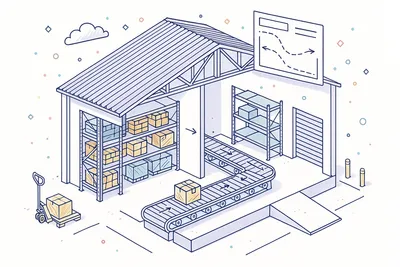
Move stock between spaces within the same location using movement journals — reorganize your warehouse, relocate items between decks, or consolidate storage without affecting overall location quantities.
For between-location transfers within the same legal entity, internal transfer journals handle the full lifecycle: pick from source, create in-transit records, and receive at destination. Guaranteed transaction processing ensures inventory is never lost or double-counted during the move.
- Within-location space moves
- Between-location transfers
- Guaranteed transaction processing
- Real-time stock update
Inter-Location & Inter-Vessel Transfers

Transfer stock between vessels, from shore to ship, or between any combination of locations with full transfer journals. Ship-to-ship transfers at sea, planned shore-to-vessel replenishment, and emergency cross-fleet redistribution all follow the same controlled workflow.
Dual-approval ensures both the sending and receiving location authorize the transfer. In-transit tracking provides visibility into materials that have left the source but haven't yet arrived at the destination — eliminating the "inventory black hole" that plagues manual processes.
- Ship-to-ship transfers
- Shore-to-ship logistics
- Dual-approval enforcement
- In-transit status tracking
Ownership Transfer Management

Handle changes in material ownership between legal entities without physical movement. Ownership transfer journals record the legal handover — from management company to vessel owner, between co-owners, or for consignment stock transitions — while the material stays exactly where it is.
Each transfer captures the outgoing and incoming owner with full documentation references, maintaining the complete chain of custody for financial reporting and regulatory compliance.
- Legal entity ownership changes
- Consignment stock support
- No physical movement required
- Complete transfer audit trail
Stock Coverage Planning

Set minimum, maximum, and optimal stock levels for every material at every location independently. A tanker and a bulk carrier can have completely different coverage targets for the same spare part, reflecting their unique operational profiles.
The Coverage Analysis view highlights gaps instantly with visual indicators — red for below minimum, amber for below optimal, green for within range. Fleet-wide coverage reports help your supply chain team prioritize replenishment across the entire fleet, not just one vessel at a time.
- Min/max/optimal per material
- Per-location thresholds
- Visual gap indicators
- Coverage-driven requisitions
Expiry Monitoring & Lifecycle

Track batch-level manufacturing dates, shelf life periods, best-before dates, and expiry windows across your entire fleet. Configurable warning windows alert your team before materials expire — giving you time to use, redistribute, or replace them.
The fleet-wide Expiry Monitoring view aggregates expiring stock across all vessels and warehouses, sorted by urgency. No more discovering expired fire extinguisher charges or outdated medical supplies during a port state inspection.
- Batch expiry date tracking
- Configurable warning windows
- Fleet-wide expiry dashboard
- Proactive replacement alerts
Reason-Based Analytics

Every adjustment, correction, and variance feeds into reason-based analytics dashboards. Distribution charts show which reason codes drive the most stock changes, and offset analysis tracks trends over time — is damage increasing? Are measurement errors declining after your new procedures?
Filter by location, material group, time period, or reason category to drill into specific patterns. Turn reactive stock corrections into proactive process improvement by identifying and addressing root causes.
- Distribution charts by reason
- Offset analysis over time
- Filterable summary reports
- Trend identification tools
Journal Line Tracking Details

Every journal line supports master-detail expansion in the grid view, revealing the full tracking breakdown underneath. Click into any arrival, adjustment, or transfer line to see every batch, serial number, and owner assignment associated with that transaction.
Tracking line drill-down provides complete genealogy for any stock movement — from the original goods receipt through every transfer, adjustment, and consumption event. One click from summary to full detail.
- Master-detail grid expansion
- Tracking line drill-down
- Inline batch/serial details
- Full line-level audit info
Inventory Status Management

Classify stock beyond simple quantity with configurable inventory statuses — Unrestricted, Quality Hold, Blocked, In Inspection, Reserved, and any custom status your operation requires. Status acts as a tracking dimension, so the same material at the same location can exist in multiple states simultaneously.
Status transitions follow controlled workflows: material arriving from a supplier might enter "In Inspection" before being released to "Unrestricted." Blocked stock is excluded from availability calculations, ensuring your team never promises material that isn't ready to use.
- Unrestricted, Hold, Blocked statuses
- Custom status definitions
- Status as tracking dimension
- Status-based availability rules
Configurable Dashboards & KPIs

Build custom dashboards with widgets tailored to your inventory management priorities. Monitor stock coverage health, adjustment trends, transfer volumes, expiry alerts, and journal processing times from a single screen.
Share dashboard configurations across your team so everyone — from the Fleet Superintendent to the Warehouse Manager — sees the KPIs that matter to their role. Real-time metrics update as transactions are posted, not on a nightly batch.
- Per-role widget layouts
- Real-time metric cards
- Customizable dashboard grids
- Drill-down from KPI to detail
Complete Audit Trail & Event History

Every transaction, approval decision, status change, and data modification is recorded in an immutable event log with full attribution — who did what, when, and why. From journal creation through approval chain to final posting, the complete lifecycle is traceable.
Built for regulated maritime operations where audit readiness is not optional. ISM Code, ISO 9001, TMSA, and class society auditors will find a clean, chronological, tamper-evident record of every inventory event across your fleet.
- Immutable event log
- Full user attribution
- ISM/ISO/TMSA compliance
- Exportable audit reports
Technical
Under the Hood
Architecture and engineering behind Inventory — data handling, real-time sync, and interface design.
High-Performance Data Grids with Master-Detail
All journal and on-hand views use server-side pagination with faceted aggregation, supporting hundreds of thousands of records without browser memory limits. Inline master-detail expansion reveals tracking line breakdowns directly within the grid.
Workflow Lifecycle Engine
Every journal follows a Draft → Submitted → Approved → Posted lifecycle managed by the workflow engine. Each transition triggers validation, approval evaluation, and immutable event recording — ensuring consistent behavior regardless of user interface or API entry point.
Multi-Tier Approval Rule Engine
Approval rules are evaluated server-side at each workflow transition against configurable criteria — transaction value, quantity thresholds, material classification, location type. Rules support multi-tier escalation, dual-control authorization, and automatic routing.
Guaranteed Multi-Location Transactions
Transfer and internal transfer journals execute as guaranteed database transactions — inventory is deducted from the source and credited at the destination in a single operation. No phantom inventory, no lost-in-transit records, no partial updates.
Real-Time On-Hand Aggregation Pipeline
On-hand quantities are computed by aggregating posted inventory transactions across all configured tracking dimensions. The pipeline runs on-demand against live transaction data — no stale caches, no nightly batch jobs, no reconciliation drift.
Tamper-Proof Audit Architecture
Every entity maintains a tamper-proof event log — fully auditable, tamper-evident, and queryable. Events power the audit trail, compliance reporting, change notifications, and analytics aggregation.
Office-Ship Synchronization
Inventory data synchronizes between office and vessel deployments over satellite links with automatic conflict resolution. Vessels operate with local transaction processing, and changes merge seamlessly when connectivity is available.
Configurable Tracking Dimension Framework
Tracking dimensions (Batch, Serial, Owner, Status, Space) are enabled per material at the master data level. The UI, validation rules, data entry forms, and grid columns adapt dynamically — showing only the dimensions relevant to each material.
Same Category
Related Modules
Other Inventory Management modules that integrate with Inventory.
Manage material catalogs, specifications, and cross-vessel standardization.
Streamline purchasing workflows from requisition to delivery with supplier integration.
Solutions
Explore Solutions
Compliance and operational solutions powered by Inventory.
Ready to try Inventory?
Start your free trial today and see how Inventory fits into your fleet operations.