
Benefits
Why Masters Reviews?
Key advantages of Masters Reviews as part of Navatom's integrated platform.
Consistent, Standards-Based Reviews Across Your Fleet
Versioned templates, structured checklists, and controlled definition lifecycles ensure every vessel conducts reviews to the same standard. No more variation between ships or masters — your review program is as consistent as your ISM manual demands.
Captain Empowered, Office in Control
The Captain owns the review onboard with full authority as sole reporter. Shore management reviews the completed work through a dedicated office review workflow. Clear ownership at sea, clear oversight ashore — both sides know exactly where they stand.
Controlled, Versioned Review Templates from Day One
Draft-to-release definition lifecycle ensures your fleet always uses approved, controlled templates. Template import, cloning, and revision tools let you evolve your review program without losing institutional knowledge or disrupting ongoing reviews.
ISM-Compliant Review Records with Full Audit Trail
Twenty-eight event types, immutable logging, and full user attribution mean your review records are always inspection-ready. ISM auditors, flag state inspectors, and classification societies will find a clean, chronological record of every review activity.
From Review to Improvement in a Closed Loop
Captain observations feed into office review, office review drives follow-up actions, and the audit trail records the entire cycle. The closed-loop workflow ensures no observation is lost and every review contributes to continuous improvement.
Scales from Single Vessel to Global Fleet
Server-side pagination, secure company data isolation, and office-ship synchronization mean the system performs identically whether you manage one vessel or five hundred. Grow your fleet without outgrowing your review platform.
Navatom Masters Reviews is the Captain's structured vessel review platform — enabling fleet management to ensure consistent, standards-based safety reviews through versioned templates, structured checklists, and shore-side oversight. It replaces ad-hoc inspection notes, emailed checklists, and disconnected spreadsheets with a controlled, cloud-synchronized review system that gives your DPA, fleet superintendent, and vessel masters a single source of truth for every review conducted onboard.
Built around a Captain-led review model with five checklist question types (Checkbox, Staged, Inquiry, Single Choice, Multiple Choice), the module adapts to any review scenario — from routine safety walkthroughs and pre-departure checks to comprehensive ISM self-assessments. Versioned review definitions with a six-stage draft-to-release lifecycle ensure your fleet always works from approved, controlled templates.
Ship-specific assignment and 29 onboard crew ranks keep every review targeted and accountable.
A three-status review lifecycle (In Progress, Completed, Reviewed) with dedicated office review workflow closes the loop between vessel and shore. Eleven operation event types and seventeen meta event types record every action for full audit trail compliance.
Yearly planning views, calendar integration, and rich text reporting transform masters reviews from a paper exercise into a proactive safety intelligence tool that scales across your entire fleet.
Capabilities
Key Features
How Masters Reviews helps ship managers work faster and stay compliant.

Captain-Led Vessel Review
The Captain is the sole reporter for every masters review — reflecting the reality that the master has ultimate authority and responsibility for vessel safety. Unlike multi-attendee audit modules, Masters Reviews is designed for a single, authoritative assessment by the person who knows the vessel best.
This Captain-centric model ensures accountability is clear and undivided. Every review carries the master's name, every checklist response is the master's assessment, and every report is the master's record. Shore-side management reviews the completed work without diluting ownership.
Versioned Definition & Template System
Build reusable review definitions with a full draft-release lifecycle. Definitions move through six stages — Draft, Waiting for Approval, Completed, Rejected, Released, and Revised — ensuring that only approved, controlled versions are used for live reviews onboard.
Import templates from your library to bootstrap new definitions. Clone and revise existing definitions without losing the original.
A three-tier meta status (Draft, Released, Deprecated) tracks the overall template maturity. The versioning system maintains a complete history of every template change, so you always know which version was used for any given review.
- Six-stage definition lifecycle
- Draft to Released approval workflow
- Template import & cloning
- Three-tier meta status tracking
- Controlled revision management

Structured Checklist Engine
Build comprehensive review checklists with five question types — Checkbox, Staged, Inquiry, Single Choice, and Multiple Choice. Each checklist item captures the specific evidence your masters need to evaluate, with structured response formats that drive consistent, comparable results across reviews and vessels.
Staged items support progressive assessment (e.g., Not Started / In Progress / Completed). Inquiry items capture free-text observations.
Choice items enforce selection from predefined options. Hierarchical categories organize checklist items into logical groups — safety equipment, navigation systems, cargo operations — mirroring the structure of your ISM manual.
- Checkbox, Staged, Inquiry types
- Single & Multiple Choice questions
- Hierarchical category organization
- Structured evidence capture
- Reusable checklist templates
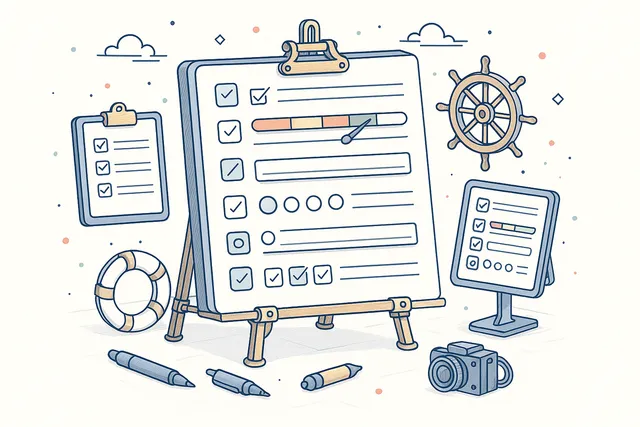
Three-Status Review Lifecycle
Every masters review follows a controlled three-status lifecycle: In Progress, Completed, and Reviewed. The Captain works through the checklist and report while the review is In Progress.
When satisfied, the Captain marks it Completed, signaling to shore management that the review is ready for evaluation.
The final Reviewed status is set by the office reviewer after evaluating the Captain's completed work. This three-step model creates a clean handoff between vessel and shore — the Captain owns execution, the office owns verification, and the status trail records exactly when each transition occurred.
- InProgress → Completed → Reviewed
- Clear vessel-to-office handoff
- Status-enforced data integrity
- Full transition audit trail

Office Review & Oversight
Shore-side reviewers evaluate every completed masters review, closing the loop between vessel self-assessment and fleet management oversight. Once a Captain marks a review as Completed, designated office personnel can review the checklist responses, read the report, examine attachments, and add their own assessment.
The office review workflow ensures that masters reviews are not filed and forgotten. Reviewers can flag issues, request follow-up, and confirm that the Captain's observations align with fleet safety standards.
The Reviewed status provides management with confidence that every review has been seen and evaluated by shore staff.
- Shore-side reviewer evaluation
- Post-completion office assessment
- Follow-up flagging & requests
- Reviewed status confirmation
- Vessel-office loop closure
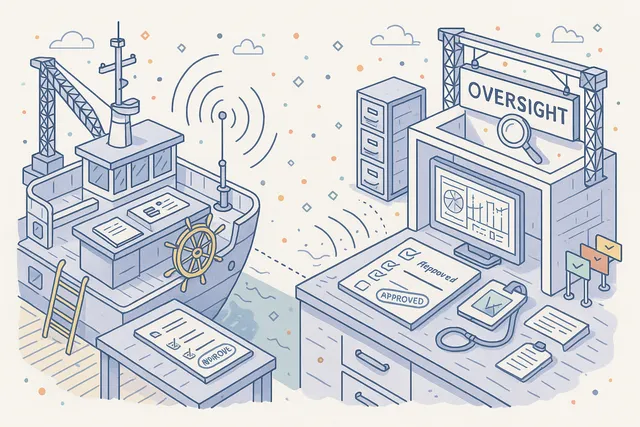
Ship-Based Scheduling & Assignment
Assign review definitions to specific ships in your fleet, ensuring that each vessel receives the appropriate review templates for its type, trade, and regulatory requirements. Ship assignment is managed at the definition level — release a definition and assign it to one or more vessels in a single workflow.
With support for 29 onboard crew ranks across Deck and Engine departments, the system understands who is aboard and who is responsible. While the Captain is always the sole reviewer, rank-aware assignment ensures the right definitions reach the right vessels with the right context.
- Per-ship definition assignment
- 29 onboard crew ranks supported
- Deck & Engine departments
- Vessel-type targeted templates
- Fleet-wide assignment management
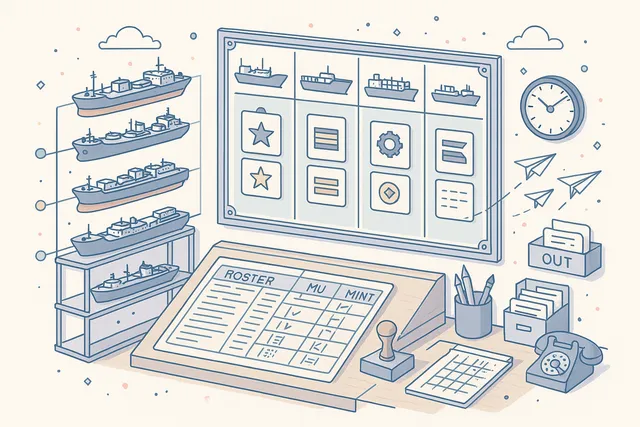
Yearly Review Planning
Plan your entire annual review program in a dedicated yearly planning view. A visual scheduling grid lets you map reviews across vessels, months, and review types — giving management and DPAs a complete overview of the masters review calendar for the year ahead.
Identify gaps in coverage, ensure that every vessel receives the required reviews within the required timeframes, and track completion against the plan. The yearly plan integrates with the review calendar, so scheduled reviews automatically appear in crew and management planning views.
- Visual annual scheduling grid
- Per-vessel review coverage mapping
- Gap identification across fleet
- Calendar integration for planned reviews

Calendar Integration
Schedule reviews directly into the Navatom calendar system. Each review creates a calendar event with date, vessel, and assigned definition.
Support for recurring schedules — Daily, Weekly, Monthly, and Yearly — handles everything from weekly safety walkthroughs to annual ISM self-assessments.
Recurring review schedules automatically generate future review events based on your configured frequency. Calendar visibility ensures the Captain, fleet superintendent, and shore management all see upcoming reviews in their planning views.
Changes to review dates or status propagate to the calendar in real time.
- Automatic calendar event creation
- Daily, Weekly, Monthly, Yearly recurrence
- Fleet-wide calendar visibility
- Real-time status propagation
- Crew & management planning views

Rich Text Reports & File Attachments
Document review findings with a full rich text editor that supports formatted text, lists, and structured observations. The report is the Captain's narrative — a free-form space to describe conditions, note concerns, and record observations that go beyond the structured checklist responses.
Attach supporting files — photographs, scanned documents, manufacturer certificates, test records — directly to the review. File management tracks uploads, edits, and removals with full event logging.
The combination of structured checklist data and narrative reporting gives shore management both the numbers and the story.
- Full rich text editor for reports
- Photo & document attachments
- File upload, edit & removal tracking
- Narrative + structured data combined

Threaded Comments & Collaboration
Add, edit, and delete comments on any review to create a threaded conversation between the Captain and shore-side management. Comments provide a communication channel that lives alongside the review data — no need to switch to email or messaging apps to discuss findings.
Every comment action (add, edit, delete) is recorded in the event log with full user attribution and timestamp. Comments become part of the permanent review record, providing context that enhances the formal checklist and report data.
- Per-review comment threads
- Add, edit & delete with attribution
- Captain-office communication channel
- Comments as permanent record
- Full event logging per action

Template Import & Cloning
Bootstrap new review definitions by importing from your template library or cloning existing definitions. Template import lets you start from proven, pre-built review structures rather than building from scratch every time a new review requirement emerges.
Cloning creates an independent copy that you can modify without affecting the original. Combined with the six-stage definition lifecycle, import and cloning give you a fast path from concept to approved, released review template — maintaining consistency across your fleet while allowing targeted customization.
- Import from template library
- Independent clone creation
- Fast path to approved templates
- Consistency with customization

Complete Audit Trail
Every action within a masters review is recorded in a granular event log. Eleven operation event types — Created, Added File, Removed File, Edited File, Delete Comment, Edit Comment, Added Comment, Updated Report, Status Changed, Reviewed, and Remove Review — capture every change to the review record.
Seventeen meta event types track definition lifecycle changes, checklist modifications, ship assignments, and administrative actions. The combined 28 event types provide a second-by-second narrative of the entire review process, fully auditable for ISM compliance and external inspection.
- 11 operation event types
- 17 meta event types
- Full user attribution per event
- Timestamp & context recording
- ISM-compliant audit evidence

Dashboard & Analytics
Monitor your masters review program's health with dedicated dashboard widgets. Track completion rates, pending reviews, overdue assessments, and office review status across your entire fleet at a glance.
Widgets provide at-a-glance KPIs for fleet superintendents and DPAs: How many reviews are in progress? Which vessels have overdue reviews?
What is the office review completion rate? Drill down from any widget to the underlying review data for immediate action.
- Dedicated dashboard widgets
- Completion rate tracking
- Pending & overdue review counts
- Office review status monitoring
- Fleet-wide KPI overview
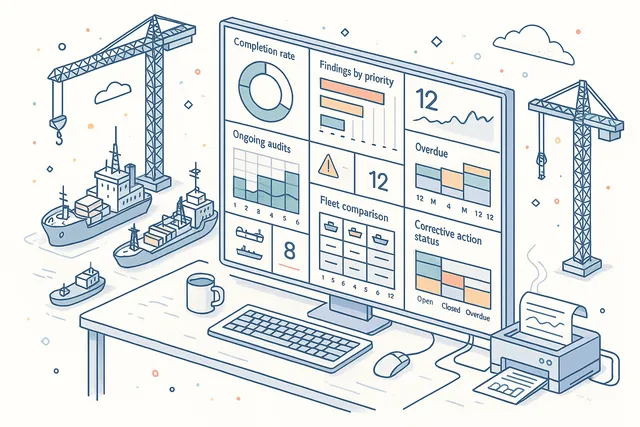
Print & PDF Export
Generate professional PDF reports for any completed masters review with a single click. The exported report includes the full review record — checklist responses, rich text report, file attachment references, office review notes, and comment history — formatted for archival or external submission.
Use printed reports for ISM audit evidence, classification society reviews, fleet management presentations, and internal safety reviews. The format follows maritime industry conventions, ensuring your masters review documentation meets the standards expected by regulatory authorities.
- One-click PDF report generation
- Full review record export
- Checklist + report + attachments
- Maritime industry format compliance

FAQ
Frequently Asked Questions
Common questions about Masters Reviews answered.
Who conducts the masters review onboard?+
The Captain is the sole reporter for every masters review. Unlike multi-attendee audit modules, Masters Reviews is designed for a single authoritative assessment by the vessel master — reflecting the Captain's ultimate authority and responsibility for vessel safety under SOLAS and ISM Code requirements.
How does the review template system work?+
Review definitions follow a six-stage lifecycle: Draft, Waiting for Approval, Completed, Rejected, Released, and Revised. Only Released definitions can be assigned to ships for live reviews.
You can import from a template library, clone existing definitions, and revise them without losing the original version. A three-tier meta status (Draft, Released, Deprecated) tracks overall template maturity.
What question types are available in checklists?+
Five question types are supported: Checkbox (yes/no checks), Staged (progressive assessment like Not Started / In Progress / Completed), Inquiry (free-text observations), Single Choice (select one from predefined options), and Multiple Choice (select several). Types can be mixed within a single checklist and organized into hierarchical categories.
How does the office review process work?+
When a Captain marks a review as Completed, it becomes available for shore-side evaluation. Designated office reviewers can examine checklist responses, read the report, review file attachments, and add their own assessment.
Setting the review to Reviewed status confirms that shore management has evaluated the Captain's work, closing the loop between vessel and office.
Can I schedule recurring reviews across the fleet?+
Yes. The calendar integration supports Daily, Weekly, Monthly, and Yearly recurring schedules.
Assign review definitions to specific ships, set the recurrence pattern, and the system automatically generates future review events. A dedicated yearly planning view provides a visual grid of all scheduled reviews across your fleet.
Does the module support offline use on vessels?+
Yes. Vessels operate with a full local deployment that processes checklists, reports, file attachments, and comments independently of office connectivity.
All review functions work offline. When satellite connectivity is available, changes synchronize automatically between ship and office with conflict resolution.
What audit trail capabilities does the module provide?+
Every action is recorded across 28 event types — 11 operation events (Created, Added File, Removed File, Edited File, Delete Comment, Edit Comment, Added Comment, Updated Report, Status Changed, Reviewed, Remove Review) and 17 meta events (definition lifecycle, checklist changes, ship assignments, comments). Each event carries full user attribution, timestamp, and contextual data for ISM compliance.
Related Modules
Create and manage risk assessments, hazard identification, and mitigation measures.
Manage training programs, competency matrices, and crew development records.
Ready to try Masters Reviews?
Start your free trial today and see how Masters Reviews fits into your fleet operations.
Free Trial
No credit card required
30+ Modules
Fully integrated platform
Cloud-Based
No installation needed