All 16 Features
Every feature in Safety Meetings is built for daily maritime work — simple to use, fast to navigate, and fully integrated with the rest of Navatom.
ISM-Compliant Safety Committee Meetings

Conduct formal safety committee meetings that satisfy ISM Code requirements for regular safety reviews aboard every vessel. The module structures each meeting with a formal agenda, attendee roster, discussion items, and documented outcomes — creating the evidence trail that ISM auditors expect.
Every meeting follows a controlled process from initiation through completion and office review. The system enforces that agendas are followed, attendees are recorded, and outcomes are documented before a meeting can be marked complete.
No more handwritten minutes that get lost or informal meetings with no record.
- Formal safety committee meeting management
- Structured agendas & documented outcomes
- ISM Code audit-ready meeting records
- Controlled meeting process enforcement
Versioned Definition & Template System

Build reusable meeting definitions with a full six-stage lifecycle: Draft, Waiting for Approval, Completed or Rejected, Released, and Revised. Only Released definitions can be used to create live meetings on vessels, ensuring your crew always works from approved, controlled meeting templates.
Import templates from your library to bootstrap new definitions. Clone and revise existing definitions without losing the original.
The versioning system maintains a complete history of every template change, so you always know which version was used for any given meeting. Meta status tracking (Draft, Released, Deprecated) provides additional lifecycle control.
- Six-stage definition lifecycle
- Draft to Released approval workflow
- Template import & cloning
- Version history tracking
- Meta status: Draft, Released, Deprecated
Structured Checklist Engine

Build comprehensive meeting agendas with five question types — Checkbox, Staged, Inquiry, Single Choice, and Multiple Choice. Each checklist item captures the specific evidence and responses your safety committee needs to address, with structured response formats that drive consistent, comparable results across meetings.
Staged items support progressive assessment (e.g., Not Addressed / Partially Addressed / Fully Addressed). Inquiry items capture free-text discussion notes.
Choice items enforce selection from predefined options. Organize items into hierarchical categories that mirror your safety agenda structure.
- Checkbox, Staged, Inquiry types
- Single & Multiple Choice questions
- Hierarchical category organization
- Structured agenda item capture
- Completeness validation
Three-Status Meeting Lifecycle

Every safety meeting follows a clear, controlled lifecycle: In Progress while the meeting is being conducted and minutes recorded, Completed when the vessel master finalizes the meeting, and Reviewed when the shore-side office has evaluated the outcomes and signed off.
Status transitions enforce data completeness — a meeting cannot be completed without documented attendees and checklist responses. The three-status model provides clear visibility into where each meeting stands, and the Reviewed stage ensures that office oversight is never skipped.
- In Progress → Completed → Reviewed
- Status-enforced data completeness
- Mandatory office review stage
- Clear meeting progress visibility
Full Attendee Tracking

Record every participant in every safety meeting with rank-based identification across 29 onboard positions spanning Deck and Engine departments. The attendee roster captures who was present, their role aboard the vessel, and when they were added to the meeting record.
Add and remove attendees as needed during the meeting. The system tracks attendee changes as discrete events (AddedAttendee, RemovedAttendee, SetAttendees), creating an immutable record of participation.
ISM auditors can verify that the required personnel attended each safety committee meeting.
- 29 onboard ranks supported
- Deck & Engine department coverage
- Add/remove attendee event tracking
- Rank-based identification
- Immutable participation records
Ship-Initiated Ad-Hoc Meetings

Enable vessels to initiate unplanned safety meetings without prior scheduling from the office. The canShipStartUnscheduled flag controls whether each ship can create ad-hoc meetings — a critical capability when safety concerns arise mid-voyage and cannot wait for the next scheduled committee meeting.
Ad-hoc meetings follow the same structured process as scheduled meetings: formal agenda, attendee tracking, checklist completion, and office review. The only difference is the initiation point — the vessel crew identifies the need and starts the meeting immediately, with shore oversight following through the normal review workflow.
- canShipStartUnscheduled flag per vessel
- Immediate unplanned meeting creation
- Same structured process as scheduled
- No office pre-approval required
Office Review & Oversight

Shore-side reviewers evaluate meeting outcomes after vessel completion. The office review workflow ensures that safety discussions are not just conducted but assessed by management — identifying trends, escalating concerns, and verifying that action items are addressed.
Reviewers can add comments, request additional information, and formally sign off on meeting records. The review process creates a documented chain of accountability from vessel safety committee to shore management, satisfying ISM Code requirements for management involvement in safety processes.
- Shore-side reviewer evaluation
- Comment & feedback workflow
- Formal sign-off on meeting records
- ISM-compliant management oversight
Meeting Reopen Capability
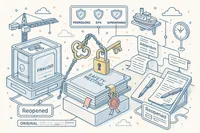
Reopen completed meetings when additional input is needed. Unlike rigid systems that lock records permanently after completion, Navatom allows authorized users to reopen a meeting — adding discussion points, updating attendee records, or incorporating late evidence before re-completing and sending for review.
The reopen action is tracked as a discrete event in the meeting audit trail, preserving the original completion record while documenting why the meeting was reopened and what changes were made. This flexibility handles real-world situations where follow-up information arrives after the initial meeting closure.
- Reopen completed meetings for updates
- Reopen event tracked in audit trail
- Add late evidence or discussion points
- Re-complete and re-submit for review
Ship-Based Scheduling & Assignment

Assign meeting definitions to specific vessels in your fleet, targeting the 29 onboard ranks across Deck and Engine departments. Each ship receives the meeting templates relevant to its operations, crew complement, and regulatory requirements.
The assignment system controls which vessels can conduct which types of safety meetings, ensuring that specialized meeting types (e.g., engine room safety reviews) are only assigned to vessels where they are applicable. Changes to ship assignments are tracked as events in the definition history.
- Per-vessel definition assignment
- 29 ranks across Deck & Engine
- Ship-specific meeting templates
- Assignment change event tracking
Yearly Meeting Planning
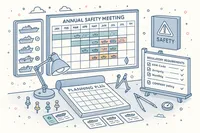
Plan your entire annual safety meeting program in a dedicated yearly planning view. A visual scheduling grid lets you map meetings across vessels, months, and meeting types — giving management and DPAs a complete overview of the safety meeting calendar for the year ahead.
Identify gaps in meeting coverage, ensure that every vessel receives the required safety committee meetings within IMO and company-mandated timeframes, and adjust schedules as operational needs change. The yearly plan integrates with the meeting calendar, so planned meetings automatically appear in crew and management planning views.
- Visual annual scheduling grid
- Per-vessel meeting coverage mapping
- Gap identification across fleet
- Calendar integration for planned meetings
Calendar Integration

Schedule safety meetings directly into the Navatom calendar system. Each meeting creates a calendar event with date, time, and assigned vessel.
Support for both single events and recurring schedules handles everything from monthly safety committee meetings to quarterly management reviews.
Recurring meeting schedules automatically generate future meeting events based on your configured frequency. Calendar visibility ensures vessel masters, safety officers, and shore management all see upcoming meetings in their planning views.
- Automatic calendar event creation
- Single & recurring scheduling
- Monthly/quarterly meeting programs
- Fleet-wide calendar visibility
Rich Text Minutes & File Attachments

Document meeting discussions with rich text minutes that capture the full context of safety committee deliberations. Attach supporting files — photographs, inspection reports, safety bulletins, manufacturer notices — as evidence linked directly to the meeting record.
File operations are tracked as discrete events (AddedFile, EditedFile, RemovedFile), creating a complete history of every document attached to or removed from a meeting. The rich text editor supports structured formatting for clear, professional meeting minutes.
- Rich text meeting minutes editor
- File attachment with evidence linking
- AddedFile/EditedFile/RemovedFile tracking
- Professional formatted documentation
Threaded Comments & Collaboration

Add, edit, and delete comments on any meeting record for asynchronous discussion between vessel crew and shore management. Comment threads allow follow-up questions, clarifications, and action item tracking beyond the formal meeting minutes.
Every comment action (AddedComment, EditComment, DeleteComment) is recorded in the event log with full user attribution. Shore reviewers use comments to request additional information; vessel officers respond with context and evidence — creating a documented dialogue around safety topics.
- Per-meeting comment threads
- Add, edit, delete comment tracking
- Ship-to-shore async discussion
- Full user attribution per comment
Complete Audit Trail

Every action within a safety meeting is recorded in a granular event log. Fourteen operation event types track real-time meeting activities — from creation and attendee changes through file attachments, status transitions, and review actions.
Nineteen meta event types track definition lifecycle changes, checklist modifications, and ship assignments.
The combined 33 event types provide a second-by-second narrative of every safety meeting and every template change. Event tracking is not just a log — it is an accountability system with full user attribution, timestamps, and contextual data that satisfies the most demanding ISM audit.
- 14 operation event types
- 19 meta event types
- 33 total tracked event categories
- Full user attribution & timestamps
- Immutable event history
Dashboard & Analytics

Monitor your safety meeting program with dedicated dashboard widgets. Track meeting completion rates, review status, overdue meetings, and participation trends across your entire fleet. At-a-glance KPIs give DPAs and safety managers immediate visibility into meeting compliance.
Drill down from fleet-wide metrics to individual vessel performance. Identify ships that consistently miss scheduled meetings, track attendance patterns, and measure the time from meeting completion to office review.
Data-driven insights transform safety meetings from a checkbox exercise into a proactive safety tool.
- Dedicated meeting dashboard widgets
- Completion rate & review status
- Overdue meeting tracking
- Fleet-wide attendance trends
- Vessel performance drill-down
Version History & Browsing

Browse the complete version history of any meeting definition. The MetaHistoryDetail view lets you compare versions side by side, see what changed between revisions, and understand how your meeting templates have evolved over time.
Version history is not just for auditing — it is a knowledge management tool. When revising a meeting template, review previous versions to understand why certain agenda items were added or removed.
Restore elements from earlier versions if needed, maintaining institutional knowledge across template revisions.
- Side-by-side version comparison
- Full definition revision history
- Change tracking between versions
- Knowledge preservation across revisions
ISM-Compliant Safety Committee Meetings

Conduct formal safety committee meetings that satisfy ISM Code requirements for regular safety reviews aboard every vessel. The module structures each meeting with a formal agenda, attendee roster, discussion items, and documented outcomes — creating the evidence trail that ISM auditors expect.
Every meeting follows a controlled process from initiation through completion and office review. The system enforces that agendas are followed, attendees are recorded, and outcomes are documented before a meeting can be marked complete.
No more handwritten minutes that get lost or informal meetings with no record.
- Formal safety committee meeting management
- Structured agendas & documented outcomes
- ISM Code audit-ready meeting records
- Controlled meeting process enforcement
Versioned Definition & Template System
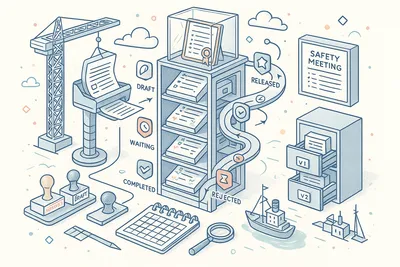
Build reusable meeting definitions with a full six-stage lifecycle: Draft, Waiting for Approval, Completed or Rejected, Released, and Revised. Only Released definitions can be used to create live meetings on vessels, ensuring your crew always works from approved, controlled meeting templates.
Import templates from your library to bootstrap new definitions. Clone and revise existing definitions without losing the original.
The versioning system maintains a complete history of every template change, so you always know which version was used for any given meeting. Meta status tracking (Draft, Released, Deprecated) provides additional lifecycle control.
- Six-stage definition lifecycle
- Draft to Released approval workflow
- Template import & cloning
- Version history tracking
- Meta status: Draft, Released, Deprecated
Structured Checklist Engine

Build comprehensive meeting agendas with five question types — Checkbox, Staged, Inquiry, Single Choice, and Multiple Choice. Each checklist item captures the specific evidence and responses your safety committee needs to address, with structured response formats that drive consistent, comparable results across meetings.
Staged items support progressive assessment (e.g., Not Addressed / Partially Addressed / Fully Addressed). Inquiry items capture free-text discussion notes.
Choice items enforce selection from predefined options. Organize items into hierarchical categories that mirror your safety agenda structure.
- Checkbox, Staged, Inquiry types
- Single & Multiple Choice questions
- Hierarchical category organization
- Structured agenda item capture
- Completeness validation
Three-Status Meeting Lifecycle
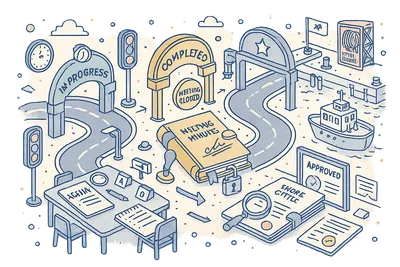
Every safety meeting follows a clear, controlled lifecycle: In Progress while the meeting is being conducted and minutes recorded, Completed when the vessel master finalizes the meeting, and Reviewed when the shore-side office has evaluated the outcomes and signed off.
Status transitions enforce data completeness — a meeting cannot be completed without documented attendees and checklist responses. The three-status model provides clear visibility into where each meeting stands, and the Reviewed stage ensures that office oversight is never skipped.
- In Progress → Completed → Reviewed
- Status-enforced data completeness
- Mandatory office review stage
- Clear meeting progress visibility
Full Attendee Tracking
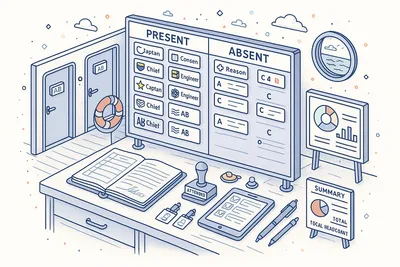
Record every participant in every safety meeting with rank-based identification across 29 onboard positions spanning Deck and Engine departments. The attendee roster captures who was present, their role aboard the vessel, and when they were added to the meeting record.
Add and remove attendees as needed during the meeting. The system tracks attendee changes as discrete events (AddedAttendee, RemovedAttendee, SetAttendees), creating an immutable record of participation.
ISM auditors can verify that the required personnel attended each safety committee meeting.
- 29 onboard ranks supported
- Deck & Engine department coverage
- Add/remove attendee event tracking
- Rank-based identification
- Immutable participation records
Ship-Initiated Ad-Hoc Meetings
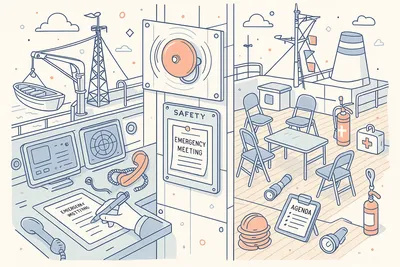
Enable vessels to initiate unplanned safety meetings without prior scheduling from the office. The canShipStartUnscheduled flag controls whether each ship can create ad-hoc meetings — a critical capability when safety concerns arise mid-voyage and cannot wait for the next scheduled committee meeting.
Ad-hoc meetings follow the same structured process as scheduled meetings: formal agenda, attendee tracking, checklist completion, and office review. The only difference is the initiation point — the vessel crew identifies the need and starts the meeting immediately, with shore oversight following through the normal review workflow.
- canShipStartUnscheduled flag per vessel
- Immediate unplanned meeting creation
- Same structured process as scheduled
- No office pre-approval required
Office Review & Oversight

Shore-side reviewers evaluate meeting outcomes after vessel completion. The office review workflow ensures that safety discussions are not just conducted but assessed by management — identifying trends, escalating concerns, and verifying that action items are addressed.
Reviewers can add comments, request additional information, and formally sign off on meeting records. The review process creates a documented chain of accountability from vessel safety committee to shore management, satisfying ISM Code requirements for management involvement in safety processes.
- Shore-side reviewer evaluation
- Comment & feedback workflow
- Formal sign-off on meeting records
- ISM-compliant management oversight
Meeting Reopen Capability
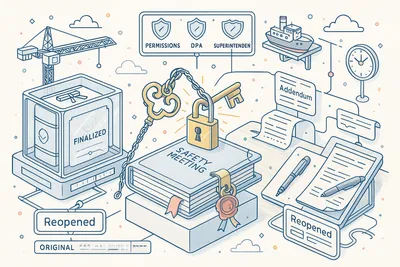
Reopen completed meetings when additional input is needed. Unlike rigid systems that lock records permanently after completion, Navatom allows authorized users to reopen a meeting — adding discussion points, updating attendee records, or incorporating late evidence before re-completing and sending for review.
The reopen action is tracked as a discrete event in the meeting audit trail, preserving the original completion record while documenting why the meeting was reopened and what changes were made. This flexibility handles real-world situations where follow-up information arrives after the initial meeting closure.
- Reopen completed meetings for updates
- Reopen event tracked in audit trail
- Add late evidence or discussion points
- Re-complete and re-submit for review
Ship-Based Scheduling & Assignment

Assign meeting definitions to specific vessels in your fleet, targeting the 29 onboard ranks across Deck and Engine departments. Each ship receives the meeting templates relevant to its operations, crew complement, and regulatory requirements.
The assignment system controls which vessels can conduct which types of safety meetings, ensuring that specialized meeting types (e.g., engine room safety reviews) are only assigned to vessels where they are applicable. Changes to ship assignments are tracked as events in the definition history.
- Per-vessel definition assignment
- 29 ranks across Deck & Engine
- Ship-specific meeting templates
- Assignment change event tracking
Yearly Meeting Planning
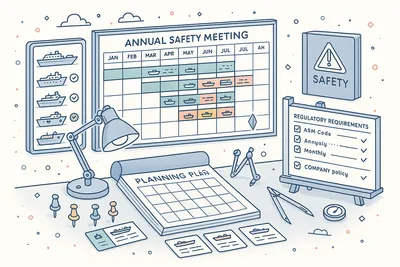
Plan your entire annual safety meeting program in a dedicated yearly planning view. A visual scheduling grid lets you map meetings across vessels, months, and meeting types — giving management and DPAs a complete overview of the safety meeting calendar for the year ahead.
Identify gaps in meeting coverage, ensure that every vessel receives the required safety committee meetings within IMO and company-mandated timeframes, and adjust schedules as operational needs change. The yearly plan integrates with the meeting calendar, so planned meetings automatically appear in crew and management planning views.
- Visual annual scheduling grid
- Per-vessel meeting coverage mapping
- Gap identification across fleet
- Calendar integration for planned meetings
Calendar Integration

Schedule safety meetings directly into the Navatom calendar system. Each meeting creates a calendar event with date, time, and assigned vessel.
Support for both single events and recurring schedules handles everything from monthly safety committee meetings to quarterly management reviews.
Recurring meeting schedules automatically generate future meeting events based on your configured frequency. Calendar visibility ensures vessel masters, safety officers, and shore management all see upcoming meetings in their planning views.
- Automatic calendar event creation
- Single & recurring scheduling
- Monthly/quarterly meeting programs
- Fleet-wide calendar visibility
Rich Text Minutes & File Attachments

Document meeting discussions with rich text minutes that capture the full context of safety committee deliberations. Attach supporting files — photographs, inspection reports, safety bulletins, manufacturer notices — as evidence linked directly to the meeting record.
File operations are tracked as discrete events (AddedFile, EditedFile, RemovedFile), creating a complete history of every document attached to or removed from a meeting. The rich text editor supports structured formatting for clear, professional meeting minutes.
- Rich text meeting minutes editor
- File attachment with evidence linking
- AddedFile/EditedFile/RemovedFile tracking
- Professional formatted documentation
Threaded Comments & Collaboration

Add, edit, and delete comments on any meeting record for asynchronous discussion between vessel crew and shore management. Comment threads allow follow-up questions, clarifications, and action item tracking beyond the formal meeting minutes.
Every comment action (AddedComment, EditComment, DeleteComment) is recorded in the event log with full user attribution. Shore reviewers use comments to request additional information; vessel officers respond with context and evidence — creating a documented dialogue around safety topics.
- Per-meeting comment threads
- Add, edit, delete comment tracking
- Ship-to-shore async discussion
- Full user attribution per comment
Complete Audit Trail

Every action within a safety meeting is recorded in a granular event log. Fourteen operation event types track real-time meeting activities — from creation and attendee changes through file attachments, status transitions, and review actions.
Nineteen meta event types track definition lifecycle changes, checklist modifications, and ship assignments.
The combined 33 event types provide a second-by-second narrative of every safety meeting and every template change. Event tracking is not just a log — it is an accountability system with full user attribution, timestamps, and contextual data that satisfies the most demanding ISM audit.
- 14 operation event types
- 19 meta event types
- 33 total tracked event categories
- Full user attribution & timestamps
- Immutable event history
Dashboard & Analytics
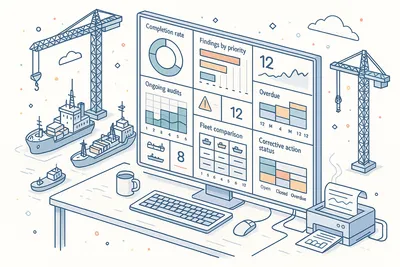
Monitor your safety meeting program with dedicated dashboard widgets. Track meeting completion rates, review status, overdue meetings, and participation trends across your entire fleet. At-a-glance KPIs give DPAs and safety managers immediate visibility into meeting compliance.
Drill down from fleet-wide metrics to individual vessel performance. Identify ships that consistently miss scheduled meetings, track attendance patterns, and measure the time from meeting completion to office review.
Data-driven insights transform safety meetings from a checkbox exercise into a proactive safety tool.
- Dedicated meeting dashboard widgets
- Completion rate & review status
- Overdue meeting tracking
- Fleet-wide attendance trends
- Vessel performance drill-down
Version History & Browsing

Browse the complete version history of any meeting definition. The MetaHistoryDetail view lets you compare versions side by side, see what changed between revisions, and understand how your meeting templates have evolved over time.
Version history is not just for auditing — it is a knowledge management tool. When revising a meeting template, review previous versions to understand why certain agenda items were added or removed.
Restore elements from earlier versions if needed, maintaining institutional knowledge across template revisions.
- Side-by-side version comparison
- Full definition revision history
- Change tracking between versions
- Knowledge preservation across revisions
Technical
Under the Hood
Architecture and engineering behind Safety Meetings — data handling, real-time sync, and interface design.
Server-Side Meeting Grids with Advanced Filtering
All meeting and definition views handle large datasets with server-side pagination and instant filtering. Narrow results by status, vessel, date range, and definition type — the system stays responsive regardless of how many meetings your fleet conducts.
Six-Stage Definition Lifecycle State Machine
Meeting definitions follow a Draft, Waiting for Approval, Completed/Rejected, Released, Revised lifecycle with built-in approval gates. Each transition enforces validation, records who approved or rejected, and maintains an immutable change history.
Meta status (Draft, Released, Deprecated) adds an additional control layer.
Hierarchical Checklist Engine with Five Question Types
Meeting agendas are structured as hierarchical checklists supporting Checkbox, Staged, Inquiry, Single Choice, and Multiple Choice question types. Categories organize items into logical groups, and the engine validates completeness before allowing meeting completion.
Ad-Hoc Meeting Initiation from Ship
The canShipStartUnscheduled flag enables per-vessel control over ad-hoc meeting creation. Ships with this flag enabled can initiate unplanned safety meetings that flow through the same structured lifecycle — attendee tracking, checklist completion, and office review — without prior scheduling.
Office-Ship Synchronization
Meeting data synchronizes between office and vessel over satellite links with automatic conflict resolution. Vessels can conduct meetings, complete checklists, and document minutes offline, with changes merging seamlessly when connectivity is restored.
Calendar Event Lifecycle Engine
Meetings automatically create and maintain calendar events with support for single and recurring schedules. Changes to meeting dates, vessels, or status propagate to the calendar system in real time, keeping all stakeholders informed.
Immutable Event Logging
Every action is recorded across 14 operation event types and 19 meta event types, producing 33 distinct event categories. The log powers the audit trail, compliance reporting, analytics, and real-time notifications — fully auditable and tamper-evident for any external inspection.
Same Category
Related Modules
Other Safety modules that integrate with Safety Meetings.
Conduct and record management reviews with structured agendas and action tracking.
Plan, execute, and evaluate emergency drills with crew participation tracking.
Manage training programs, competency matrices, and crew development records.
Create and manage risk assessments, hazard identification, and mitigation measures.
Ready to try Safety Meetings?
Start your free trial today and see how Safety Meetings fits into your fleet operations.