
Benefits
Why Risk Assessments?
Key advantages of Risk Assessments as part of Navatom's integrated platform.
Audit-Ready Risk Records Across Your Fleet
Immutable event logs with 43 event types, structured hazard documentation, and full traceability mean your risk assessment records are always inspection-ready. ISM auditors, port state inspectors, and classification society surveyors will find a complete, chronological record of every assessment activity.
Consistent Risk Methodology Fleet-Wide
Configurable risk matrices, standardized hazard classifications, and fleet-wide template replication ensure every vessel uses the same risk assessment methodology. Eliminate vessel-by-vessel variation and establish a single standard of safety across your fleet.
From Hazard Identification to Active Mitigation
Risk assessments are not just scoring exercises. Structured control measures, consequence documentation, and maintenance integration transform hazard identification into actionable risk reduction plans with tracked implementation and verification.
Controlled Assessments with Approval Workflow
The five-stage lifecycle with rank-based approval ensures every assessment passes through formal review before completion. Rejected assessments return for correction, maintaining assessment quality without creating administrative bottlenecks.
Living Connection to Your Safety Management System
Direct links to SMS manual procedures, PMS maintenance tasks, and Forms module checklists mean risk assessments exist within the context of your entire safety management system — not as isolated documents.
Scales from Single Vessel to Global Fleet
Template replication, rank-based assignments, office-ship synchronization, and fleet-wide analytics mean the system performs identically whether you manage one vessel or five hundred. Grow your fleet without outgrowing your risk assessment platform.
Navatom Risk Assessments is the maritime risk management platform that brings hazard identification, probability-severity scoring, and operational controls into a single, structured system. It replaces ad-hoc paper-based risk assessments and disconnected spreadsheets with a controlled, cloud-synchronized platform that gives your DPA, safety officers, and vessel masters a consistent methodology for identifying, evaluating, and mitigating operational hazards across your entire fleet.
Built around a configurable risk matrix engine supporting 3×3, 4×4, and 5×5 matrix sizes, the module scores every hazard on five probability levels (Improbable to Frequent) and five severity levels (Negligible to Catastrophic), producing a five-tier tolerability rating from Low to Critical. Three hazard types — Environmental, Property, and Health — classify risks by impact domain, while structured control measures and consequence documentation ensure every hazard is addressed with traceable, auditable mitigation actions.
Risk assessment definitions link directly to SMS manual procedures and operations, creating a living bridge between your safety management system and day-to-day operational risk management. A five-stage assessment lifecycle with rank-based approval workflow ensures ship-side crews conduct assessments under controlled conditions, while fleet-wide template management lets you replicate proven assessments across your entire fleet.
With 43 event types tracking every action, your risk assessment records are always audit-ready.
Capabilities
Key Features
How Risk Assessments helps ship managers work faster and stay compliant.

Hazard Identification & Classification
Identify and classify every operational hazard with precision. Navatom supports three distinct hazard types — Environmental, Property, and Health — ensuring that every risk is categorized by its impact domain.
Each hazard captures structured data including controls, consequences, and tolerance scoring, creating a complete risk profile that goes far beyond simple text descriptions.
Three hazard statuses — Active, Deprecated, and Invalid — manage the lifecycle of hazard definitions over time. As operations change and new risks emerge, deprecated hazards remain in the historical record while invalid entries are flagged without data loss. The classification system ensures your hazard register stays current and meaningful.
Configurable Risk Matrix
Score every hazard with a probability-times-severity risk matrix that adapts to your organization's methodology. Navatom supports three matrix sizes — 3×3, 4×4, and 5×5 — so you can match the granularity expected by your SMS manual, classification society, or flag state requirements.
The matrix engine combines five probability levels (Improbable, Remote, Occasional, Probable, Frequent) with five severity levels (Negligible, Minor, Moderate, Major, Catastrophic) to produce a calculated tolerability score. Visual matrix displays make risk levels immediately apparent to assessors, while the configurable size ensures the right balance between simplicity and analytical depth.
- 3×3, 4×4, and 5×5 matrix sizes
- 5 probability levels (Improbable to Frequent)
- 5 severity levels (Negligible to Catastrophic)
- Calculated tolerability scoring
- Visual matrix risk display

Five-Level Risk Tolerability
Every hazard receives a tolerability rating across five levels — Low, Moderate, High, Critical, and Catastrophic — derived from the probability-severity matrix calculation. Each level carries its own action threshold: Low risks may require only monitoring, while Critical and Catastrophic risks demand immediate controls, management review, and operational restrictions.
Tolerability levels drive downstream workflow behavior. High-tolerability hazards trigger mandatory control measures and approval requirements.
The five-level scale provides enough granularity to distinguish between risks that need watching and risks that need immediate intervention, without overwhelming assessors with unnecessary complexity.
- Low to Catastrophic rating scale
- Action thresholds per level
- Mandatory controls for high risks
- Management review triggers
- Monitoring-only for low risks

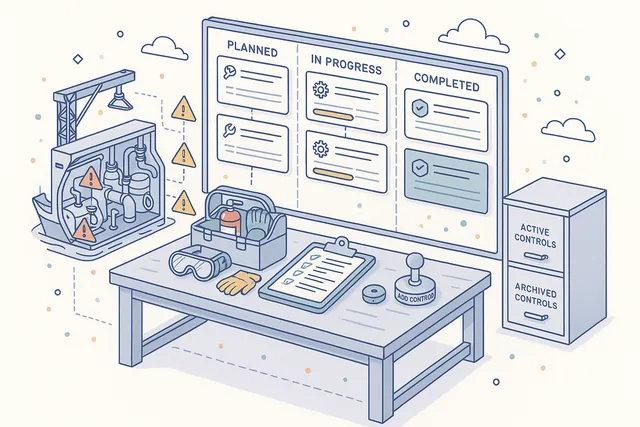
Hazard Control Management
Document and track control measures for every identified hazard. Each control captures a description of the mitigation action, completion status, and responsibility assignment.
Controls can be added on demand as new mitigation strategies are identified during the assessment process or as operational conditions change.
The control management system ensures that risk assessments are not just identification exercises but active mitigation plans. Track which controls are in place, which are pending implementation, and which need verification. The structured approach transforms hazard identification into actionable risk reduction.
- Mitigation action documentation
- Completion status tracking
- Responsibility assignment per control
- On-demand control additions
- Actionable risk reduction plans
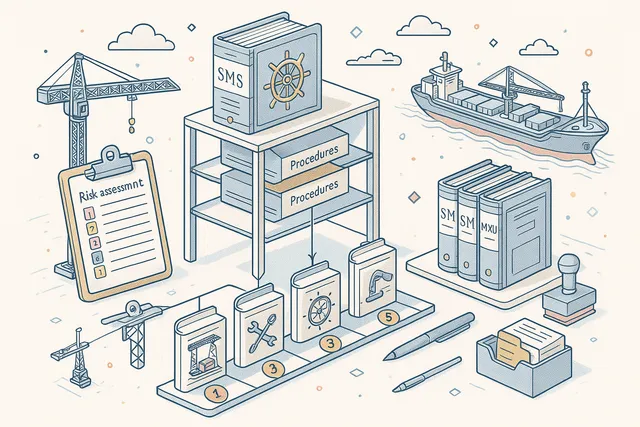
Operations & Procedure Hierarchy
Link risk assessments directly to your SMS manual procedures and operational steps. Each assessment definition includes an ordered list of operations that map to specific procedures in the Manuals module, creating a living connection between your safety management system documentation and the risks associated with each operational activity.
The procedure hierarchy ensures that risk assessments are not standalone documents but integral parts of your safety management system. When a procedure changes, the linked risk assessment surfaces for review.
When a new hazard is identified, it connects back to the specific operation that generates the risk.
- Ordered operations per assessment
- Direct SMS manual procedure links
- Living SMS-to-risk connection
- Procedure change triggers review
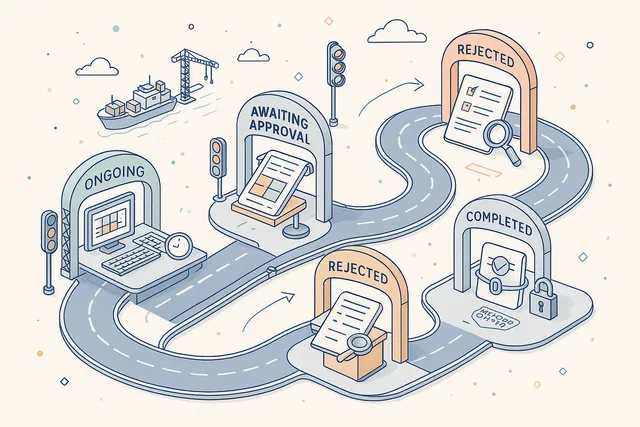
Five-Stage Assessment Lifecycle
Every risk assessment execution follows a controlled five-stage lifecycle — Ongoing, Awaiting Approval, Rejected, Completed, and Deleted. The lifecycle enforces data integrity at each transition: an Ongoing assessment cannot be marked Complete without all required hazard evaluations, and a Completed assessment locks its data against further modification.
The Awaiting Approval stage introduces a formal review gate where designated approvers verify that the assessment was conducted properly, all hazards were evaluated, and control measures are adequate. Rejected assessments return to the assessor with reviewer comments for correction, creating a quality loop that ensures assessment rigor.
- Ongoing → AwaitingApproval flow
- Rejected → correction loop
- Completed status data locking
- Deleted status preserves history
- Transition validation enforcement
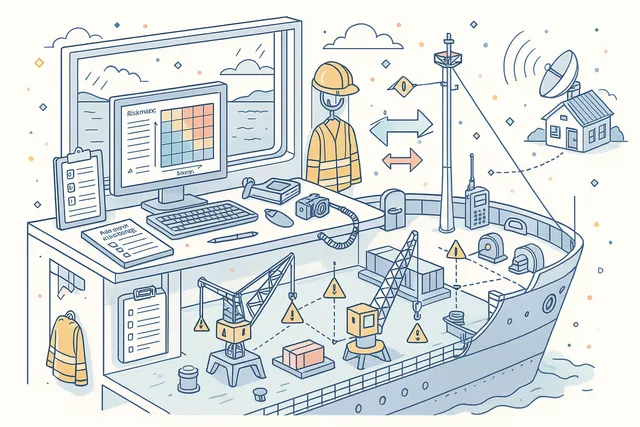
Ship-Side Assessment Execution
Vessel crews conduct risk assessments directly on board using the ship-side deployment, with full functionality available regardless of connectivity status. The assessment workflow guides crew members through hazard identification, risk scoring, control documentation, and form completion — all synchronized with the office when connectivity is available.
Ship-side execution is not a simplified mobile view — it is the complete assessment platform running locally on the vessel. Crew members work with the same risk matrices, hazard classifications, and control templates as shore-based safety managers.
Office-ship synchronization ensures that completed assessments appear in fleet-wide dashboards without manual data transfer.
- Full on-vessel assessment workflow
- Offline hazard evaluation
- Office-ship synchronization
- Complete risk matrix on board
- No simplified mobile compromise
Rank-Based Responsibility & Approval
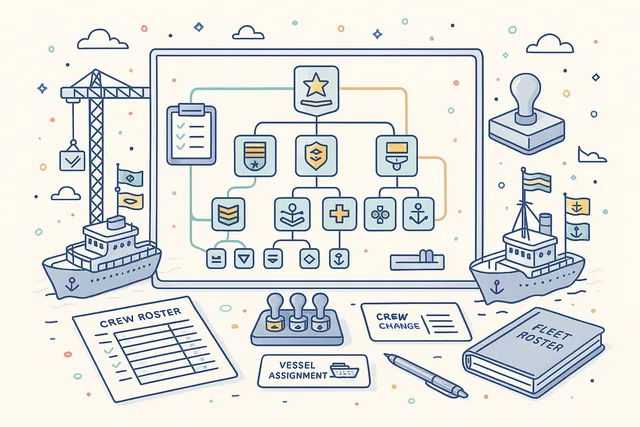
Assign assessment responsibility and approval authority based on 29 recognized on-board ranks. Each risk assessment definition specifies which ranks are responsible for conducting the assessment and which ranks have approval authority, ensuring that the right crew members perform and verify each assessment.
Rank-based assignment scales across your fleet — define the assessment once with rank requirements, and every vessel's crew structure automatically determines who conducts and who approves. The system adapts to crew changes without requiring individual name assignments, reducing administrative overhead while maintaining accountability.
- 29 on-board ranks supported
- Rank-based responsibility assignment
- Rank-based approval authority
- Automatic crew change adaptation
- Fleet-wide rank consistency
Five Difficulty Levels
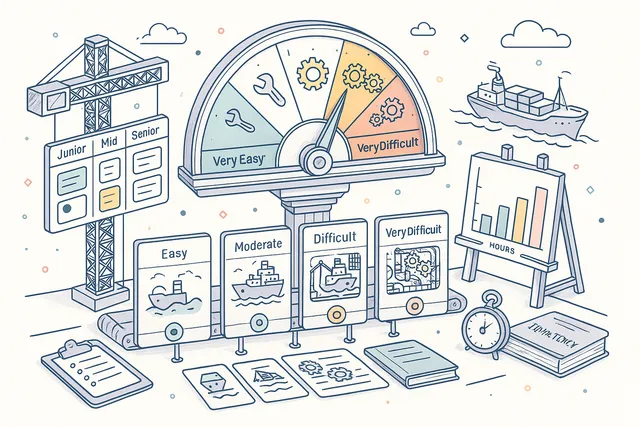
Classify the operational difficulty of each risk assessment with five levels — Very Easy, Easy, Moderate, Difficult, and Very Difficult. Difficulty ratings help safety managers allocate assessment time, identify assessments that may need additional training or supervision, and plan assessment schedules that account for complexity.
Difficulty levels are metadata on the assessment definition, not the individual hazards. A cargo tank cleaning assessment rated "Difficult" signals to the planning team that it requires experienced assessors and adequate time allocation. This operational intelligence improves assessment quality by ensuring adequate preparation.
- VeryEasy to VeryDifficult scale
- Assessment time allocation guidance
- Training & supervision indicators
- Schedule complexity planning
Forms Integration
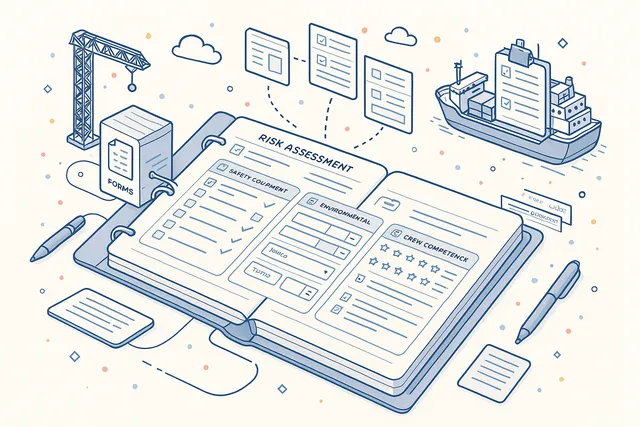
Embed digital checklists and structured forms directly within risk assessments using the Forms module integration. Assessment forms capture standardized data — safety equipment checks, environmental condition surveys, crew competency verifications — as part of the assessment workflow rather than as separate documents.
Forms integration means that risk assessments can include any structured data collection your SMS requires. Pre-departure checklists, hot work permits, enclosed space entry forms — all link to the parent assessment and contribute to the overall risk evaluation. Form submissions are recorded as assessment events for full traceability.
- Embedded digital checklists
- Safety equipment check forms
- Environmental condition surveys
- Form submissions as assessment events
- Linked to parent assessment record
PMS & Maintenance Integration
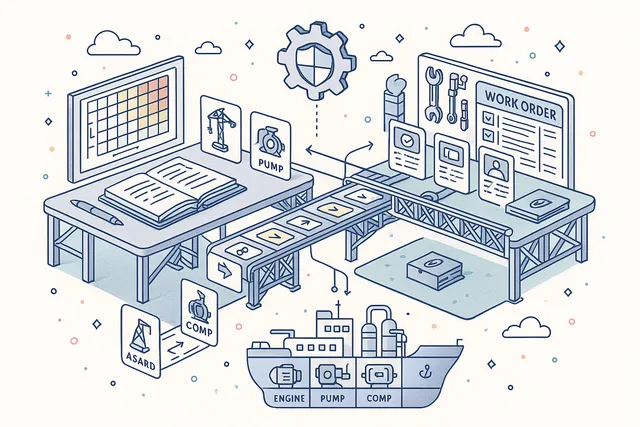
Link risk assessments to related maintenance tasks in the Planned Maintenance System. When a hazard identifies equipment-related risks, the assessment connects directly to the relevant PMS work orders, creating bidirectional visibility between risk management and maintenance planning.
The integration ensures that maintenance-driven risks are not assessed in isolation. A risk assessment for crane operations can reference the crane's maintenance history, outstanding work orders, and certification status.
Conversely, PMS planners can see which maintenance tasks have associated risk assessments, improving planning decisions.
- Link to PMS work orders
- Equipment risk-to-maintenance bridge
- Maintenance history visibility
- Certification status references
- Bidirectional PMS integration
Fleet-Wide Template Management
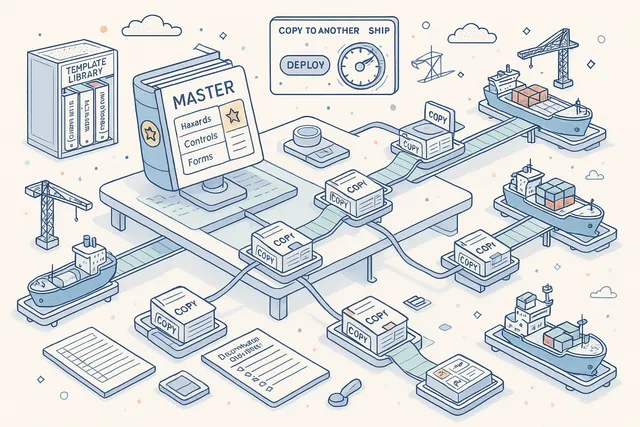
Create risk assessment templates once and replicate them across your entire fleet. The CopyRiskAssessmentToAnotherShip functionality lets you take a proven assessment definition — complete with hazards, controls, operations, and form configurations — and deploy it to any vessel in your fleet with a single action.
Template management eliminates the need to rebuild assessments from scratch on every vessel. When your safety team develops a new cargo handling risk assessment, it can be immediately distributed to all relevant vessels.
Template replication preserves the complete assessment structure while allowing vessel-specific customization after deployment.
- CopyRiskAssessmentToAnotherShip
- Complete definition replication
- Hazards, controls & forms preserved
- Vessel-specific customization allowed
- One-action fleet deployment
Hazard Consequence Documentation
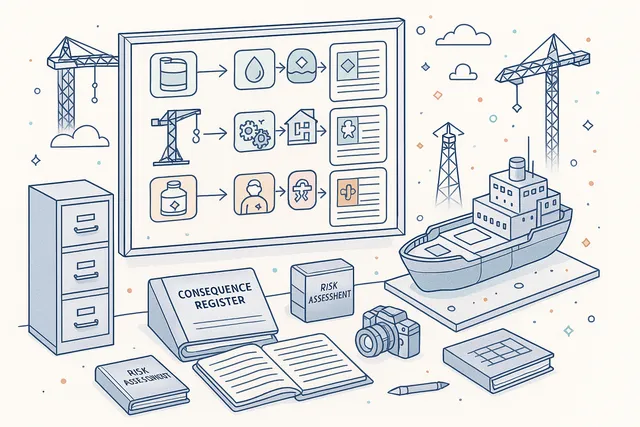
Document the potential consequences of every identified hazard with structured consequence records. Each consequence captures what could happen if the hazard materializes without adequate controls — including the affected domain (Environmental, Property, Health), the potential severity, and the chain of events leading to the adverse outcome.
Structured consequence documentation transforms risk assessments from abstract scoring exercises into concrete safety narratives. When crew members can see exactly what a "Major" severity rating means in terms of real consequences — oil spill volume, injury potential, equipment damage scope — the risk assessment becomes a more effective safety communication tool.
- Structured consequence records
- Per-hazard impact documentation
- Affected domain classification
- Severity-to-consequence narrative
- Concrete safety communication
Comments & File Attachments
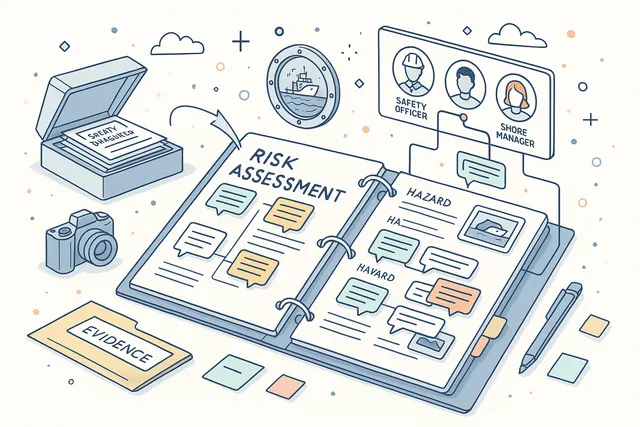
Add comments and upload file attachments at both the assessment level and the individual hazard level. Evidence photographs, reference documents, manufacturer safety data sheets, and previous incident reports can be attached directly to the relevant hazard, keeping supporting documentation in context.
Per-hazard commenting enables collaborative risk assessment development. Safety officers can add notes about specific hazards, crew members can attach field observations, and shore-based managers can provide guidance — all threaded within the hazard record. File attachments support the evidence trail required for ISM compliance.
- Assessment-level comments
- Per-hazard comment threads
- Evidence photo uploads
- Reference document attachments
- Collaborative assessment development
Complete Audit Trail
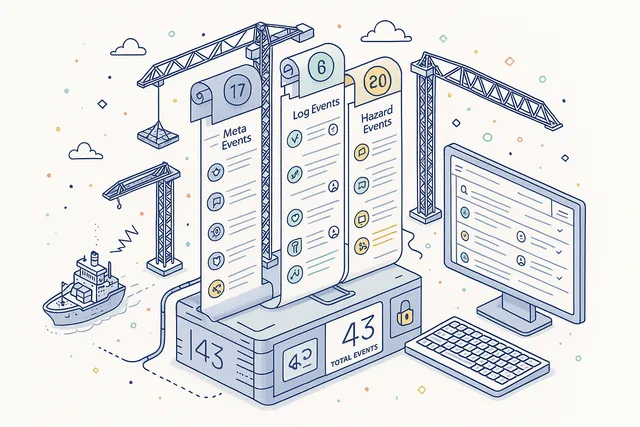
Every action within the risk assessment system is recorded across 43 distinct event types spanning meta definitions (17 events), assessment logs (6 events), and hazard records (20 events). From initial creation through hazard additions, control modifications, form submissions, and status changes, the event stream provides a second-by-second narrative of the entire assessment lifecycle.
The audit trail is not just a log — it is an accountability and compliance system. Every event carries full user attribution, timestamp, and contextual data.
ISM auditors, port state inspectors, and classification society surveyors can reconstruct exactly what happened during any risk assessment, who made each decision, and when.
- 43 distinct event types
- 17 meta definition events
- 6 assessment log events
- 20 hazard record events
- Full user attribution & timestamps
Dashboard & Analytics
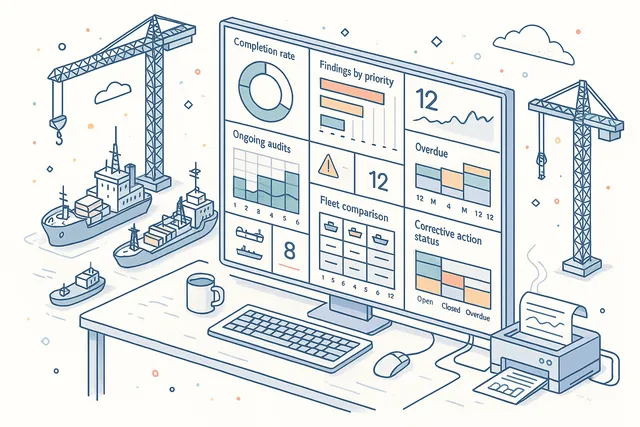
Monitor your risk assessment program's health with dedicated dashboard widgets and analytics. Track assessment completion rates, outstanding assessments, hazard distribution by type and tolerability, and fleet-wide risk trends — all aggregated from real assessment data across your entire fleet.
Dashboard views give safety managers and DPAs immediate visibility into risk assessment coverage. Which vessels have completed their required assessments?
Which hazard types appear most frequently? Where are the highest-tolerability risks concentrated?
Drill down from any widget to the underlying assessment data for detailed investigation.
- Assessment completion rate tracking
- Hazard distribution by type
- Tolerability level aggregation
- Fleet-wide risk trend analysis
- Drill-down to assessment data
FAQ
Frequently Asked Questions
Common questions about Risk Assessments answered.
What risk matrix sizes does the module support?+
Navatom Risk Assessments supports three configurable matrix sizes — 3×3, 4×4, and 5×5. Each size uses five probability levels (Improbable, Remote, Occasional, Probable, Frequent) and five severity levels (Negligible, Minor, Moderate, Major, Catastrophic) to produce a tolerability rating.
The matrix size determines the scoring granularity and can be configured to match your SMS methodology or regulatory requirements.
How does the hazard classification system work?+
Every hazard is classified into one of three types — Environmental, Property, or Health — based on its impact domain. Each hazard captures structured controls (mitigation measures), consequences (potential outcomes), and tolerance scoring (probability × severity).
Hazards follow a three-status lifecycle: Active for current risks, Deprecated for risks that no longer apply, and Invalid for incorrect entries.
Can risk assessments be conducted offline on vessels?+
Yes. Vessels operate with a full local deployment that processes risk assessments, hazard evaluations, and control documentation independently of office connectivity.
All assessment workflows, risk matrix scoring, and form completion work offline. When satellite connectivity is available, changes synchronize automatically with the office system.
How does the approval workflow function?+
Risk assessments follow a five-stage lifecycle: Ongoing, Awaiting Approval, Rejected, Completed, and Deleted. When an assessor submits a completed assessment, it enters the Awaiting Approval stage where designated approvers — assigned by on-board rank from 29 available ranks — review the assessment.
Approved assessments move to Completed and lock; rejected assessments return to the assessor with comments.
Can I replicate risk assessments across my fleet?+
Yes. The CopyRiskAssessmentToAnotherShip functionality lets you take a complete assessment definition — including all hazards, controls, consequences, operations, and form configurations — and deploy it to any vessel in your fleet.
This eliminates rebuilding assessments from scratch and ensures consistent risk management methodology across all vessels.
Which modules integrate with Risk Assessments?+
Risk Assessments integrates with three other Navatom modules: Manuals (linking assessments to SMS procedures and operations), PMS (connecting hazards to related maintenance tasks and equipment), and Forms (embedding digital checklists and structured data collection within assessments). All integrations use bidirectional references for full traceability.
What audit trail capabilities are available?+
The module records 43 distinct event types across three domains: 17 event types for assessment meta definitions (creation, hazard additions, operation changes), 6 event types for assessment execution logs (status transitions, form submissions), and 20 event types for hazard records (control modifications, consequence updates, tolerance changes). Every event carries full user attribution and timestamps.
Glossary
Related Maritime Terms
Key terms and concepts related to Risk Assessments.
Related Modules
Manage training programs, competency matrices, and crew development records.
Plan, execute, and evaluate emergency drills with crew participation tracking.
Ready to try Risk Assessments?
Start your free trial today and see how Risk Assessments fits into your fleet operations.
Free Trial
No credit card required
30+ Modules
Fully integrated platform
Cloud-Based
No installation needed