
Benefits
Why Audits, Inspections & Visits?
Key advantages of Audits, Inspections & Visits as part of Navatom's integrated platform.
Audit-Ready Compliance Across Your Fleet
Immutable event logs, structured findings, and full traceability mean your audit records are always inspection-ready. Port State, flag state, classification society, and ISM auditors will find a clean, chronological record of every assessment activity.
Every Audit Direction, One Platform
Whether your DPA audits a vessel, a classification society surveys your ship, or you assess a third-party contractor, every relationship is captured in a single unified system. No more separate spreadsheets for internal and external audits.
From Finding to Resolution in a Closed Loop
Findings convert to deficiencies, deficiencies drive corrective actions, corrective actions are verified and closed. The end-to-end workflow ensures nothing falls through the cracks and every observation reaches a documented resolution.
Controlled, Versioned Audit Programs
Draft-to-release definition lifecycle ensures your audit team always uses approved, controlled templates. Revision history, template cloning, and import tools let you evolve your audit program without losing institutional knowledge.
Fleet-Wide Safety Intelligence
Dashboard widgets and analytics aggregate findings, deficiency trends, and completion rates across your entire fleet. Spot systemic issues before they become incidents, and allocate audit resources where they will have the greatest safety impact.
Scales from Single Vessel to Global Fleet
Server-side pagination, secure company data isolation, and office-ship synchronization mean the system performs identically whether you manage one vessel or five hundred. Grow your fleet without outgrowing your assessment platform.
Navatom Audits, Inspections & Visits is the comprehensive assessment platform for maritime safety and compliance management — covering every audit type, every regulatory authority, and every relationship between auditor and auditee in a single, unified system. It replaces fragmented spreadsheets, standalone checklists, and disconnected finding trackers with a controlled, cloud-synchronized assessment platform that gives your DPA, fleet superintendent, and vessel masters a single source of truth.
Built around three assessment types (Audit, Inspection, Ship Visit), six audit directions, and ten recognized authorities, the module adapts to any assessment scenario — from internal ISM audits and classification society surveys to port state control inspections and third-party contractor evaluations. Versioned audit definitions with a six-stage draft-to-release lifecycle ensure your team always works from approved, controlled templates.
Five checklist question types capture structured evidence, and findings link directly to ISM Code, SOLAS, MARPOL, and MLC regulations.
Findings convert seamlessly into seven deficiency types with corrective action workflows that track responsibility, due dates, evidence, and verification. Eight dashboard widgets and six analytics operations aggregate completion rates, finding trends, and fleet-wide compliance status — transforming reactive audit responses into proactive safety intelligence.
With office-ship synchronization, audits run identically whether your vessel is alongside or mid-ocean.
Capabilities
Key Features
How Audits, Inspections & Visits helps ship managers work faster and stay compliant.

Three Comprehensive Assessment Types
Not all assessments are the same. Navatom supports three distinct assessment types — Audit, Inspection, and Ship Visit — each with its own workflow, checklist structure, and regulatory context.
Formal ISM/ISPS audits follow a different process than routine port state inspections or management ship visits.
Choose the right type for each engagement, and the system adapts its forms, workflows, and reporting templates accordingly. No more forcing a ship visit into an audit template or an inspection into a visit form.
Six-Direction Audit Coverage
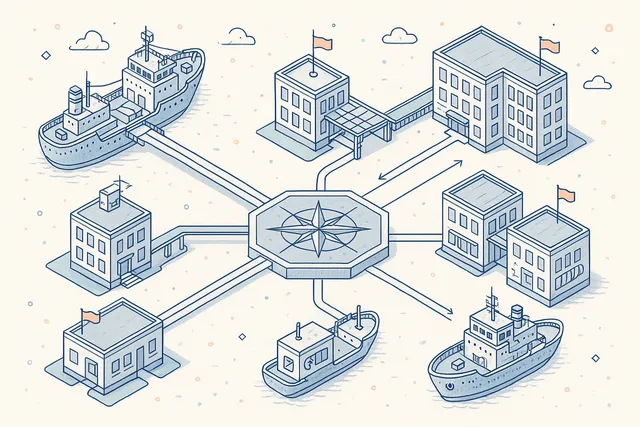
Map every possible audit relationship in your organization. Navatom supports six audit directions — Ship Internal (Ship-to-Ship), Company-to-Ship, Company-to-Company, Company-to-Third-Party, Third-Party-to-Ship, and Third-Party-to-Company — covering every permutation of auditor and auditee.
Whether your DPA is auditing a vessel's ISM compliance, a classification society is surveying your ship, or your office is assessing a third-party contractor, the direction captures the exact relationship and applies the appropriate authority, scope, and reporting requirements.
- Ship Internal (self-assessment) audits
- Company-to-Ship office oversight
- Third-Party-to-Ship external audits
- Company-to-Third-Party assessments
- Full auditor/auditee relationship modeling
Ten Recognized Audit Authorities
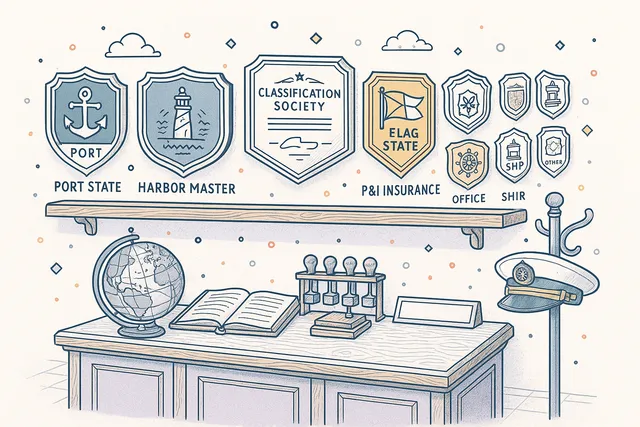
Identify the regulatory or organizational authority behind every audit. Ten built-in authority types — Port State, Harbor Master, Classification Society, Flag State, P&I Insurance, H&M Insurance, Safety Terminal Inspection, Office, Ship, and Other — ensure every audit carries the right regulatory weight and follow-up urgency.
Authority selection drives downstream behavior: a Port State control finding triggers different escalation rules than an internal office audit observation. The system adapts its deficiency classification, response timelines, and reporting templates based on who conducted the assessment.
- Port State & Flag State authorities
- Classification Society audits
- P&I and H&M Insurance inspections
- Safety Terminal Inspection support
- Internal Office & Ship authorities
Versioned Definition & Template System
Build reusable audit definitions with a full draft-release lifecycle. Definitions move through Draft, Waiting for Approval, Completed/Rejected, Released, and Revised stages — ensuring that only approved, controlled versions are used for live audits.
Import templates from your library to bootstrap new definitions. Clone and revise existing definitions without losing the original.
The versioning system maintains a complete history of every template change, so you always know which version was used for any given audit.
- Six-stage definition lifecycle
- Draft to Released approval workflow
- Template import & cloning
- Version history tracking
- Controlled revision management

Structured Checklist Engine
Build comprehensive audit checklists with five question types — Checkbox, Staged, Inquiry, Single Choice, and Multiple Choice. Each checklist item captures the specific evidence your auditors need to evaluate, with structured response formats that drive consistent, comparable results across audits.
Staged items support progressive assessment (e.g., Not Started / In Progress / Completed). Inquiry items capture free-text evidence.
Choice items enforce selection from predefined options. Mix and match types within a single checklist to match any audit standard or regulatory framework.
- Checkbox, Staged, Inquiry types
- Single & Multiple Choice questions
- Progressive staged assessments
- Structured evidence capture
- Reusable checklist templates

Finding Management & Classification
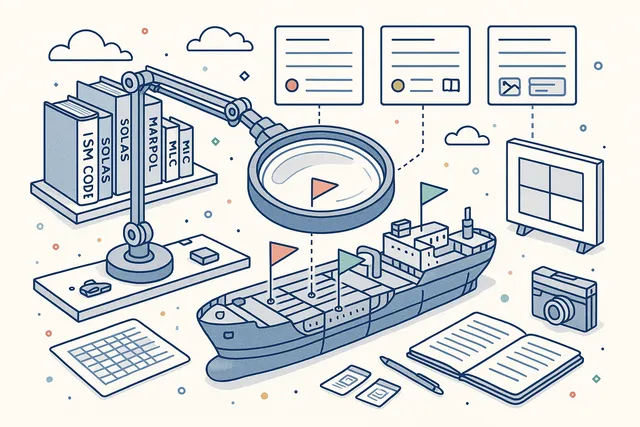
Document findings with the granularity your compliance team demands. Each finding records the evidence, the applicable regulatory reference, and a severity classification.
Link findings directly to ISM Code, SOLAS, MARPOL, and MLC regulations for full regulatory traceability.
Findings are not just notes — they are structured records that feed into your organization's corrective action pipeline. Priority and severity ratings ensure the most critical issues get immediate attention while observations are tracked for trend analysis.
- Priority & severity classification
- ISM, SOLAS, MARPOL, MLC references
- Evidence-based documentation
- Regulatory clause linkage
- Structured finding records
Seven Deficiency Types
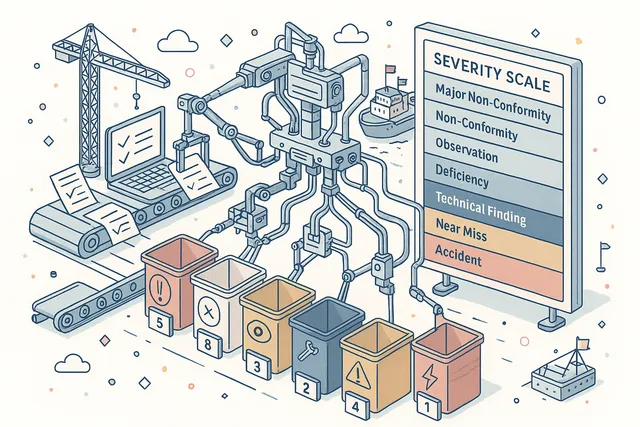
Convert findings into formal deficiencies with precise type classification. Seven deficiency types — Major Non-Conformity, Non-Conformity, Observation, Deficiency, Technical Finding, Near Miss, and Accident — map directly to maritime regulatory frameworks and your ISM manual's classification hierarchy.
Each type carries its own response timeline, escalation rules, and reporting requirements. A Major Non-Conformity demands immediate corrective action and management review; an Observation may need only a trend-watch note. The system enforces the right process for each severity level.
- Major Non-Conformity tracking
- Non-Conformity & Observation types
- Technical Finding classification
- Near Miss & Accident linkage
- Type-specific response timelines
Finding-to-Deficiency Conversion
Transform audit findings into tracked deficiencies with a single action. The conversion process carries forward all evidence, regulatory references, and severity data from the original finding, creating a formal deficiency record ready for corrective action assignment.
No duplicate data entry, no lost context. The link between finding and deficiency is maintained permanently, so you can trace any corrective action back to the specific audit observation that triggered it. Bulk conversion handles multiple findings simultaneously.
- One-click finding conversion
- Evidence & reference carry-forward
- Permanent finding-deficiency linkage
- Bulk conversion support
- Corrective action workflow trigger

Multi-Source Auditor Management
Assign auditors from three distinct pools — Navatom system users, company-registered auditors, and third-party auditors — with separate management for ship auditors, company auditors, and third-party auditors. Each auditor carries qualifications, certification records, and availability status.
Build your audit team from any combination of internal and external resources. The three-list architecture ensures clean separation between your organization's personnel and external auditors while allowing them to participate in the same audit.
- Navatom user & third-party auditors
- Ship, Company, Third-Party lists
- Lead auditor designation
- Mixed audit team composition
- Separate auditor pool management

Audit Lifecycle & Status Management
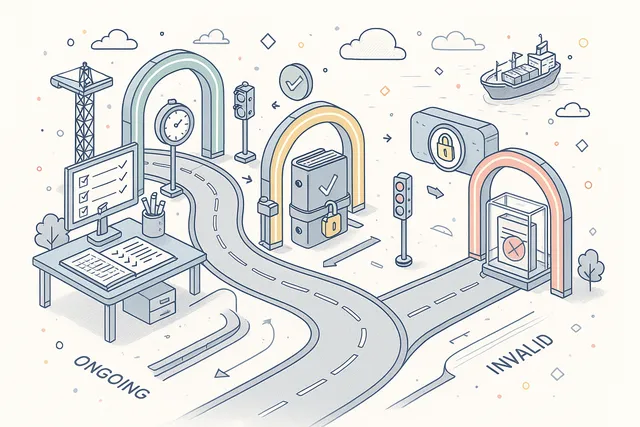
Every audit follows a controlled lifecycle from creation through completion. The Ongoing, Completed, and Invalid status model provides clear visibility into where each audit stands, with status transitions enforcing data completeness and approval requirements.
Invalid status handles cancelled or superseded audits without deleting data. Completed audits lock their findings and checklists, preserving the record as-is for regulatory review. The lifecycle ensures no audit is accidentally modified after closure.
- Ongoing to Completed lifecycle
- Invalid status for cancellations
- Status-enforced data locking
- Transition validation rules
- Complete lifecycle audit trail
Opening & Closing Meeting Management
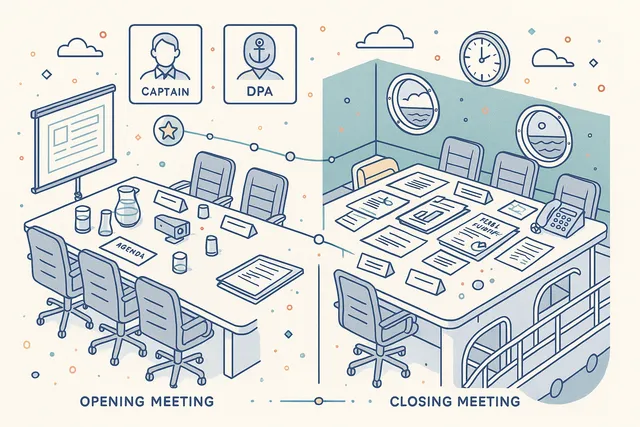
Structure your audit process with formal opening (initial) and closing (final) meetings. Record meeting date, location, agenda items, discussion notes, and attendee lists for both meetings — creating the documentary evidence that ISM Code audits require.
Attendee tracking captures who was present at each meeting, with role identification for lead auditors, vessel management, and company representatives. Meeting records link directly to the parent audit, forming part of the complete audit package.
- Initial (opening) meeting records
- Final (closing) meeting records
- Attendee tracking with roles
- Agenda & minutes documentation
- ISM-compliant meeting evidence
Calendar Integration & Scheduling
Schedule audits directly into the Navatom calendar system. Each audit creates a calendar event with date, time, location, and assigned auditors.
Support for both single events and recurring schedules handles everything from one-off port state inspections to quarterly internal audit programs.
Recurring audit schedules automatically generate future audit events based on your configured frequency. Calendar visibility ensures audit coordinators, vessel masters, and shore management all see upcoming assessments in their planning views.
- Automatic calendar event creation
- Single & recurring scheduling
- Quarterly/annual audit programs
- Fleet-wide calendar visibility
- Auditor availability planning

Comprehensive Event Tracking
Every action within an audit is recorded in a granular event log with 40+ event types. From audit creation and checklist completion through finding documentation and status transitions, the event stream provides a second-by-second narrative of the entire assessment process.
Event tracking is not just a log — it is an accountability system. Every event carries full user attribution, timestamp, and contextual data.
Inspectors, compliance managers, and external auditors can reconstruct exactly what happened and when.
- 40+ tracked event types
- Full user attribution per event
- Timestamp & context recording
- Complete process reconstruction
- Immutable event history

Three Environment Types
Classify where each audit takes place with three environment types — Ship, Office, and Third Party. Environment selection drives context-appropriate forms, checklist templates, and reporting formats.
A ship-based ISM audit captures different environmental data than an office-based management system review.
Environment types also influence auditor assignment rules, finding categories, and deficiency routing. Ship environments trigger vessel-specific workflows; office environments apply corporate governance templates; third-party environments adapt for external facility assessments.
- Ship environment audits
- Office environment assessments
- Third-Party facility audits
- Environment-specific templates
- Context-driven workflow adaptation

Analytics & Dashboard Widgets
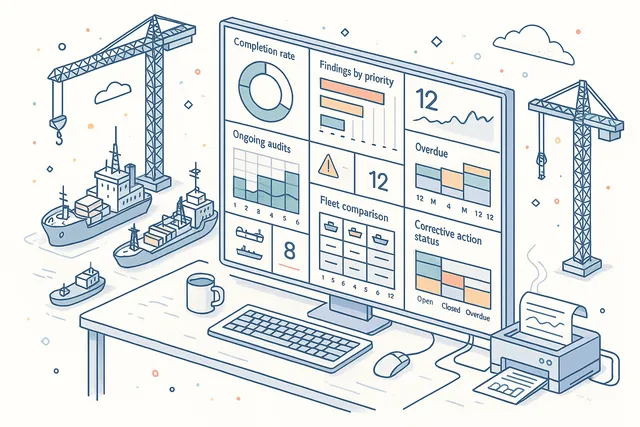
Monitor your audit program's health with six analytics operations and eight dedicated dashboard widgets. Track completion rates, findings by priority and severity, ongoing audit counts, overdue assessments, and trend data across your entire fleet.
Widgets provide at-a-glance KPIs for audit coordinators and DPAs: How many audits are ongoing? What is the finding closure rate?
Which vessels have the most outstanding deficiencies? Drill down from any widget to the underlying audit data.
- 8 dedicated dashboard widgets
- Completion rate tracking
- Findings by priority & severity
- Ongoing & overdue audit counts
- Fleet-wide trend analysis
Regulatory Framework Integration
Link every audit, finding, and deficiency to the applicable regulatory framework. Built-in support for ISM Code, SOLAS, MARPOL, and MLC references ensures that your compliance team can trace any finding to its regulatory source and demonstrate compliance during external audits.
Regulatory references are not free text — they are structured links to specific code sections, chapters, and regulations. This structured approach enables regulatory gap analysis: which code sections have the most findings? Which vessels have recurring issues against specific SOLAS requirements?
- ISM Code clause references
- SOLAS chapter & regulation links
- MARPOL convention mapping
- MLC compliance tracking
- Regulatory gap analysis support

Multi-Vessel Fleet Assessment
Plan and execute audit programs across your entire fleet from a single platform. Schedule vessel audits, track completion across the fleet, and compare performance between vessels.
Fleet-level views aggregate findings, deficiency trends, and compliance status to give management a complete picture.
Filter by vessel, vessel type, trade area, or audit authority to analyze specific segments of your fleet. Identify vessels that need additional attention and allocate audit resources where they will have the greatest impact on safety and compliance.
- Fleet-wide audit scheduling
- Cross-vessel comparison views
- Performance benchmarking
- Resource allocation insights
- Aggregate compliance reporting

Corrective Action Tracking
Close the loop from finding to resolution with structured corrective action workflows. Every deficiency generated from an audit finding carries forward into a tracked corrective action with assigned responsibility, due dates, evidence requirements, and verification steps.
Monitor corrective action status across all audits and all vessels. Overdue actions trigger escalation notifications.
Verification workflows ensure that corrective actions are not just submitted but reviewed and accepted by the appropriate authority before closure.
- Assigned responsibility & due dates
- Evidence upload requirements
- Verification & acceptance workflow
- Overdue escalation notifications
- Cross-audit action monitoring

Yearly Audit Planning
Plan your entire annual audit program in a dedicated yearly planning view. A visual scheduling grid lets you map audits across vessels, months, and audit types — giving management and DPAs a complete overview of the assessment calendar for the year ahead.
Drag and adjust scheduled audits, identify gaps in coverage, and ensure that every vessel receives the required assessments within the required timeframes. The yearly plan integrates with the audit calendar, so scheduled assessments automatically appear in crew and management planning views.
- Visual annual scheduling grid
- Per-vessel audit coverage mapping
- Gap identification across fleet
- Calendar integration for planned audits

Print & Export
Generate professional PDF reports for any completed audit with a single click. The exported report includes the full audit record — assessment details, checklist responses, findings with severity ratings, regulatory references, auditor information, and meeting records — formatted for external submission or archival.
Use printed reports for port state control submissions, classification society reviews, client presentations, and internal management reviews. The format follows maritime industry conventions, ensuring your reports meet the documentation standards expected by regulatory authorities.
- One-click PDF report generation
- Full audit record export
- Port state submission format
- Classification society ready

FAQ
Frequently Asked Questions
Common questions about Audits, Inspections & Visits answered.
What types of assessments does the module support?+
Navatom Audits supports three assessment types: Audits (formal ISM/ISPS compliance assessments), Inspections (port state, flag state, classification society surveys), and Ship Visits (management visits with structured observation tracking). Each type has its own workflow, checklist structure, and reporting templates.
How does the finding and deficiency system work?+
Findings are documented during audits with evidence, regulatory references, and severity ratings. When a finding warrants formal follow-up, it converts to one of seven deficiency types — Major Non-Conformity, Non-Conformity, Observation, Deficiency, Technical Finding, Near Miss, or Accident.
The conversion carries forward all context, and the deficiency enters a corrective action workflow with assigned responsibility, due dates, and verification requirements.
Can I manage both internal and external audits in the same system?+
Yes. Six audit directions cover every permutation: Ship Internal (self-assessment), Company-to-Ship, Company-to-Company, Company-to-Third-Party, Third-Party-to-Ship, and Third-Party-to-Company.
Auditors can be drawn from three pools — system users, company-registered auditors, and third-party auditors — and combined freely on any audit team.
Does the module support offline audits on vessels?+
Yes. Vessels operate with a full local deployment that processes checklists, findings, and meetings independently of office connectivity.
All audit types, checklist completion, and finding documentation work offline. When satellite connectivity is available, changes synchronize automatically with conflict resolution.
How does the audit template system work?+
Audit definitions follow a six-stage lifecycle: Draft, Waiting for Approval, Completed/Rejected, Released, and Revised. Only Released definitions can be used for live audits.
You can import templates from a library, clone existing definitions, and revise them without losing the original version. The system maintains a complete history of every template change.
Which regulatory frameworks are supported?+
Findings and deficiencies link to ISM Code, SOLAS, MARPOL, and MLC regulations with structured references to specific code sections, chapters, and regulations. This enables regulatory gap analysis across your fleet — identifying which code sections generate the most findings and which vessels have recurring issues.
What analytics and reporting capabilities are available?+
The module includes six analytics operations and eight dashboard widgets covering completion rates, findings by priority and severity, ongoing audit counts, overdue assessments, and trend analysis. Fleet-wide views let you compare vessel performance, identify systemic issues, and track corrective action closure rates.
Related Modules
Centralize findings from all assessment activities with unified corrective action tracking.
Collect structured evaluations and feedback for continuous improvement.
Ready to try Audits, Inspections & Visits?
Start your free trial today and see how Audits, Inspections & Visits fits into your fleet operations.
Free Trial
No credit card required
30+ Modules
Fully integrated platform
Cloud-Based
No installation needed