All 12 Features
Every feature in Vettings is built for daily maritime work — simple to use, fast to navigate, and fully integrated with the rest of Navatom.
Five Operational Contexts
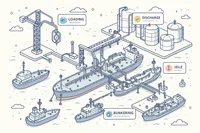
Every vetting inspection takes place during a specific operational phase. Navatom supports five operational contexts — Loading, Discharge, Idle, Bunkering, and Ship-to-Ship Transfer (STS) — each representing a distinct scenario with different risk profiles, regulatory requirements, and inspection focus areas.
Select the operational context when creating a vetting, and the record captures the precise circumstances under which the inspection occurred. This contextual data feeds into analytics, letting you compare finding patterns across different operations and identify which activities generate the most observations.
- Loading operation inspections
- Discharge operation inspections
- Idle, Bunkering & STS contexts
- Operation-specific risk profiling
Vetting Finding Documentation

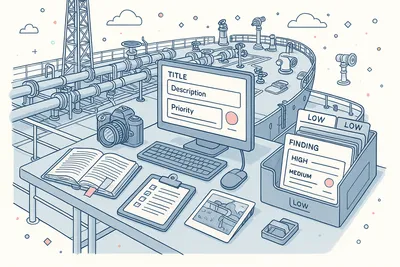
Document every observation with the structure and detail that follow-up demands. Each finding records a title, detailed description, the inspector who identified it, priority and severity ratings, and links to applicable regulatory standards. Attach photographs, supporting documents, and evidence files directly to the finding record.
Findings are not disposable notes — they are formal records that drive your corrective action process. The structured format ensures consistent documentation quality across different inspectors, vessels, and inspection types, making trend analysis and fleet-wide comparison meaningful.
- Structured finding records
- Priority & severity classification
- Inspector identification tracking
- Regulatory standard references
Finding-to-Deficiency Conversion
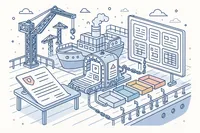
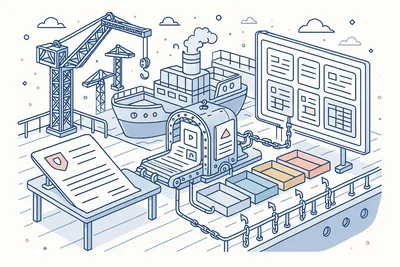
When a vetting finding requires formal corrective action, convert it to one of seven deficiency types — Major Non-Conformity, Non-Conformity, Observation, Deficiency, Technical Finding, Near Miss, or Accident. The conversion carries forward all evidence, regulatory references, severity data, and inspection context automatically.
The link between the original finding and the resulting deficiency is permanent. Trace any corrective action back to the specific inspection observation that triggered it.
Bulk conversion handles multiple findings simultaneously when an inspection generates several actionable items.
- Seven deficiency type options
- Full evidence carry-forward
- Permanent finding-deficiency linkage
- Bulk conversion support
Third-Party Inspector Management

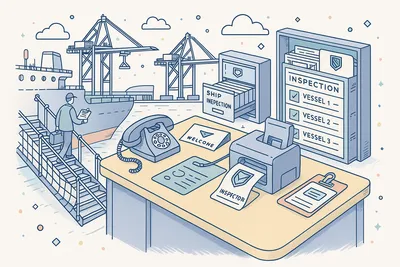
Manage the external inspectors who conduct vetting assessments against your vessels. Add third-party inspectors with full contact details — name, organization, and role — and assign them to specific vetting records. The system maintains a contact registry that grows with every inspection.
When a new inspector arrives, create their record on the spot or select from previously registered contacts. Inspector history tracks which vettings each external party has conducted, building an institutional memory of your inspection relationships.
- Contact registry for inspectors
- On-the-spot inspector registration
- Inspector history tracking
- Organization & role recording
Company & Ship Representative Tracking

Assign company office staff and vessel crew as representatives for each vetting inspection. Company representatives typically include the designated superintendent or operations coordinator, while ship representatives include the master, chief officer, and relevant department heads.
Clear representative assignment ensures accountability — everyone involved in the inspection is recorded and can be contacted for follow-up. The system draws from your crew database, so representative selection is fast and accurate.
- Company office staff assignment
- Vessel crew representative selection
- Crew database integration
- Accountability recording
Regulatory Rule Linking

Link vetting findings to the applicable regulatory standards — ISM Code, SOLAS, MARPOL, and MLC — with structured references to specific code sections, chapters, and regulations. Regulatory linking transforms findings from isolated observations into compliance-relevant records.
When you link a finding to a specific SOLAS regulation or ISM Code requirement, you create a traceable connection between the inspection observation and the regulatory obligation. This structured approach enables fleet-wide regulatory gap analysis: which standards generate the most findings? Which regulations are your vessels struggling with?
- ISM Code clause references
- SOLAS & MARPOL linking
- MLC compliance tracking
- Fleet-wide regulatory gap analysis
Priority & Severity Classification

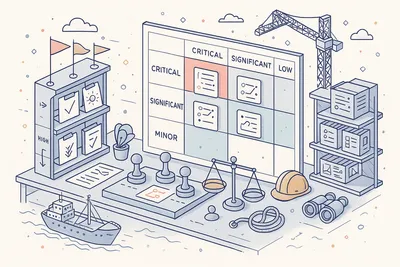
Rate every finding by priority and severity to ensure the most critical issues receive immediate attention. Priority determines the urgency of response — how quickly must this be addressed? Severity classifies the potential impact — how serious is the underlying condition?
Classification drives follow-up workflows. High-priority, high-severity findings trigger immediate corrective action requirements, while lower-rated observations may be monitored for trends over time. Consistent classification across your fleet enables meaningful comparison and benchmarking.
- Urgency-based priority ratings
- Impact-based severity ratings
- Classification-driven follow-up
- Fleet benchmarking support
Vetting Lifecycle Management

Every vetting inspection follows a controlled lifecycle from creation through completion. The Ongoing, Completed, and Invalid status model provides clear visibility into where each inspection stands. Completed vettings lock their finding records, preserving them as-is for regulatory review.
Invalid status handles cancelled or superseded inspections without deleting the record. Status transitions enforce data completeness — you cannot mark a vetting as completed without addressing its findings. The lifecycle ensures no inspection slips through without proper follow-up.
- Ongoing to Completed workflow
- Invalid status for cancellations
- Status-enforced data locking
- Complete lifecycle tracking
Rich Descriptions & File Attachments

Attach photographs, inspection reports, regulatory correspondence, and supporting documents directly to vetting records and individual findings. Every file is stored with the record it belongs to, creating a self-contained inspection package.
Upload evidence photographs from the deck, engine room, or cargo area. Attach terminal inspection reports, charterer correspondence, and deficiency response documentation.
The file management system handles versioning — update, replace, or remove attachments with a full change history.
- Photo & document attachments
- Per-finding evidence files
- File versioning & history
- Inspection report uploads
Threaded Comments & Collaboration

Discuss vetting findings and corrective actions in threaded comment conversations attached directly to the inspection record. Ship crew, shore superintendents, and fleet managers can exchange observations, clarify findings, and coordinate responses without leaving the system.
Comments create a chronological discussion record that travels with the vetting — no more searching through email chains for context. Edit or remove comments as needed, with every change tracked in the audit trail.
- Ship-shore discussion threads
- Comment edit & delete tracking
- Chronological discussion record
- Context attached to inspection
Complete Audit Trail
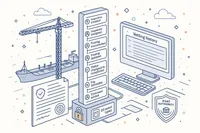
Every action within a vetting is recorded in an immutable event log with 20 event types — from creation and finding documentation through status changes, auditor assignments, and file uploads. Each event carries the full identity of who made the change and when.
The audit trail is not just a log — it is your evidence of due diligence. When a charterer, terminal, or port state inspector asks for the history of a specific vetting, the event stream reconstructs exactly what happened, who was involved, and what actions were taken.
- 20 tracked event types
- Full user attribution per event
- Tamper-proof event logging
- Due diligence evidence
Analytics & Dashboard

Monitor your vetting performance with dedicated analytics and dashboard widgets. Track ongoing inspection counts, finding trends by regulatory standard, completion rates across the fleet, and overdue corrective actions — all from a single overview.
Regulatory book-based analytics show which compliance standards generate the most findings across your fleet. Identify systemic issues before they become detention risks, and allocate resources where they will have the greatest impact on your vetting readiness.
- Ongoing inspection counts
- Finding trends by standard
- Fleet-wide completion rates
- Overdue corrective action alerts
Five Operational Contexts
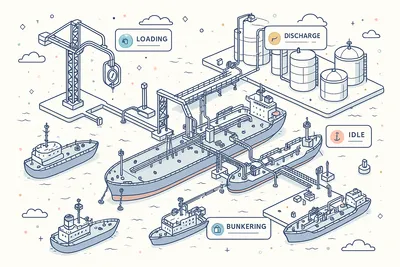
Every vetting inspection takes place during a specific operational phase. Navatom supports five operational contexts — Loading, Discharge, Idle, Bunkering, and Ship-to-Ship Transfer (STS) — each representing a distinct scenario with different risk profiles, regulatory requirements, and inspection focus areas.
Select the operational context when creating a vetting, and the record captures the precise circumstances under which the inspection occurred. This contextual data feeds into analytics, letting you compare finding patterns across different operations and identify which activities generate the most observations.
- Loading operation inspections
- Discharge operation inspections
- Idle, Bunkering & STS contexts
- Operation-specific risk profiling
Vetting Finding Documentation
Document every observation with the structure and detail that follow-up demands. Each finding records a title, detailed description, the inspector who identified it, priority and severity ratings, and links to applicable regulatory standards. Attach photographs, supporting documents, and evidence files directly to the finding record.
Findings are not disposable notes — they are formal records that drive your corrective action process. The structured format ensures consistent documentation quality across different inspectors, vessels, and inspection types, making trend analysis and fleet-wide comparison meaningful.
- Structured finding records
- Priority & severity classification
- Inspector identification tracking
- Regulatory standard references
Finding-to-Deficiency Conversion
When a vetting finding requires formal corrective action, convert it to one of seven deficiency types — Major Non-Conformity, Non-Conformity, Observation, Deficiency, Technical Finding, Near Miss, or Accident. The conversion carries forward all evidence, regulatory references, severity data, and inspection context automatically.
The link between the original finding and the resulting deficiency is permanent. Trace any corrective action back to the specific inspection observation that triggered it.
Bulk conversion handles multiple findings simultaneously when an inspection generates several actionable items.
- Seven deficiency type options
- Full evidence carry-forward
- Permanent finding-deficiency linkage
- Bulk conversion support
Third-Party Inspector Management
Manage the external inspectors who conduct vetting assessments against your vessels. Add third-party inspectors with full contact details — name, organization, and role — and assign them to specific vetting records. The system maintains a contact registry that grows with every inspection.
When a new inspector arrives, create their record on the spot or select from previously registered contacts. Inspector history tracks which vettings each external party has conducted, building an institutional memory of your inspection relationships.
- Contact registry for inspectors
- On-the-spot inspector registration
- Inspector history tracking
- Organization & role recording
Company & Ship Representative Tracking

Assign company office staff and vessel crew as representatives for each vetting inspection. Company representatives typically include the designated superintendent or operations coordinator, while ship representatives include the master, chief officer, and relevant department heads.
Clear representative assignment ensures accountability — everyone involved in the inspection is recorded and can be contacted for follow-up. The system draws from your crew database, so representative selection is fast and accurate.
- Company office staff assignment
- Vessel crew representative selection
- Crew database integration
- Accountability recording
Regulatory Rule Linking

Link vetting findings to the applicable regulatory standards — ISM Code, SOLAS, MARPOL, and MLC — with structured references to specific code sections, chapters, and regulations. Regulatory linking transforms findings from isolated observations into compliance-relevant records.
When you link a finding to a specific SOLAS regulation or ISM Code requirement, you create a traceable connection between the inspection observation and the regulatory obligation. This structured approach enables fleet-wide regulatory gap analysis: which standards generate the most findings? Which regulations are your vessels struggling with?
- ISM Code clause references
- SOLAS & MARPOL linking
- MLC compliance tracking
- Fleet-wide regulatory gap analysis
Priority & Severity Classification
Rate every finding by priority and severity to ensure the most critical issues receive immediate attention. Priority determines the urgency of response — how quickly must this be addressed? Severity classifies the potential impact — how serious is the underlying condition?
Classification drives follow-up workflows. High-priority, high-severity findings trigger immediate corrective action requirements, while lower-rated observations may be monitored for trends over time. Consistent classification across your fleet enables meaningful comparison and benchmarking.
- Urgency-based priority ratings
- Impact-based severity ratings
- Classification-driven follow-up
- Fleet benchmarking support
Vetting Lifecycle Management
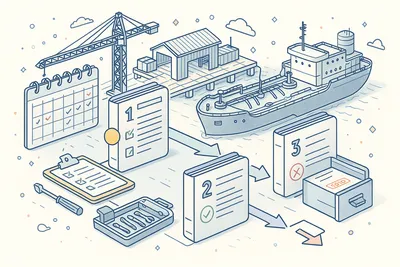
Every vetting inspection follows a controlled lifecycle from creation through completion. The Ongoing, Completed, and Invalid status model provides clear visibility into where each inspection stands. Completed vettings lock their finding records, preserving them as-is for regulatory review.
Invalid status handles cancelled or superseded inspections without deleting the record. Status transitions enforce data completeness — you cannot mark a vetting as completed without addressing its findings. The lifecycle ensures no inspection slips through without proper follow-up.
- Ongoing to Completed workflow
- Invalid status for cancellations
- Status-enforced data locking
- Complete lifecycle tracking
Rich Descriptions & File Attachments

Attach photographs, inspection reports, regulatory correspondence, and supporting documents directly to vetting records and individual findings. Every file is stored with the record it belongs to, creating a self-contained inspection package.
Upload evidence photographs from the deck, engine room, or cargo area. Attach terminal inspection reports, charterer correspondence, and deficiency response documentation.
The file management system handles versioning — update, replace, or remove attachments with a full change history.
- Photo & document attachments
- Per-finding evidence files
- File versioning & history
- Inspection report uploads
Threaded Comments & Collaboration

Discuss vetting findings and corrective actions in threaded comment conversations attached directly to the inspection record. Ship crew, shore superintendents, and fleet managers can exchange observations, clarify findings, and coordinate responses without leaving the system.
Comments create a chronological discussion record that travels with the vetting — no more searching through email chains for context. Edit or remove comments as needed, with every change tracked in the audit trail.
- Ship-shore discussion threads
- Comment edit & delete tracking
- Chronological discussion record
- Context attached to inspection
Complete Audit Trail
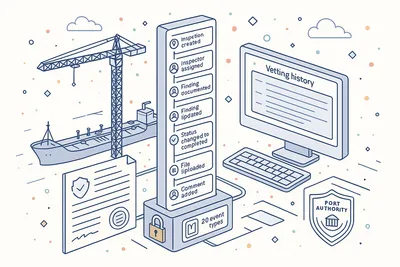
Every action within a vetting is recorded in an immutable event log with 20 event types — from creation and finding documentation through status changes, auditor assignments, and file uploads. Each event carries the full identity of who made the change and when.
The audit trail is not just a log — it is your evidence of due diligence. When a charterer, terminal, or port state inspector asks for the history of a specific vetting, the event stream reconstructs exactly what happened, who was involved, and what actions were taken.
- 20 tracked event types
- Full user attribution per event
- Tamper-proof event logging
- Due diligence evidence
Analytics & Dashboard

Monitor your vetting performance with dedicated analytics and dashboard widgets. Track ongoing inspection counts, finding trends by regulatory standard, completion rates across the fleet, and overdue corrective actions — all from a single overview.
Regulatory book-based analytics show which compliance standards generate the most findings across your fleet. Identify systemic issues before they become detention risks, and allocate resources where they will have the greatest impact on your vetting readiness.
- Ongoing inspection counts
- Finding trends by standard
- Fleet-wide completion rates
- Overdue corrective action alerts
Technical
Under the Hood
Architecture and engineering behind Vettings — data handling, real-time sync, and interface design.
High-Performance Inspection Grids with Advanced Filtering
All vetting and finding views handle large volumes of inspection data with instant filtering. Narrow results by status, operation type, vessel, authority, date range, and finding severity — the system stays responsive regardless of how many inspections your fleet has accumulated.
Multi-Stakeholder Participant Management
Three distinct participant groups — company representatives, ship representatives, and third-party inspectors — are managed separately with their own assignment workflows, contact records, and history tracking. Build inspection teams from any combination of internal and external stakeholders.
Automated Vetting Lifecycle
Vetting records follow a controlled Ongoing, Completed, Invalid lifecycle with enforced transitions. Status changes trigger data validation, finding review requirements, and immutable event recording.
Completed inspections lock their records to preserve regulatory evidence.
Immutable Change Logging
Every action within a vetting is recorded in a tamper-proof log with 20 event types. The log powers the audit trail, compliance reporting, analytics, and real-time notifications — fully auditable and tamper-evident for external inspection.
Office-Ship Synchronization
Vetting data synchronizes between office and vessel over satellite links with automatic conflict resolution. Vessels can document findings and manage inspections offline, with changes merging seamlessly when connectivity is restored.
Regulatory Reference Integration
Structured links to ISM Code, SOLAS, MARPOL, and MLC regulations are maintained as formal references. This enables regulatory gap analysis, cross-referencing across inspections, and compliance heat maps across the fleet.
Same Category
Related Modules
Other Assessment modules that integrate with Vettings.
Plan and conduct internal and external audits with finding management and follow-up.
Centralize findings from all assessment activities with unified corrective action tracking.
Collect structured evaluations and feedback for continuous improvement.
Ready to try Vettings?
Start your free trial today and see how Vettings fits into your fleet operations.