
Benefits
Why Certificates?
Key advantages of Certificates as part of Navatom's integrated platform.
Never Miss a Certificate Expiry
Six expiry-focused dashboard widgets, visual badge indicators, and calendar integration ensure that approaching and overdue certificates are impossible to overlook. Your compliance team sees the fleet's certificate health at a glance.
Complete Renewal History for Any Audit
Every certificate renewal preserves the full previous version, creating an unbroken chain of documentation. When a port state inspector or classification society auditor asks for historical records, the complete history is one click away.
Structured Organization That Scales
Unlimited-depth category trees with drag-and-drop organization let you mirror any classification structure. Whether you manage 50 certificates or 500 per vessel, the hierarchical tree keeps everything findable and logically grouped.
Fleet Consistency Through Certificate Copy
Replicate certificate structures across vessels of the same type in a single operation. New vessels start with a proven certificate portfolio, ensuring consistency and saving hours of manual setup.
Tamper-Proof Compliance Evidence
The append-only audit trail with 19 event types and full user attribution creates a regulatory-grade record of every certificate action. File attachments, confirmation workflows, and version history provide the documentary evidence that external auditors demand.
Proactive Compliance, Not Reactive Firefighting
Dashboard widgets, calendar integration, and configurable expiry thresholds transform certificate management from chasing overdue documents to planning renewals weeks in advance. Your team acts on approaching expiries before they become compliance gaps.
Navatom Certificates is the maritime certificate lifecycle platform — tracking every vessel certificate, class survey, statutory endorsement, and equipment inspection across your entire fleet with hierarchical organization, expiry monitoring, renewal workflows, and fleet-wide compliance visibility. It replaces scattered spreadsheets, email reminders, and disconnected filing systems with a single, structured certificate registry that gives your DPA, fleet superintendent, and vessel masters a complete view of every document's status.
Built around an unlimited-depth hierarchical tree structure, the module organizes certificates into nested categories that mirror your company's classification system. Each certificate carries a versioned definition with issue date, expiry date, and one of four term types — NoTerm, Interim, ShortTerm, and FullTerm — while sub-items track the audits, surveys, reports, and equipment inspections that each certificate depends on.
Renewal workflows preserve complete history, so every previous version remains accessible for regulatory review.
Six expiry-focused dashboard widgets — DueADay, DueAWeek, EndsInDays, Overdue, TotalItems, and WaitingConfirmation — transform certificate management from reactive firefighting into proactive compliance planning. Confirmation workflows ensure critical certificates receive explicit sign-off, calendar integration keeps renewal dates visible across planning views, and fleet-wide copy capabilities let you replicate certificate structures across vessels in seconds.
Capabilities
Key Features
How Certificates helps ship managers work faster and stay compliant.

Hierarchical Certificate Tree
Organize your vessel's certificates in a hierarchical folder tree with unlimited nesting depth. Categories can contain sub-categories, which can contain further sub-categories — mirroring any classification structure from simple two-level groupings to complex multi-tier regulatory frameworks.
Drag-and-drop reordering lets you reorganize the tree without losing any certificate data. Each category carries its own status and metadata, and the tree structure is independent per vessel, allowing different certificate organizations for different vessel types.
Four Certificate Term Types
Classify every certificate with one of four term types — NoTerm for certificates without expiry, Interim for temporary or provisional certificates, ShortTerm for certificates with abbreviated validity periods, and FullTerm for standard full-duration certificates. Term type drives how the system calculates expiry warnings and renewal urgency.
Each term type carries different visual indicators and alert thresholds. Interim certificates trigger earlier renewal warnings than FullTerm certificates.
NoTerm certificates are tracked for existence and validity without date-based alerts. The classification ensures your team applies the right attention to each document.
- NoTerm for non-expiring certificates
- Interim for provisional documents
- ShortTerm for abbreviated validity
- FullTerm for standard duration
- Term-specific expiry thresholds

Certificate Renewal & Version History
Renew certificates with a single action while preserving complete version history. When a certificate is renewed, the previous version is archived as a historical record and the new version becomes the active definition.
Every field — title, dates, sub-items, attachments — is captured in the historical snapshot.
Review the full renewal chain at any time to see how a certificate has evolved. Regulatory auditors can inspect the complete history of any certificate, including the exact dates each version was active, who renewed it, and what changed between versions.
- One-action certificate renewal
- Full previous version archival
- Complete renewal chain access
- Field-level version comparison
- Regulatory-grade history trail

Four Sub-Item Types
Track the audits, surveys, reports, and equipment inspections that each certificate depends on using four dedicated sub-item types. Each sub-item carries its own dates, status, and documentation — creating a structured breakdown of the work that supports certificate validity.
Sub-items transform a certificate from a simple document record into a complete compliance package. When a class survey is due for a certificate, it appears as a tracked sub-item with its own timeline.
When an equipment inspection is completed, the evidence attaches directly to the relevant sub-item.
- Audit sub-items per certificate
- Survey tracking with dates
- Report documentation linkage
- Equipment inspection records
- Independent sub-item status tracking

Expiry Date Monitoring & Badges
Visual badge indicators on every certificate show expiry status at a glance — green for valid, amber for approaching expiry, red for overdue, and grey for no-term certificates. The badge system works across list views, tree views, and dashboard widgets, ensuring critical expiry information is always visible.
Configurable threshold windows determine when certificates transition from valid to approaching-expiry status. Your fleet manager sees a color-coded overview of every vessel's certificate health without opening a single document.
- Color-coded expiry badges
- Green/amber/red/grey indicators
- Configurable threshold windows
- List, tree & dashboard visibility

Confirmation Workflow
Critical certificates require explicit confirmation before they are considered fully validated. The confirmation workflow adds an approval step that ensures authorized personnel have reviewed and accepted the certificate details — dates, attachments, and sub-item completion — before the certificate is marked as confirmed.
Unconfirmed certificates appear in the WaitingConfirmation dashboard widget, creating a clear action queue for your compliance team. Both certificates and categories support confirmation, ensuring that structural changes to the certificate tree also receive proper sign-off.
- Explicit sign-off for critical certificates
- Certificate & category confirmation
- WaitingConfirmation widget queue
- User attribution on confirmations

Calendar Integration
Certificate expiry dates automatically appear in the Navatom calendar system, creating a unified view of upcoming renewals alongside other vessel events. Calendar entries include certificate name, vessel, term type, and days remaining — giving planners the context they need without leaving the calendar view.
Calendar visibility ensures that certificate renewals are planned alongside drydocking schedules, crew changes, and port calls. When an expiry date changes due to renewal or amendment, the calendar event updates automatically.
- Automatic expiry calendar events
- Certificate name & vessel context
- Days-remaining display
- Auto-update on date changes
- Unified planning view

Six Expiry Dashboard Widgets
Monitor your fleet's certificate health with six purpose-built dashboard widgets. DueADay shows certificates expiring within 24 hours.
DueAWeek covers the seven-day window. EndsInDays provides a configurable lookahead.
Overdue highlights certificates past their expiry date. TotalItems gives a fleet-wide count. WaitingConfirmation tracks certificates pending sign-off.
Each widget drills down to the underlying certificate list with a single click. Dashboard views aggregate across vessels, giving fleet managers a single screen that answers the question: "Are any certificates at risk across my entire fleet?"
- DueADay — 24-hour expiry window
- DueAWeek — 7-day lookahead
- EndsInDays — configurable range
- Overdue certificate tracking
- TotalItems & WaitingConfirmation

Per-Ship Certificate Management
Every vessel in your fleet maintains its own independent certificate tree with its own category structure, certificates, and sub-items. The per-ship architecture ensures that vessel-specific certificates — unique to a ship's flag state, classification society, and trade area — are organized exactly as needed for that vessel.
Switch between vessels to view, manage, and compare their certificate portfolios. The per-ship model also enables vessel-level compliance reporting: how many certificates does this vessel have?
How many are approaching expiry? Are any overdue?
- Independent tree per vessel
- Vessel-specific certificate portfolios
- Ship-level compliance reporting
- Cross-vessel comparison views

Fleet-Wide Certificate Copy
Replicate certificate structures from one vessel to another with the fleet-wide copy capability. When you add a new vessel to your fleet, copy the certificate tree from an existing similar vessel to bootstrap its certificate portfolio — categories, certificate definitions, and sub-item structures transfer in a single operation.
The copy function saves hours of manual setup and ensures consistency across vessels of the same type. After copying, each vessel's tree is independent, so vessel-specific adjustments don't affect the source.
- Full tree replication across ships
- Categories, certificates & sub-items
- Single-operation transfer
- Independent post-copy management
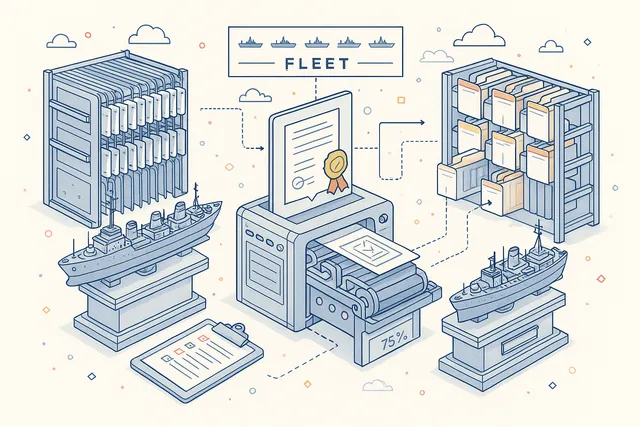
Comments & File Attachments
Attach supporting documents, photographs, and scanned copies directly to each certificate. File attachments create a complete digital archive that mirrors (and replaces) the physical certificate binder.
Comments provide a threaded discussion history for each certificate, capturing the context behind decisions and changes.
When a port state inspector requests evidence, your team pulls the original scan, the renewal correspondence, and the survey report from a single certificate record — no searching through email, shared drives, or physical files.
- Per-certificate file attachments
- Scanned copy & photo uploads
- Threaded comment discussions
- Complete digital certificate archive

Complete Audit Trail
Every action on every certificate is recorded in a comprehensive event log with 19 event types. Certificate creation, updates, renewals, sub-item changes, file uploads, comments, confirmations, and deletions are all tracked with full user attribution and timestamps.
The audit trail serves both internal governance and external compliance. When an auditor asks "Who renewed this certificate and when?", the answer is a single click away.
The log is append-only — events cannot be edited or deleted, ensuring tamper-proof accountability.
- 19 tracked event types
- Full user attribution per event
- Append-only tamper-proof log
- CRUD, renewal & confirmation events
- Regulatory-grade accountability

Print & PDF Export
Generate professional printable certificate reports for any vessel with a single click. The exported report includes the complete certificate tree — categories, certificates with dates and terms, sub-item details, and status badges — formatted for port state submissions, classification society reviews, or internal management reporting.
Printed reports follow maritime industry conventions, ensuring your documentation meets the standards expected by regulatory authorities. Use exports for vessel handover packages, pre-arrival checklists, and annual compliance reviews.
- One-click certificate report generation
- Full tree export with statuses
- Port state submission format
- Vessel handover documentation

FAQ
Frequently Asked Questions
Common questions about Certificates answered.
How does the certificate tree structure work?+
Certificates are organized in a hierarchical tree with unlimited nesting depth. Categories can contain sub-categories and certificates.
You can create any structure that matches your classification system — by regulatory body, by certificate type, by vessel area, or any other grouping. Drag-and-drop reordering lets you reorganize without losing data.
What happens when a certificate is renewed?+
When you renew a certificate, the current version is archived as a historical record and a new active version is created. All previous versions remain accessible in the renewal history chain.
The renewal event is recorded in the audit trail with full user attribution and timestamp.
What are the four certificate term types?+
NoTerm is for certificates without an expiry date (tracked for existence only). Interim is for temporary or provisional certificates.
ShortTerm is for certificates with abbreviated validity periods. FullTerm is for standard full-duration certificates.
Each term type has different expiry alert thresholds and visual indicators.
How does the confirmation workflow function?+
Critical certificates can require explicit confirmation by authorized personnel before being considered validated. Unconfirmed certificates appear in the WaitingConfirmation dashboard widget.
Both certificates and categories support the confirmation workflow, ensuring structural changes also receive proper sign-off.
Can I copy certificate structures between vessels?+
Yes. The fleet-wide copy capability replicates an entire certificate tree — categories, certificates, sub-items, and metadata — from one vessel to another in a single operation.
After copying, each vessel's tree is independent, so changes to one do not affect the other.
What sub-items can be tracked within a certificate?+
Each certificate supports four sub-item types: Audit, Survey, Report, and Equipment. Sub-items carry their own dates, status, and documentation.
They create a structured breakdown of the inspections, surveys, and checks that support a certificate's validity.
How are expiry notifications handled?+
Six dedicated dashboard widgets monitor certificate expiry across your fleet: DueADay (24 hours), DueAWeek (7 days), EndsInDays (configurable window), Overdue (past expiry), TotalItems (fleet count), and WaitingConfirmation (pending sign-off). Calendar integration ensures renewal dates appear in planning views alongside other vessel events.
Related Modules
Create, distribute, and manage controlled manuals and procedures across the fleet.
Distribute company circulars and notices with read-receipt tracking and acknowledgements.
Design and deploy custom digital forms for inspections, checklists, and reporting.
Ready to try Certificates?
Start your free trial today and see how Certificates fits into your fleet operations.
Free Trial
No credit card required
30+ Modules
Fully integrated platform
Cloud-Based
No installation needed