
Benefits
Why Circulars?
Key advantages of Circulars as part of Navatom's integrated platform.
Every Circular Reaches the Right Crew at the Right Time
Ship and rank-based distribution controls, mandatory read tracking, and fleet-wide completion monitoring ensure that every circular is received, read, and acknowledged by exactly the personnel who need it — with verifiable proof for every communication.
ISM-Compliant Circular Management from Day One
Seven-stage approval workflows, version-controlled documents with three-format diffing, 16-event audit trails, and immutable logging deliver the controlled communication discipline that ISM Code, classification societies, and port state inspectors expect — without manual record-keeping.
Version-Controlled Notices with Full Diff History
Every revision generates Word, PDF, and HTML diffs showing exactly what changed. The complete version chain from first draft to current release is preserved permanently, providing the documentary evidence that regulatory auditors require.
Verified Crew Acknowledgement Across Your Fleet
Mandatory read tracking with per-rank completion monitoring and acknowledgement records confirms that every required person on every assigned vessel has read every required circular. Dashboard widgets show completion status at a glance.
Scales from Single Vessel to Global Fleet
Server-side pagination, advanced filtering, office-ship synchronization, and multi-tenant architecture mean the system performs identically whether you manage one vessel or five hundred. Grow your fleet without outgrowing your circular management platform.
Navatom Circulars is the fleet-wide circular distribution and compliance system for maritime operations — handling company notices, regulatory updates, operational directives, and third-party circulars with full version control, multi-stage approval workflows, and verified crew acknowledgement. It replaces email chains, untracked PDF attachments, and paper-based distribution logs with a structured, auditable digital pipeline that ensures every circular reaches the right crew at the right time.
Built around two circular types (Document and PDF), a seven-stage definition lifecycle, and a formal approval workflow with send-to-approval, approve, reject, release, and re-release actions, the module delivers the controlled communication discipline that ISM Code and classification societies demand. A built-in document editor lets authors create and revise Word-based circulars directly in the browser, while PDF circulars can be uploaded and distributed as-is.
Ship and rank-based distribution controls ensure each vessel and each crew position receives only the circulars relevant to them. Mandatory read tracking with per-rank completion monitoring and acknowledgement records confirms that every required person has read every required circular.
Four dashboard widgets — total circulars, released this year, awaiting approval, and completed — transform circular management from an administrative checkbox into a measurable fleet intelligence tool.
Capabilities
Key Features
How Circulars helps ship managers work faster and stay compliant.

Two Circular Types
Navatom supports two distinct circular types — Document (Word/DOCX) for rich-text circulars that need in-platform editing with formatting, tables, and images, and PDF for pre-formatted circulars that are uploaded and distributed as-is. Each type follows the same lifecycle and distribution workflow but with format-appropriate editing and viewing experiences.
Document circulars unlock the full built-in editor for creating, revising, and formatting content directly in the browser. PDF circulars are uploaded as final-form files and distributed without modification — ideal for third-party regulatory notices, classification society bulletins, and external vendor communications.
Year-Counter-Version Numbering
Every circular is identified by a structured numbering scheme combining year, sequential counter, and version — producing identifiers like "5 / 2024 v2" that are instantly recognizable and traceable. The counter increments automatically within each year, and the version number tracks revisions independently.
This numbering system ensures that every circular in your fleet has a unique, human-readable identifier that conveys when it was issued, its sequence within the year, and which revision is current. The scheme mirrors the conventions that maritime professionals already use in paper-based circular registers, making the transition to digital seamless.
- Structured identifiers: year / sequential counter / version (e.g. "5 / 2024 v2")
- Counter auto-increments within each calendar year
- Version number tracks revisions independently from the counter
- Mirrors traditional maritime circular register conventions

Seven-Stage Definition Lifecycle
Every circular follows a controlled lifecycle through seven stages — Draft, Waiting for Approval, Completed, Rejected, Released, Revised, and Deprecated. Only Released circulars are distributed to vessels.
The lifecycle enforces that every circular passes through formal review before reaching ship personnel.
Draft circulars can be edited freely by authors. When ready, the draft is submitted for approval.
Reviewers can approve (Completed → Released) or reject (back to Draft with feedback). Released circulars can be revised, creating a new version while the current one remains active.
Deprecated circulars are archived but never deleted — maintaining a complete historical record.
- Draft → Waiting for Approval → Completed → Released
- Rejected circulars return to Draft with reviewer feedback
- Released circulars can be Revised (new version, current stays active)
- Deprecated circulars archived permanently, never deleted
- Only Released circulars distributed to vessel crews

Multi-Stage Approval Workflow
Circulars move through a structured approval pipeline: authors create and edit drafts, then submit for approval using the SendToApproval action. Designated reviewers evaluate the content and either approve it for release or reject it with feedback.
Approved circulars are released to the fleet; rejected circulars return to the author for revision.
The workflow enforces separation of duties — authors cannot self-approve. The Release and Re-Release actions control when approved content reaches vessels.
Every approval and rejection is recorded with the reviewer's identity, timestamp, and decision, providing a complete audit trail for regulatory compliance.
- SendToApproval — submit draft for review
- Approve or Reject with recorded reviewer identity and comments
- Release and Re-Release control when content reaches vessels
- Separation of duties enforced — authors cannot self-approve
- Full audit trail of every approval and rejection decision

Ship & Rank-Based Distribution
Control exactly which vessels and which crew positions receive each circular through the DocumentationAssignment system. Assign circulars to specific ships in your fleet, then specify which onboard ranks are required to read the circular — from master and chief engineer to junior officers and ratings.
Distribution assignments ensure that operational directives reach only the vessels they apply to, and that within each vessel, only the relevant crew positions are notified. A tanker-specific safety circular won't appear on your bulk carriers, and an engine-room directive won't burden deck officers.
- DocumentationAssignment maps circulars to specific ships
- OnBoardRanks targeting: master, chief engineer, officers, ratings
- Vessel-specific circulars won't appear on unassigned ships
- Distribution assignments modifiable after release
Mandatory Read Tracking
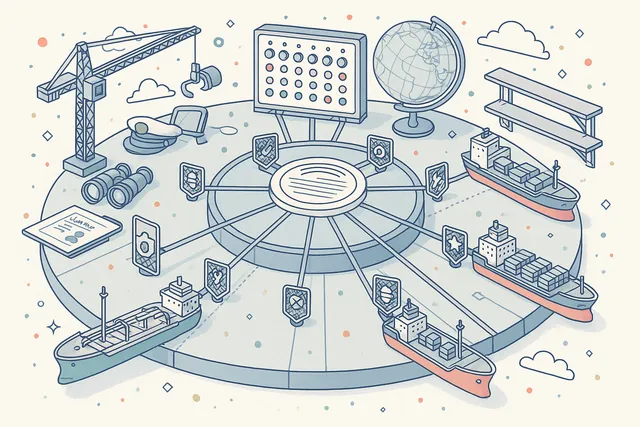
Mark circulars as read-required and track per-rank completion across your entire fleet. The system records which crew members have read the circular, when they acknowledged it, and whether all required ranks on each vessel have completed their reading — providing verifiable proof of communication.
Acknowledgement records create an immutable chain of evidence showing who read what and when. Shore management can see at a glance which vessels have completed reading across all ranks and which need follow-up.
The completed status is reached only when all required personnel across all assigned vessels have acknowledged the circular.
- readRequired flag activates mandatory acknowledgement tracking
- Per-rank completion monitoring on each assigned vessel
- Acknowledgement records with crew identity and timestamp
- Completed status reached only when all required personnel acknowledge
- Fleet-wide completion aggregation on dashboards

Version History & Document Diffing
Every circular maintains a complete version history with numbered revisions, release timestamps, and author attribution. When a circular is revised, the system generates three types of diff documents — Word diff, PDF diff, and HTML diff — showing exactly what changed between the previous and current versions.
Three-format diffing means reviewers can examine changes in whichever format suits their workflow. Word diffs show tracked changes with insertions and deletions markup.
PDF diffs generate a visual comparison document. HTML diffs provide an interactive in-browser comparison view. The full version chain is preserved permanently for compliance auditing.
- Complete version chain from first draft to current release
- Word diff — tracked changes markup between versions
- PDF diff — visual comparison document generation
- HTML diff — interactive in-browser comparison view
- All diffs preserved permanently for compliance auditing

Built-in Document Editor
Create and edit Word-based circulars directly in the browser with a full-featured document editor — no desktop software required. The editor supports rich formatting, tables, images, headers, lists, and page layout controls with the same fidelity as desktop word processors.
Documents are saved automatically and continuously. The editor runs entirely within the platform — no external services, no file downloads, no version confusion.
When you're ready to distribute, the circular is submitted for approval and released to the fleet without ever leaving the system.
- Browser-based rich-text editing — no desktop software required
- Tables, images, headers, lists, and page layout controls
- Automatic continuous document saving
- Edit, submit for approval, and release without leaving the platform

Multi-Format Storage & Conversion
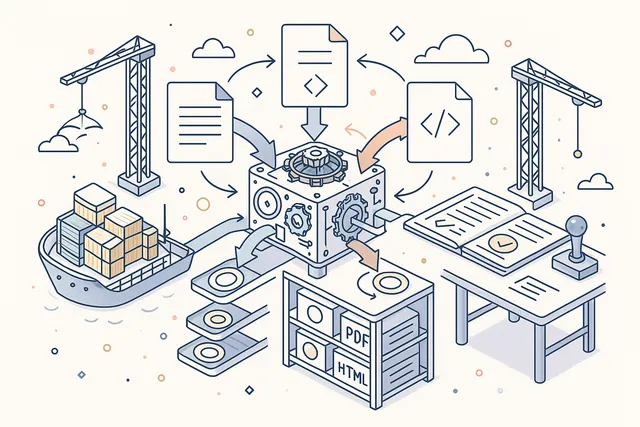
Each circular can maintain simultaneous Word, PDF, and HTML versions. The built-in conversion engine transforms documents between formats on demand — upload a Word document, generate a PDF for distribution, and create an HTML version for in-browser viewing, all from a single source file.
Format conversion happens server-side with full fidelity — formatting, tables, images, and layout are preserved across conversions. This means your circulars are always available in the format that each viewer needs, whether they're reading in the browser, printing onboard, or archiving for compliance.
- Simultaneous Word, PDF, and HTML versions per circular
- Server-side format conversion with full fidelity
- Upload Word, generate PDF for distribution, HTML for viewing
- Formatting, tables, and images preserved across conversions
Custom Label & Categorization System
Organize circulars with a flexible labeling system that adapts to your company's classification needs. Create, edit, and apply custom labels to categorize circulars by topic, department, urgency, regulation, vessel type, or any other dimension that matters to your operation.
Labels enable fast filtering and retrieval across large circular libraries. Apply multiple labels to a single circular for cross-referenced categorization.
The label system is fully user-defined — no predefined categories to work around, no limits on the number of labels you can create.
- Create, edit, and apply custom labels to any circular
- Categorize by topic, department, urgency, regulation, vessel type
- Multiple labels per circular for cross-referenced categorization
- Fully user-defined — no predefined categories to work around

Comments & Collaboration
Add threaded comments to any circular for collaborative review and feedback. Comments support adding, editing, and deletion — creating a structured discussion thread attached to the specific circular being reviewed. Comment threads persist across versions for continuity.
Use comments during the approval process to provide specific feedback on content, request clarifications, or document review decisions. Comment history is preserved as part of the circular's audit trail, providing evidence of the review process for compliance auditors.
- Threaded comments attached to specific circulars
- Add, edit, and delete comments with full attribution
- Comment threads persist across circular versions
- Comment activity recorded in the 16-event audit trail

Published, Unpublished & Deprecated Views
Navigate your circular library through three dedicated list views — Published (released and active circulars currently distributed to the fleet), Unpublished (drafts and circulars in the approval pipeline), and Deprecated (archived circulars no longer in active distribution).
Each view provides its own set of filters and sorting options appropriate to the circular status. The Published view focuses on distribution status and read completion.
The Unpublished view highlights approval queue position and draft age. The Deprecated view provides historical search and reference access.
- Published — active circulars currently distributed to the fleet
- Unpublished — drafts and circulars in the approval pipeline
- Deprecated — archived circulars for historical reference
- Each view with dedicated filters and sorting options

16-Event Audit Trail
Every action on a circular is recorded in an append-only event log with full user attribution and timestamp. The system tracks 16 distinct event types covering the complete circular lifecycle — from initial creation through editing, approval, rejection, release, distribution, revision, and deprecation.
The audit trail is tamper-evident and serves as the primary compliance record for regulatory inspections. Auditors can trace every circular's journey from draft to fleet-wide distribution with complete accountability for every decision and action along the way.
- 16 distinct event types covering the complete circular lifecycle
- Tracks creation, editing, approval, rejection, release, and deprecation
- Full user attribution and timestamp on every event
- Tamper-evident append-only log for regulatory compliance
- Complete traceability from draft to fleet-wide distribution

Dashboard & Analytics
Monitor your circular program with four dedicated dashboard widgets — Total Circulars shows the size of your circular library, Released This Year tracks publication cadence, Awaiting Approval highlights review bottlenecks, and Completed confirms how many circulars have been read by all required personnel.
Dashboard metrics aggregate across your entire fleet, providing shore management with a single-pane view of circular communication health. Identify which circulars are stuck in approval, which have low read completion, and whether your communication cadence meets organizational targets.
- Total Circulars — size of your circular library
- Released This Year — publication cadence tracking
- Awaiting Approval — review bottleneck identification
- Completed — circulars read by all required personnel
- Fleet-wide aggregation with single-pane monitoring

FAQ
Frequently Asked Questions
Common questions about Circulars answered.
What types of circulars does the module support?+
Navatom Circulars supports two types: Document (Word/DOCX) for rich-text circulars that can be created and edited directly in the built-in editor, and PDF for pre-formatted circulars that are uploaded and distributed as-is. Both types follow the same seven-stage lifecycle, approval workflow, and distribution system.
Document circulars are ideal for company-authored notices that may go through multiple revisions, while PDF circulars are perfect for distributing third-party regulatory notices and vendor bulletins.
How does the approval workflow work?+
Authors create circular drafts and submit them for approval using the SendToApproval action. Designated reviewers evaluate the content and either approve it (moving to Completed status) or reject it with feedback (returning to Draft).
Approved circulars are released to the fleet via the Release action. If a released circular needs updating, the Re-Release action creates a new version while the current one remains active until the revision is approved.
The workflow enforces separation of duties — authors cannot self-approve their own circulars.
Can I target specific ships and crew ranks?+
Yes. The DocumentationAssignment system lets you assign each circular to specific ships in your fleet and specify which onboard ranks are required to read it.
A tanker-specific operational directive can be targeted only to your tankers and only to the ranks that need to act on it — master, chief engineer, or any combination of positions. Distribution assignments can be modified after release without requiring a new version.
How do I know crews have read the circular?+
Circulars can be marked as read-required, activating the mandatory read tracking system. The system records per-rank completion on each assigned vessel — showing which crew positions have acknowledged the circular and which are still pending.
A circular reaches Completed status only when all required personnel across all assigned vessels have acknowledged reading. Dashboard widgets aggregate completion metrics across your fleet for at-a-glance monitoring.
Does the module track changes between versions?+
Yes. When a circular is revised, the system automatically generates three types of diff documents — Word diff (tracked changes markup), PDF diff (visual comparison), and HTML diff (interactive browser-based comparison).
Reviewers can examine changes in whichever format suits their workflow. The complete version history with all diffs is preserved permanently for compliance auditing.
Does the module work offline on vessels?+
Yes. Vessels maintain a full local deployment with all assigned circulars available offline.
Crews can read assigned circulars, acknowledge completion, and access the latest synchronized content regardless of connectivity. When satellite connectivity is available, changes synchronize automatically between office and vessel with conflict resolution.
Glossary
Related Maritime Terms
Key terms and concepts related to Circulars.
Related Modules
Create, distribute, and manage controlled manuals and procedures across the fleet.
Design and deploy custom digital forms for inspections, checklists, and reporting.
Ready to try Circulars?
Start your free trial today and see how Circulars fits into your fleet operations.
Free Trial
No credit card required
30+ Modules
Fully integrated platform
Cloud-Based
No installation needed