All 12 Features
Every feature in Enquiries is built for daily maritime work — simple to use, fast to navigate, and fully integrated with the rest of Navatom.
Ship-Side Observation Capture

Ship crew create enquiries directly from the vessel, recording the essential context of any technical observation or finding: a descriptive title, the location on board where the issue was found, the date of occurrence, which authority discovered it (drawn from 12 recognized maritime authorities), and a rich-text description with full formatting support. Public enquiries are visible to all parties; Private enquiries are restricted to assignees and management, giving crew control over sensitive observations before formal escalation.
The creation form is optimized for shipboard workflows — all fields are inline-editable after creation, so crew can begin with partial information and complete the record as they gather more detail. A related-type field links the observation to a maintenance context when applicable, enabling bidirectional tracing between enquiries and PMS maintenance logs from the moment of creation.
- Title, place, date, found-by authority, and rich-text description
- Public / Private visibility control per enquiry
- Inline-editable after creation — no re-submission required
- Maintenance-related classification links to PMS context
- Created by ship crew; accessible by office immediately
Dual-Context Office-Ship Workflow

Enquiries operates with a clearly defined division of authority between ship and office. Ship crew create enquiries and hold full edit rights over the title, place, date, description, found-by authority, and assignees throughout the Open state.
The company side reads the same record but manages the lifecycle — converting to safety documents, closing, reopening, setting office assignees, and approving postponement requests. This separation prevents the ambiguity of concurrent edits while ensuring office teams have complete visibility from the moment an enquiry is created.
Five granular access rights govern what each user can do: Add Enquiry controls creation, Convert Enquiry gates conversion to safety types, Postpone Enquiry controls drydock deferral, and Add File and Remove File govern attachment management. On the ship side, additional gating restricts comment and edit operations to the enquiry's creator, captain, or named assignees — preventing unauthorized modifications to open records.
- Ship creates and edits; office converts, closes, and postpones
- 5 granular access rights: Add, Convert, Postpone, AddFile, RemoveFile
- Ship-side: creator / captain / assignee gating on edits
- Company-side: office assignee / admin gating on lifecycle actions
- Read-only company view prevents concurrent edit conflicts
7-Type Safety Issue Conversion

When an enquiry reveals a formal safety or compliance issue, a single conversion action transforms it into one of seven structured safety document types: Major Non-Conformity, Non-Conformity, Observation, Deficiency, Near Miss, Accident, or Technical Finding. The conversion is seamless — the full enquiry description all threaded comments, and all file attachments carry forward into the new safety record without manual re-entry, preserving the complete evidence chain from first observation to formal finding.
Converted enquiries move to the Converted status, which is terminal and distinct from Closed — a converted enquiry cannot be reopened, as the issue now lives in the destination safety module. The link between the enquiry and its converted counterpart is maintained permanently, allowing compliance teams to trace any deficiency, near-miss, or accident record back to the shipboard observation that triggered it and the crew member who first reported it.
- Major Non-Conformity, Non-Conformity, Observation, Deficiency, Near Miss, Accident, Technical Finding
- Description, comments, and attachments transfer automatically
- Converted status is terminal — distinct from Closed
- Permanent bidirectional link maintained after conversion
- Convert Enquiry access right required on company side
12-Authority Found-By Classification

Every enquiry records who or which organization discovered the issue using a structured authority enum with 12 recognized values: Port State Control, Harbor Master, Classification Society, P&I Insurance, H&M Insurance, Flag State, CDI inspection, SIRE inspection, Safety Terminal Inspection, Office, Ship, and Other. This classification is not decorative — it determines the urgency and escalation path of the enquiry, as a Port State finding demands a different response timeline than an internal ship observation.
The 12-authority taxonomy is drawn directly from the maritime regulatory and commercial landscape that ship management companies operate within. Filtering and analytics by found-by authority let fleet managers identify which regulatory bodies are generating the most observations across the fleet, and which vessels are generating disproportionate external findings — intelligence that drives proactive compliance programs.
- Port State, Harbor Master, Classification Society, Flag State
- P&I, H&M, CDI, SIRE, Safety Terminal Inspection
- Office, Ship, Other — 12 values total
- Drives escalation urgency and response timelines
- Filterable for fleet-wide authority trend analysis
Drydock Postponement Management
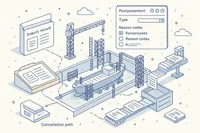
When an enquiry cannot be resolved during a voyage, the postponement workflow formally defers resolution to a specific drydock event. Selecting DryDock as the postponement type automatically creates a corresponding task in the DryDock module, linking the two records.
The enquiry's status updates to reflect the active postponement, and the postponement reason — chosen from 12 structured codes including Voyage Complications, Weather Conditions, Man Power, No Expertise, Parts Available, Inaccessible, and Management Hold Order — is recorded as part of the immutable event log.
Postponements pass through a three-state approval workflow: Requested (pending office review), Approved, or Rejected. Cancelling an approved postponement removes the linked DryDock task and cancels any related expenditures in the Expenditure module — ensuring that the drydock planning scope always reflects the current set of active deferred work items without orphaned tasks accumulating in the DryDock module.
- DryDock postponement type auto-creates DryDock module task
- Requested → Approved / Rejected three-state workflow
- 12 structured postpone reasons including Hold Orders and Priority
- Cancel removes linked DryDock task and cancels Expenditure records
- Postpone Enquiry access right required
Rich-Text Description & File Evidence

Each enquiry carries a full-featured rich-text description that supports formatted text, inline images, and structured content. Descriptions are stored in dedicated cloud storage rather than the database, with content-based deduplication preventing redundant storage when descriptions are copied between enquiries or carried forward during conversion.
The cloud storage model ensures descriptions scale independently of the database and remain accessible even for large, image-heavy narratives.
Attachments support seven structured file types: Diagram, Photo, Manual, Form, Chart, Document, and Other. Each attachment carries a type classification, an optional caption, and full upload provenance.
File operations — add, edit (rename/reclassify), and remove — are gated by Add File and Remove File access rights and are recorded as distinct events in the 18-type audit trail, creating a complete chain of custody for every piece of evidence attached to an enquiry.
- Full-featured rich-text editor with cloud storage
- Content-based deduplication prevents redundant storage
- 7 attachment types: Diagram, Photo, Manual, Form, Chart, Document, Other
- Add, Edit (rename/reclassify), Remove operations with access control
- All file operations recorded in 18-type audit log
Threaded Comments & Collaboration

A threaded comment system allows ship crew and office staff to collaborate on an enquiry without leaving the platform. Comments are synced bidirectionally between ship and office via the synchronization layer, so a response from a superintendent is visible to the vessel crew within minutes of the next data sync.
Comment operations — create, edit, and delete — are available to both sides, but edit and delete rights are restricted to the comment's original author, preventing unauthorized modification of the collaborative record.
When an enquiry is closed or converted, the comment thread becomes read-only on both sides, preserving the complete conversation as part of the permanent record. This ensures that the back-and-forth between ship and office that often contains critical diagnostic information is never lost when an enquiry reaches its terminal state.
All comment operations are captured in the 18-type event log with full attribution.
- Bidirectional comment sync between ship and office
- Own-comment edit and delete restriction (author-only)
- Thread becomes read-only on Close or Convert
- Available to both ship and company assignees
- Comment operations recorded in immutable event log
18-Event Audit Trail

Every action taken on an enquiry is recorded as an immutable event in a tamper-proof log covering 18 distinct actions: creation, closure, reopening, field updates (place, date, title, description, assignees, found-by authority), comment operations (create, edit, delete), file operations (add, edit, remove), conversion, and postponement events. Each event carries a timestamp, the user who performed the action, and the contextual data of the change — producing a second-by-second narrative of the enquiry's entire lifecycle.
This event log is not an editable summary — it is the authoritative record. Class societies, flag state inspectors, and internal compliance managers can reconstruct the complete history of any enquiry years after the fact, including who changed the description, who added a file, who requested a postponement, and who approved it.
The tamper-proof event architecture satisfies the traceability requirements of ISM Code audits and port state control inspections without any additional reporting effort.
- Creation, closure, reopening, conversion, and postponement events
- Field updates: title, place, date, description, assignees, found-by
- Comment operations: create, edit, delete
- File operations: add, edit, remove
- Tamper-proof — no events can be modified or deleted
PMS Maintenance Integration

Enquiries connects bidirectionally with the Planned Maintenance System at two points. First, an enquiry can be created directly from a PMS maintenance log — when a maintenance job reveals a technical issue beyond its scope, crew can open an enquiry linked to that specific job without leaving the maintenance workflow.
Second, the maintenance-related classification on an enquiry enables fleet-wide queries that return all maintenance-linked enquiries, giving technical superintendents a cross-module view of observations arising from maintenance activity.
This integration prevents the common pattern of maintenance-discovered issues being noted informally in the work log but never formally tracked. By surfacing the link between the maintenance record and the enquiry from the moment of creation, the integration ensures that every observation arising from a maintenance job enters the formal enquiry lifecycle — with its own status, assignees, audit trail, and potential conversion to a safety document.
- Create enquiry directly from a PMS maintenance log
- Bidirectional link: enquiry → maintenance log
- Maintenance-related classification on enquiry
- Fleet-wide maintenance-linked enquiry queries
- Prevents maintenance-discovered issues from being informally logged only
Fleet-Wide Dashboard & Notifications

The Open Enquiries dashboard widget provides a real-time count of open enquiries across the fleet, configurable into the company dashboard alongside other operational KPIs. Fleet managers can monitor the aggregate observation backlog without navigating into individual vessel records, and drill down to the underlying list when the count warrants attention.
Fourteen high-priority inbox notification types cover every significant lifecycle event: enquiry created, closed, reopened, description updated, title changed, assignees changed, comment added or edited or deleted, file added or removed, converted, postponed, and postponement cancelled. Notifications route to the appropriate stakeholders on both the ship and office sides based on their role and assignment to the enquiry, ensuring that no lifecycle event is missed regardless of whether the recipient is at sea or in the office.
- Open Enquiries widget: count of open enquiries fleet-wide
- 14 high-priority inbox notification types
- Notifications route to ship and office assignees
- Configurable dashboard placement alongside other KPI widgets
- Drill-down from widget count to underlying enquiry list
Three-Panel Detail View

The enquiry detail view uses a three-panel layout engineered for efficient review of complex records. The left sidebar holds the definition panel (title, status, place, date, found-by authority, related type, public/private flag) and the assignees panel (ship assignees with rank badges, company assignees) — all inline-editable on the ship side.
The center panel renders the rich-text description, occupying the primary viewport for the most content-dense part of the record.
The east dock panel houses three tabs: Comments (threaded conversation), Attachments (typed file list with add/edit/remove controls), and Events (the chronological 18-type audit log). The east dock is collapsible to maximize the description viewport on smaller screens.
When an enquiry is in Closed or Converted status, the entire detail view transitions to read-only mode — the editor, comment input, and all action buttons are replaced with their read-only counterparts, making the terminal state visually unambiguous.
- Left: definition fields + assignees (inline-editable ship side)
- Center: rich-text description (primary viewport)
- East dock: Comments, Attachments, Events tabs
- East dock collapsible to maximize description viewport
- Full read-only mode when Closed or Converted
Office-Ship Synchronization

Enquiries synchronizes between office and vessel deployments via 19 dedicated synchronization handlers — 13 on the ship side and 6 on the company side — covering every enquiry lifecycle event. Ship-side handlers process incoming company actions (close, reopen, convert, postpone, comment, file operations) and apply them to the local vessel database.
Company-side handlers process incoming ship actions (create, edit, comment, file operations) and update the office database, triggering search index updates for fleet-wide search.
The synchronization architecture is designed for the maritime communication environment: all pending changes are queued and merged automatically when connectivity fluctuates. Conflict resolution preserves the integrity of the enquiry record regardless of the order in which ship and office changes arrive, ensuring that the audit trail remains coherent across all deployment contexts.
- 19 synchronization handlers: 13 ship-side, 6 company-side
- Covers all 15 lifecycle events across the workflow
- Company-side handlers trigger search index updates
- Real-time fleet-wide synchronization — queue and merge on reconnect
- Conflict resolution preserves audit log integrity
Ship-Side Observation Capture
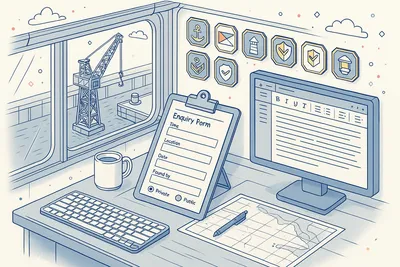
Ship crew create enquiries directly from the vessel, recording the essential context of any technical observation or finding: a descriptive title, the location on board where the issue was found, the date of occurrence, which authority discovered it (drawn from 12 recognized maritime authorities), and a rich-text description with full formatting support. Public enquiries are visible to all parties; Private enquiries are restricted to assignees and management, giving crew control over sensitive observations before formal escalation.
The creation form is optimized for shipboard workflows — all fields are inline-editable after creation, so crew can begin with partial information and complete the record as they gather more detail. A related-type field links the observation to a maintenance context when applicable, enabling bidirectional tracing between enquiries and PMS maintenance logs from the moment of creation.
- Title, place, date, found-by authority, and rich-text description
- Public / Private visibility control per enquiry
- Inline-editable after creation — no re-submission required
- Maintenance-related classification links to PMS context
- Created by ship crew; accessible by office immediately
Dual-Context Office-Ship Workflow
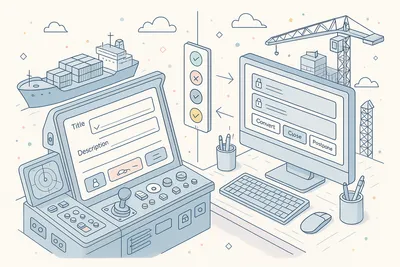
Enquiries operates with a clearly defined division of authority between ship and office. Ship crew create enquiries and hold full edit rights over the title, place, date, description, found-by authority, and assignees throughout the Open state.
The company side reads the same record but manages the lifecycle — converting to safety documents, closing, reopening, setting office assignees, and approving postponement requests. This separation prevents the ambiguity of concurrent edits while ensuring office teams have complete visibility from the moment an enquiry is created.
Five granular access rights govern what each user can do: Add Enquiry controls creation, Convert Enquiry gates conversion to safety types, Postpone Enquiry controls drydock deferral, and Add File and Remove File govern attachment management. On the ship side, additional gating restricts comment and edit operations to the enquiry's creator, captain, or named assignees — preventing unauthorized modifications to open records.
- Ship creates and edits; office converts, closes, and postpones
- 5 granular access rights: Add, Convert, Postpone, AddFile, RemoveFile
- Ship-side: creator / captain / assignee gating on edits
- Company-side: office assignee / admin gating on lifecycle actions
- Read-only company view prevents concurrent edit conflicts
7-Type Safety Issue Conversion

When an enquiry reveals a formal safety or compliance issue, a single conversion action transforms it into one of seven structured safety document types: Major Non-Conformity, Non-Conformity, Observation, Deficiency, Near Miss, Accident, or Technical Finding. The conversion is seamless — the full enquiry description all threaded comments, and all file attachments carry forward into the new safety record without manual re-entry, preserving the complete evidence chain from first observation to formal finding.
Converted enquiries move to the Converted status, which is terminal and distinct from Closed — a converted enquiry cannot be reopened, as the issue now lives in the destination safety module. The link between the enquiry and its converted counterpart is maintained permanently, allowing compliance teams to trace any deficiency, near-miss, or accident record back to the shipboard observation that triggered it and the crew member who first reported it.
- Major Non-Conformity, Non-Conformity, Observation, Deficiency, Near Miss, Accident, Technical Finding
- Description, comments, and attachments transfer automatically
- Converted status is terminal — distinct from Closed
- Permanent bidirectional link maintained after conversion
- Convert Enquiry access right required on company side
12-Authority Found-By Classification

Every enquiry records who or which organization discovered the issue using a structured authority enum with 12 recognized values: Port State Control, Harbor Master, Classification Society, P&I Insurance, H&M Insurance, Flag State, CDI inspection, SIRE inspection, Safety Terminal Inspection, Office, Ship, and Other. This classification is not decorative — it determines the urgency and escalation path of the enquiry, as a Port State finding demands a different response timeline than an internal ship observation.
The 12-authority taxonomy is drawn directly from the maritime regulatory and commercial landscape that ship management companies operate within. Filtering and analytics by found-by authority let fleet managers identify which regulatory bodies are generating the most observations across the fleet, and which vessels are generating disproportionate external findings — intelligence that drives proactive compliance programs.
- Port State, Harbor Master, Classification Society, Flag State
- P&I, H&M, CDI, SIRE, Safety Terminal Inspection
- Office, Ship, Other — 12 values total
- Drives escalation urgency and response timelines
- Filterable for fleet-wide authority trend analysis
Drydock Postponement Management
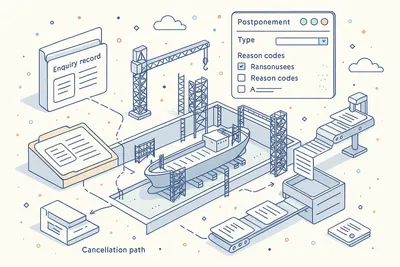
When an enquiry cannot be resolved during a voyage, the postponement workflow formally defers resolution to a specific drydock event. Selecting DryDock as the postponement type automatically creates a corresponding task in the DryDock module, linking the two records.
The enquiry's status updates to reflect the active postponement, and the postponement reason — chosen from 12 structured codes including Voyage Complications, Weather Conditions, Man Power, No Expertise, Parts Available, Inaccessible, and Management Hold Order — is recorded as part of the immutable event log.
Postponements pass through a three-state approval workflow: Requested (pending office review), Approved, or Rejected. Cancelling an approved postponement removes the linked DryDock task and cancels any related expenditures in the Expenditure module — ensuring that the drydock planning scope always reflects the current set of active deferred work items without orphaned tasks accumulating in the DryDock module.
- DryDock postponement type auto-creates DryDock module task
- Requested → Approved / Rejected three-state workflow
- 12 structured postpone reasons including Hold Orders and Priority
- Cancel removes linked DryDock task and cancels Expenditure records
- Postpone Enquiry access right required
Rich-Text Description & File Evidence

Each enquiry carries a full-featured rich-text description that supports formatted text, inline images, and structured content. Descriptions are stored in dedicated cloud storage rather than the database, with content-based deduplication preventing redundant storage when descriptions are copied between enquiries or carried forward during conversion.
The cloud storage model ensures descriptions scale independently of the database and remain accessible even for large, image-heavy narratives.
Attachments support seven structured file types: Diagram, Photo, Manual, Form, Chart, Document, and Other. Each attachment carries a type classification, an optional caption, and full upload provenance.
File operations — add, edit (rename/reclassify), and remove — are gated by Add File and Remove File access rights and are recorded as distinct events in the 18-type audit trail, creating a complete chain of custody for every piece of evidence attached to an enquiry.
- Full-featured rich-text editor with cloud storage
- Content-based deduplication prevents redundant storage
- 7 attachment types: Diagram, Photo, Manual, Form, Chart, Document, Other
- Add, Edit (rename/reclassify), Remove operations with access control
- All file operations recorded in 18-type audit log
Threaded Comments & Collaboration

A threaded comment system allows ship crew and office staff to collaborate on an enquiry without leaving the platform. Comments are synced bidirectionally between ship and office via the synchronization layer, so a response from a superintendent is visible to the vessel crew within minutes of the next data sync.
Comment operations — create, edit, and delete — are available to both sides, but edit and delete rights are restricted to the comment's original author, preventing unauthorized modification of the collaborative record.
When an enquiry is closed or converted, the comment thread becomes read-only on both sides, preserving the complete conversation as part of the permanent record. This ensures that the back-and-forth between ship and office that often contains critical diagnostic information is never lost when an enquiry reaches its terminal state.
All comment operations are captured in the 18-type event log with full attribution.
- Bidirectional comment sync between ship and office
- Own-comment edit and delete restriction (author-only)
- Thread becomes read-only on Close or Convert
- Available to both ship and company assignees
- Comment operations recorded in immutable event log
18-Event Audit Trail

Every action taken on an enquiry is recorded as an immutable event in a tamper-proof log covering 18 distinct actions: creation, closure, reopening, field updates (place, date, title, description, assignees, found-by authority), comment operations (create, edit, delete), file operations (add, edit, remove), conversion, and postponement events. Each event carries a timestamp, the user who performed the action, and the contextual data of the change — producing a second-by-second narrative of the enquiry's entire lifecycle.
This event log is not an editable summary — it is the authoritative record. Class societies, flag state inspectors, and internal compliance managers can reconstruct the complete history of any enquiry years after the fact, including who changed the description, who added a file, who requested a postponement, and who approved it.
The tamper-proof event architecture satisfies the traceability requirements of ISM Code audits and port state control inspections without any additional reporting effort.
- Creation, closure, reopening, conversion, and postponement events
- Field updates: title, place, date, description, assignees, found-by
- Comment operations: create, edit, delete
- File operations: add, edit, remove
- Tamper-proof — no events can be modified or deleted
PMS Maintenance Integration
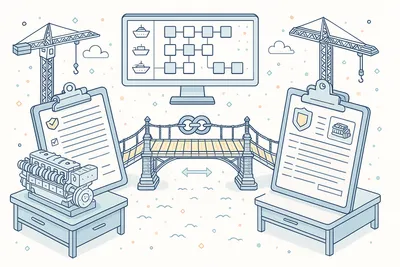
Enquiries connects bidirectionally with the Planned Maintenance System at two points. First, an enquiry can be created directly from a PMS maintenance log — when a maintenance job reveals a technical issue beyond its scope, crew can open an enquiry linked to that specific job without leaving the maintenance workflow.
Second, the maintenance-related classification on an enquiry enables fleet-wide queries that return all maintenance-linked enquiries, giving technical superintendents a cross-module view of observations arising from maintenance activity.
This integration prevents the common pattern of maintenance-discovered issues being noted informally in the work log but never formally tracked. By surfacing the link between the maintenance record and the enquiry from the moment of creation, the integration ensures that every observation arising from a maintenance job enters the formal enquiry lifecycle — with its own status, assignees, audit trail, and potential conversion to a safety document.
- Create enquiry directly from a PMS maintenance log
- Bidirectional link: enquiry → maintenance log
- Maintenance-related classification on enquiry
- Fleet-wide maintenance-linked enquiry queries
- Prevents maintenance-discovered issues from being informally logged only
Fleet-Wide Dashboard & Notifications

The Open Enquiries dashboard widget provides a real-time count of open enquiries across the fleet, configurable into the company dashboard alongside other operational KPIs. Fleet managers can monitor the aggregate observation backlog without navigating into individual vessel records, and drill down to the underlying list when the count warrants attention.
Fourteen high-priority inbox notification types cover every significant lifecycle event: enquiry created, closed, reopened, description updated, title changed, assignees changed, comment added or edited or deleted, file added or removed, converted, postponed, and postponement cancelled. Notifications route to the appropriate stakeholders on both the ship and office sides based on their role and assignment to the enquiry, ensuring that no lifecycle event is missed regardless of whether the recipient is at sea or in the office.
- Open Enquiries widget: count of open enquiries fleet-wide
- 14 high-priority inbox notification types
- Notifications route to ship and office assignees
- Configurable dashboard placement alongside other KPI widgets
- Drill-down from widget count to underlying enquiry list
Three-Panel Detail View
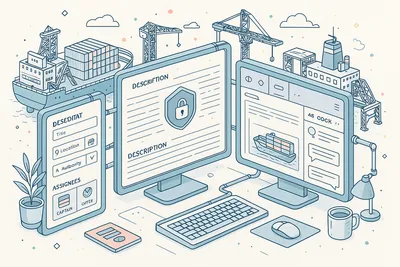
The enquiry detail view uses a three-panel layout engineered for efficient review of complex records. The left sidebar holds the definition panel (title, status, place, date, found-by authority, related type, public/private flag) and the assignees panel (ship assignees with rank badges, company assignees) — all inline-editable on the ship side.
The center panel renders the rich-text description, occupying the primary viewport for the most content-dense part of the record.
The east dock panel houses three tabs: Comments (threaded conversation), Attachments (typed file list with add/edit/remove controls), and Events (the chronological 18-type audit log). The east dock is collapsible to maximize the description viewport on smaller screens.
When an enquiry is in Closed or Converted status, the entire detail view transitions to read-only mode — the editor, comment input, and all action buttons are replaced with their read-only counterparts, making the terminal state visually unambiguous.
- Left: definition fields + assignees (inline-editable ship side)
- Center: rich-text description (primary viewport)
- East dock: Comments, Attachments, Events tabs
- East dock collapsible to maximize description viewport
- Full read-only mode when Closed or Converted
Office-Ship Synchronization

Enquiries synchronizes between office and vessel deployments via 19 dedicated synchronization handlers — 13 on the ship side and 6 on the company side — covering every enquiry lifecycle event. Ship-side handlers process incoming company actions (close, reopen, convert, postpone, comment, file operations) and apply them to the local vessel database.
Company-side handlers process incoming ship actions (create, edit, comment, file operations) and update the office database, triggering search index updates for fleet-wide search.
The synchronization architecture is designed for the maritime communication environment: all pending changes are queued and merged automatically when connectivity fluctuates. Conflict resolution preserves the integrity of the enquiry record regardless of the order in which ship and office changes arrive, ensuring that the audit trail remains coherent across all deployment contexts.
- 19 synchronization handlers: 13 ship-side, 6 company-side
- Covers all 15 lifecycle events across the workflow
- Company-side handlers trigger search index updates
- Real-time fleet-wide synchronization — queue and merge on reconnect
- Conflict resolution preserves audit log integrity
Technical
Under the Hood
Architecture and engineering behind Enquiries — data handling, real-time sync, and interface design.
High-Performance Data Grids
List and archive views use high-performance data tables with server-side pagination. Nine composable filter types — Ship, Assignee, Title, Environment, CreatedBy, CompanyAssignee, ShipAssignee, NoFilter, and RelatedType — can be combined freely across fleets of any size without browser memory constraints.
The server-side architecture ensures consistent performance whether a vessel has 20 open enquiries or a fleet has thousands in archive.
Cloud-Backed Rich Text Storage with Deduplication
Enquiry descriptions authored in the rich-text editor are stored in dedicated cloud storage, not the relational database. , copied from another enquiry or carried forward in a conversion), the duplicate write is skipped and the existing reference is reused.
This deduplication strategy eliminates storage waste at scale while ensuring descriptions are never truncated by database column limits.
Tamper-Proof Audit Architecture
15 workflow events drive the enquiry lifecycle, while 18 audit event types record every user action in a tamper-proof log. The workflow events power the server-side synchronization pipeline; the audit events power the compliance record.
Both are immutable by design — no update or delete operations are permitted on existing events, ensuring that any reconstruction of an enquiry's history is forensically reliable.
Office-Ship Bidirectional Synchronization
19 dedicated synchronization handlers (13 ship-side, 6 company-side) process every enquiry lifecycle event across the office-ship boundary. Each handler is typed to a specific lifecycle event — creation, closure, conversion, postponement, comment operations, file operations, and field updates — ensuring that every change is processed reliably on the receiving side.
Company-side handlers additionally trigger search index updates for fleet-wide search without blocking the synchronization pipeline.
Enquiry-to-Safety Conversion Pipeline
The conversion from an enquiry to a safety document type is a seamless pipeline that: retrieves the full rich-text description, copies all comment records, copies all file attachment references, constructs the destination safety record (Deficiency, Non-Conformity, Observation, Near Miss, Accident, or Technical Finding), marks the source enquiry as Converted, and records a Convert event in the audit log — all in a single transaction. The pipeline is type-safe: the 7 available conversion types gate which destination types are available, and each destination module applies its own validation rules to the incoming data.
Rank-Based Access Control Engine
Access control operates on two axes simultaneously. The first axis is the role-based permissions layer: five granular access rights (create enquiry, convert enquiry, postpone enquiry, add attachment, remove attachment) gate module-level operations.
The second axis is the entity-level gating layer: on the ship side, comment edit/delete and field edit operations are restricted to the enquiry's creator, captain, or named assignees. On the company side, office action buttons (convert, postpone, close, set office assignees) are restricted to office assignees and admins.
Both axes are evaluated on every operation, ensuring that neither a permissioned role alone nor an assignment alone is sufficient to bypass the other.
Same Category
Related Modules
Other Technical Management modules that integrate with Enquiries.
Schedule, track, and manage planned maintenance jobs across your fleet with real-time synchronization.
Ready to try Enquiries?
Start your free trial today and see how Enquiries fits into your fleet operations.