All 12 Features
Every feature in Technical Findings is built for daily maritime work — simple to use, fast to navigate, and fully integrated with the rest of Navatom.
Technical Observation Capture
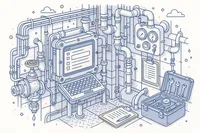
Log technical findings quickly from any workstation — shipboard or shore. The observation form captures the essential details: what was observed, where it was found, the equipment involved, and the initial assessment of urgency. Speed of capture is the priority.
Technical findings often arise during routine rounds, equipment inspections, or survey preparations. The module is designed for engineers and crew who need to document observations without interrupting their workflow — log it, link it, and move on.
- Quick observation logging
- Equipment-focused capture
- Ship and shore workstations
- Minimal workflow disruption
Equipment Linkage & Context
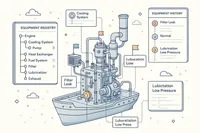
Connect every technical finding directly to the equipment item where it was observed. This linkage transforms your finding records from a flat list of observations into an equipment-aware intelligence system that reveals which assets need the most attention.
Equipment linkage integrates with your maintenance system. When a finding is linked to a piece of equipment, your maintenance team can see the full picture: planned maintenance status, previous findings, and current operational condition — all in one view.
- Direct equipment hierarchy linkage
- Equipment finding history
- Maintenance system integration
- Asset-centric issue views
Interim, Corrective & Preventive Actions
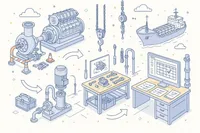
Address technical findings at three levels: interim actions contain the immediate risk (restrict equipment use, apply temporary repair), corrective actions fix the specific problem (replace the component, repair the damage), and preventive actions prevent recurrence (update maintenance schedules, revise procedures).
Each action type is tracked with assigned responsibility, deadlines, and completion verification. For urgent findings, an interim action can be assigned within minutes of the observation, while the corrective and preventive actions follow as resources allow.
- Immediate risk containment
- Component-level repair tracking
- Maintenance schedule updates
- Independent action tracking
Six-Stage Finding Lifecycle
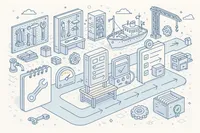
Every technical finding follows a six-stage lifecycle from initial capture through assessment, corrective action, verification, and closure. The lifecycle is efficient — designed for the volume and pace of technical observations — while still ensuring that every finding reaches a documented resolution.
Stage transitions enforce basic completeness: a finding cannot be closed without documenting the resolution outcome. But the process is deliberately light, keeping the focus on fixing the problem rather than on administrative overhead.
- Efficient lifecycle progression
- Resolution documentation required
- Lightweight stage gates
- Overdue item visibility
Priority & Severity Classification
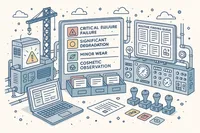
Classify every technical finding by priority and severity to direct your engineering team's attention where it matters most. A critical equipment failure demands immediate response; a cosmetic observation can wait for the next scheduled maintenance window.
The classification system ensures that your team's limited time and resources are allocated to the findings with the greatest operational impact. Critical items are flagged immediately; routine observations are tracked without creating unnecessary urgency.
- Operational impact severity
- Response urgency priority
- Engineering team focus
- Critical item flagging
Ship & Office Tracking
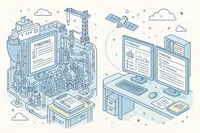
Track technical findings from both shipboard and shore environments. Engineers onboard can log findings during their rounds, and shore-based technical superintendents can review, prioritize, and assign corrective actions without waiting for the next vessel visit.
The shared view ensures that your fleet's technical management team — whether onboard or ashore — always sees the same finding data, the same priorities, and the same resolution status.
- Shipboard engineer reporting
- Shore superintendent review
- Shared status visibility
- No manual handoff required
Crew Assignment & Responsibility
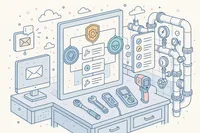
Assign corrective action responsibility to specific crew members or shore personnel. Each assignment includes the expected actions, deadlines, and completion requirements. Responsible parties can update progress directly from their workstation.
For technical findings, assignments typically go to the engineering team — the chief engineer, the electrical officer, or a specific rating. Clear assignment ensures that every finding has an owner and a deadline.
- Engineering team assignments
- Chief engineer responsibility
- Deadline and scope tracking
- Direct progress updates
Rich Descriptions & File Attachments
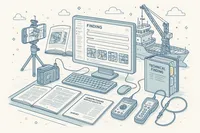
Document technical findings with detailed descriptions and supporting files. Attach photographs of the condition, equipment manuals, manufacturer bulletins, survey reports, and any other files that help the repair team understand and resolve the issue.
A photograph of a corroded fitting tells the repair team more than a paragraph of description. The module encourages visual documentation — snap a photo, attach it, and let the image communicate the condition.
- Condition photographs
- Equipment manual references
- Manufacturer bulletins
- Visual documentation emphasis
Threaded Comments & Collaboration

Discuss technical findings with threaded comments attached to each record. Ship and shore engineering teams can exchange updates, share technical advice, request additional information, and coordinate repair activities in context.
Comments are especially valuable for technical findings that require shore-side expertise. A shipboard engineer can describe the symptom; a shore-based superintendent can advise on the diagnosis and repair approach — all captured in the finding record.
- Ship-shore technical discussion
- Diagnostic advice exchange
- Repair coordination
- Permanent technical record
Complete Audit Trail
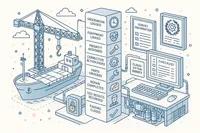
Every action on a technical finding is recorded in a tamper-proof event log with forty-four tracked event types. From initial observation through equipment linkage, corrective action assignments, status changes, and closure — every step is captured.
The audit trail provides evidence for classification society surveys and flag state inspections that your organization identifies, documents, and resolves technical issues as part of a structured maintenance and safety management program.
- 44 tracked event types
- Full user attribution
- Equipment linkage events
- Survey and inspection evidence
Analytics & Dashboard
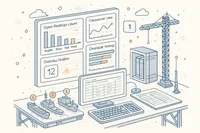
Monitor your technical finding program with dashboards that track open findings, closure rates, overdue items, and findings by equipment category. Fleet-wide views identify which equipment types and which vessels generate the most technical observations.
Technical finding analytics complement your Planned Maintenance System data. Together, they paint a complete picture of equipment health: scheduled maintenance on one side, unplanned findings on the other — both feeding into your maintenance strategy.
- Open finding tracking
- Closure rate monitoring
- Equipment category breakdowns
- PMS complementary data
Fleet-Wide Finding Archive
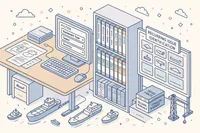
Access the complete history of every technical finding across your fleet. Closed findings remain searchable by equipment, vessel, category, and time period — building a knowledge base of technical observations and their resolutions.
The archive is invaluable for survey preparation. Before a class survey, your technical superintendent can review all technical findings for the vessel, ensuring that recurring issues have been addressed and documented.
- Complete fleet technical history
- Equipment-searchable records
- Survey preparation support
- Recurring issue identification
Technical Observation Capture
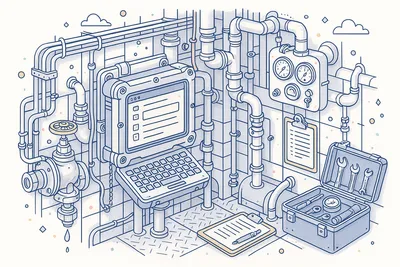
Log technical findings quickly from any workstation — shipboard or shore. The observation form captures the essential details: what was observed, where it was found, the equipment involved, and the initial assessment of urgency. Speed of capture is the priority.
Technical findings often arise during routine rounds, equipment inspections, or survey preparations. The module is designed for engineers and crew who need to document observations without interrupting their workflow — log it, link it, and move on.
- Quick observation logging
- Equipment-focused capture
- Ship and shore workstations
- Minimal workflow disruption
Equipment Linkage & Context
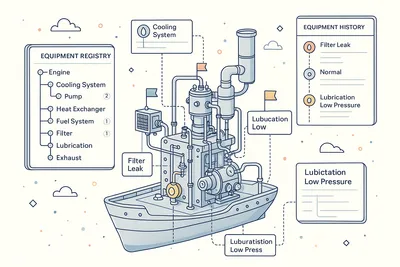
Connect every technical finding directly to the equipment item where it was observed. This linkage transforms your finding records from a flat list of observations into an equipment-aware intelligence system that reveals which assets need the most attention.
Equipment linkage integrates with your maintenance system. When a finding is linked to a piece of equipment, your maintenance team can see the full picture: planned maintenance status, previous findings, and current operational condition — all in one view.
- Direct equipment hierarchy linkage
- Equipment finding history
- Maintenance system integration
- Asset-centric issue views
Interim, Corrective & Preventive Actions
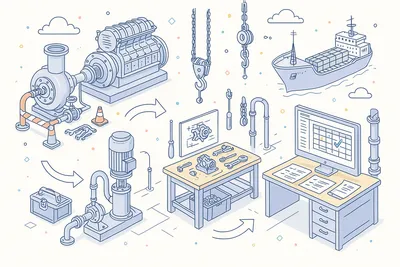
Address technical findings at three levels: interim actions contain the immediate risk (restrict equipment use, apply temporary repair), corrective actions fix the specific problem (replace the component, repair the damage), and preventive actions prevent recurrence (update maintenance schedules, revise procedures).
Each action type is tracked with assigned responsibility, deadlines, and completion verification. For urgent findings, an interim action can be assigned within minutes of the observation, while the corrective and preventive actions follow as resources allow.
- Immediate risk containment
- Component-level repair tracking
- Maintenance schedule updates
- Independent action tracking
Six-Stage Finding Lifecycle
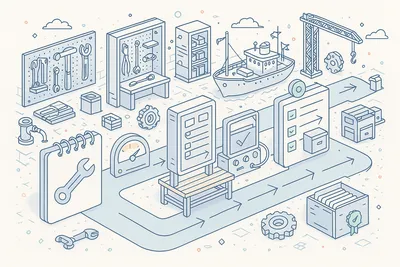
Every technical finding follows a six-stage lifecycle from initial capture through assessment, corrective action, verification, and closure. The lifecycle is efficient — designed for the volume and pace of technical observations — while still ensuring that every finding reaches a documented resolution.
Stage transitions enforce basic completeness: a finding cannot be closed without documenting the resolution outcome. But the process is deliberately light, keeping the focus on fixing the problem rather than on administrative overhead.
- Efficient lifecycle progression
- Resolution documentation required
- Lightweight stage gates
- Overdue item visibility
Priority & Severity Classification
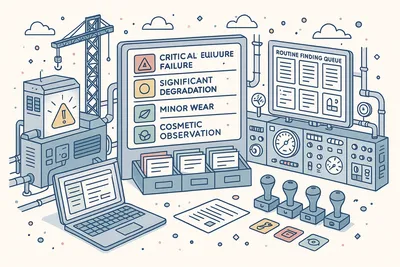
Classify every technical finding by priority and severity to direct your engineering team's attention where it matters most. A critical equipment failure demands immediate response; a cosmetic observation can wait for the next scheduled maintenance window.
The classification system ensures that your team's limited time and resources are allocated to the findings with the greatest operational impact. Critical items are flagged immediately; routine observations are tracked without creating unnecessary urgency.
- Operational impact severity
- Response urgency priority
- Engineering team focus
- Critical item flagging
Ship & Office Tracking
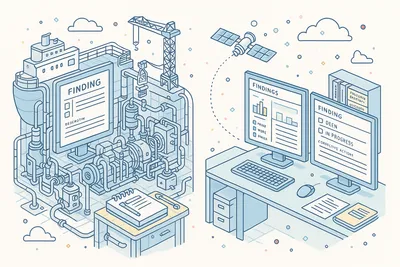
Track technical findings from both shipboard and shore environments. Engineers onboard can log findings during their rounds, and shore-based technical superintendents can review, prioritize, and assign corrective actions without waiting for the next vessel visit.
The shared view ensures that your fleet's technical management team — whether onboard or ashore — always sees the same finding data, the same priorities, and the same resolution status.
- Shipboard engineer reporting
- Shore superintendent review
- Shared status visibility
- No manual handoff required
Crew Assignment & Responsibility

Assign corrective action responsibility to specific crew members or shore personnel. Each assignment includes the expected actions, deadlines, and completion requirements. Responsible parties can update progress directly from their workstation.
For technical findings, assignments typically go to the engineering team — the chief engineer, the electrical officer, or a specific rating. Clear assignment ensures that every finding has an owner and a deadline.
- Engineering team assignments
- Chief engineer responsibility
- Deadline and scope tracking
- Direct progress updates
Rich Descriptions & File Attachments
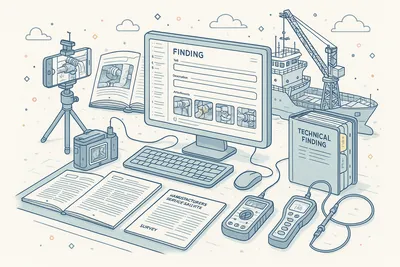
Document technical findings with detailed descriptions and supporting files. Attach photographs of the condition, equipment manuals, manufacturer bulletins, survey reports, and any other files that help the repair team understand and resolve the issue.
A photograph of a corroded fitting tells the repair team more than a paragraph of description. The module encourages visual documentation — snap a photo, attach it, and let the image communicate the condition.
- Condition photographs
- Equipment manual references
- Manufacturer bulletins
- Visual documentation emphasis
Threaded Comments & Collaboration
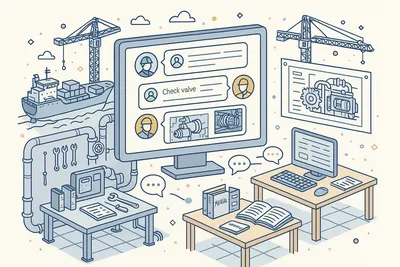
Discuss technical findings with threaded comments attached to each record. Ship and shore engineering teams can exchange updates, share technical advice, request additional information, and coordinate repair activities in context.
Comments are especially valuable for technical findings that require shore-side expertise. A shipboard engineer can describe the symptom; a shore-based superintendent can advise on the diagnosis and repair approach — all captured in the finding record.
- Ship-shore technical discussion
- Diagnostic advice exchange
- Repair coordination
- Permanent technical record
Complete Audit Trail
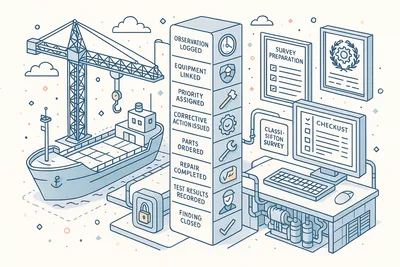
Every action on a technical finding is recorded in a tamper-proof event log with forty-four tracked event types. From initial observation through equipment linkage, corrective action assignments, status changes, and closure — every step is captured.
The audit trail provides evidence for classification society surveys and flag state inspections that your organization identifies, documents, and resolves technical issues as part of a structured maintenance and safety management program.
- 44 tracked event types
- Full user attribution
- Equipment linkage events
- Survey and inspection evidence
Analytics & Dashboard
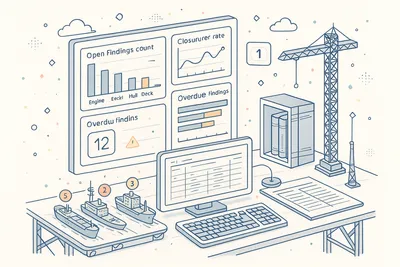
Monitor your technical finding program with dashboards that track open findings, closure rates, overdue items, and findings by equipment category. Fleet-wide views identify which equipment types and which vessels generate the most technical observations.
Technical finding analytics complement your Planned Maintenance System data. Together, they paint a complete picture of equipment health: scheduled maintenance on one side, unplanned findings on the other — both feeding into your maintenance strategy.
- Open finding tracking
- Closure rate monitoring
- Equipment category breakdowns
- PMS complementary data
Fleet-Wide Finding Archive
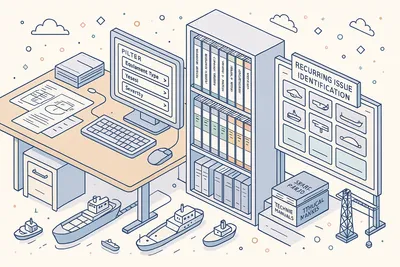
Access the complete history of every technical finding across your fleet. Closed findings remain searchable by equipment, vessel, category, and time period — building a knowledge base of technical observations and their resolutions.
The archive is invaluable for survey preparation. Before a class survey, your technical superintendent can review all technical findings for the vessel, ensuring that recurring issues have been addressed and documented.
- Complete fleet technical history
- Equipment-searchable records
- Survey preparation support
- Recurring issue identification
Technical
Under the Hood
Architecture and engineering behind Technical Findings — data handling, real-time sync, and interface design.
High-Performance Finding Grids with Advanced Filtering
All technical finding views use high-performance data grids with advanced filtering by status, priority, severity, equipment, vessel, and date range. Browse extensive finding records without performance degradation.
Equipment-Aware Issue Tracking
Every technical finding links to the equipment hierarchy, enabling equipment-centric views that show all findings for a specific asset. This integration supports maintenance planning and survey preparation.
Automated Finding Lifecycle
The six-stage lifecycle is managed by an automated workflow that enforces stage transitions, validates resolution documentation, and triggers notifications for responsible parties.
Immutable Event Logging
Every action generates a tamper-proof event record with forty-four distinct event types. The event log powers the audit trail, analytics, notifications, and compliance reporting.
Office-Ship Synchronization
Technical finding data synchronizes between office and vessel systems over satellite links with automatic conflict resolution. Vessels can log and resolve findings offline, with changes merging when connectivity is restored.
Configurable Analytics Framework
Dashboard widgets and analytics are built on a configurable framework that aggregates technical finding data across multiple dimensions — equipment category, status, priority, vessel, and time period.
Same Category
Related Modules
Other Issues modules that integrate with Technical Findings.
Record and track deficiencies from inspections with corrective action workflows.
Capture near-miss reports to promote proactive safety culture across the fleet.
Solutions
Explore Solutions
Compliance and operational solutions powered by Technical Findings.
Maritime Data Integrity & Retention
Navatom has never lost customer data. Years of maintenance records, voyage reports, crew documents, and compliance evidence — stored indefinitely, accessible instantly, and preserved with complete integrity.
ISM Code Compliance
Navatom supports ISM Code compliance with integrated document control, audit management, non-conformity tracking, and safety management system tools across your entire fleet.
SIRE 2.0 Readiness
Get your fleet inspection-ready for SIRE 2.0 with Navatom. Track findings, manage non-conformities, and maintain audit trails across all vessel operations in real time.
TMSA Compliance
Track all 13 TMSA elements with Navatom's integrated ship management platform, supporting evidence-based self assessment, audit trails, and continuous improvement for tanker operators.
Ready to try Technical Findings?
Start your free trial today and see how Technical Findings fits into your fleet operations.