Logbooks

The ship's electronic logbook: log each event once, and it lands in every record book it belongs to.

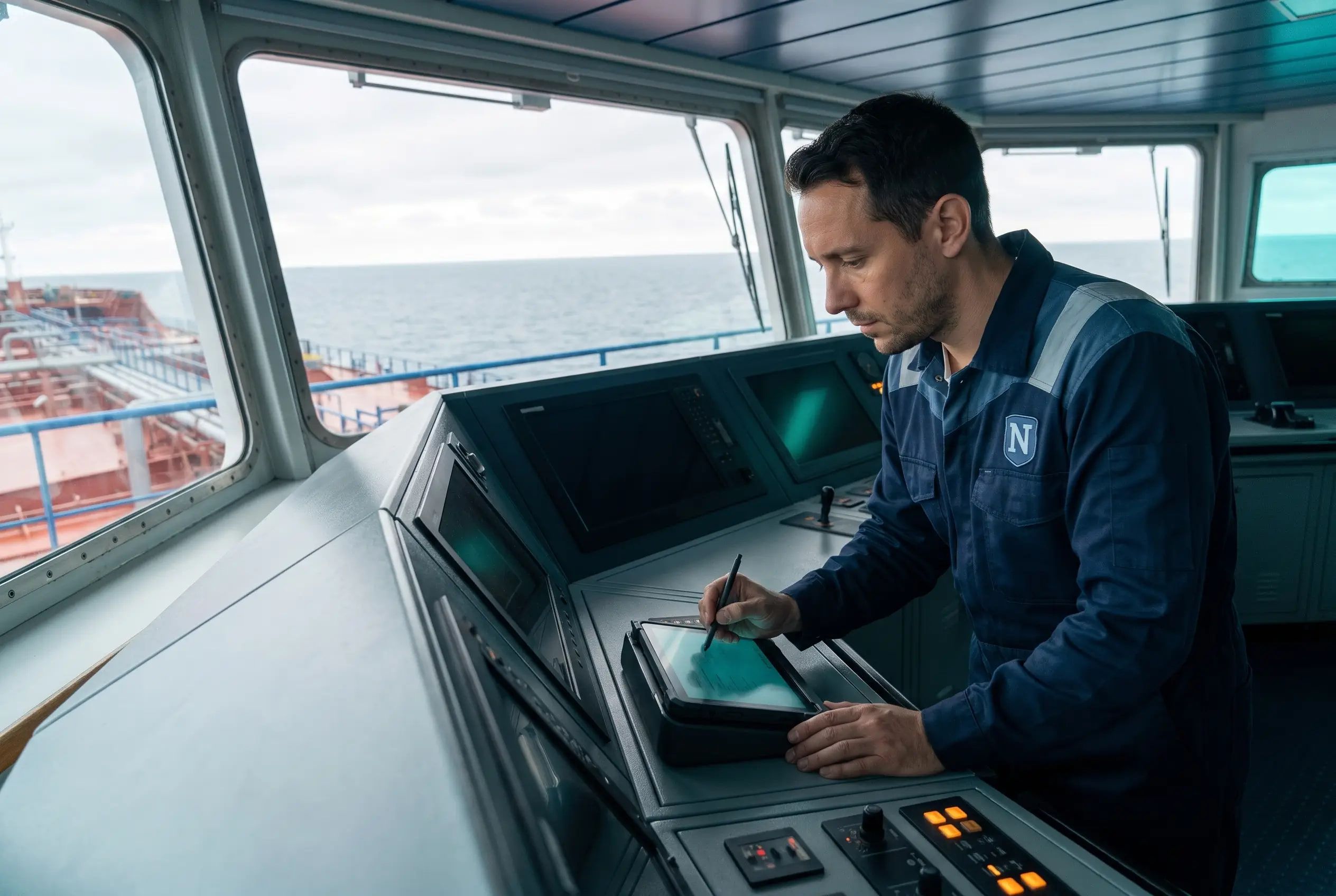
Officer of the watch logging an entry on a tablet at the bridge console of a tanker at sea

13

Record Books

From the deck log to the Oil, Garbage and Ballast Water Record Books

250+

Entry Types

From departures and noon reports to GMDSS tests

22

Paired Tasks

Start and end entries, from a pilot aboard to a scrubber run

6

Connected Apps

Drills, Safety Meetings, Audits, PMS, Deficiencies and Voyage

Benefits

Why Logbooks?

Key advantages of Logbooks as part of Navatom's integrated platform.

Log It Once

An event goes into every record book it belongs to from one entry, so officers stop copying the same operation between books.

A Log the Office Can Trust

Signed days are locked, corrections keep their history, and the office reads the same entries the ship wrote.

Drills, Audits and Downtime Start from the Log

The entry the officer already makes starts the drill, the audit or the downtime record, so nothing is entered twice.

Emissions from What the Ship Logged

The daily fuel entries feed Voyage's EU MRV, CII and IMO DCS figures without a second report.

The Fleet on One Map

Every vessel's latest logged position and recent track, with its arrivals, anchorages and bunkerings, in one view.

Overview

Navatom Logbooks is the vessel's electronic logbook. Officers and engineers record each event on board as one entry, a departure, a noon report, a fuel changeover, a radio test or a drill, and the entry type decides the form and every record book the entry belongs to: the Deck Log, the Engine Log, the GMDSS Log and the MARPOL and convention record books from the Oil Record Book to the Ballast Water and Biofouling Record Books.

Read the full overview of Logbooks

Entries start as drafts and are completed, and a correction keeps the change in the entry's history. Once the day's entries are done, an officer whose rank holds the right signs the day, which locks it. Tasks that run for a while, such as a pilot on board or a fuel changeover, stay open until their end entry is logged. On board the logbook keeps working without a connection and sends its changes when the connection returns.

The logbook is also where the other apps start. A drill entry starts the drill, an inspection entry starts the audit, and ending an engine breakdown records the downtime in PMS, while drills, audits, voyages and critical deficiencies add their own draft entries. In the office, every vessel's entries are read day by day, commented on, and followed on a map of the fleet's positions.

Capabilities

Key Features

How Logbooks helps ship managers work faster and stay compliant.

01

One Entry, Every Record Book

Each event on board is logged once, as an entry of its type: a Departure, a Noon report, a Fuel Changeover or a GMDSS Call. The type sets the form, the fields it needs and whether a position is required, and puts the entry in every record book it belongs to. A fuel changeover, for example, is in both the Deck Log and the Engine Log.

Entries are grouped by activity, from navigation and watchkeeping to cargo, engineering, environmental and radio, and each carries the voyage it belongs to. Favorites and suggestions put the types a crew uses most at the top.

LOG

One Entry, Every Record Book

  • 13 record books from one entry
  • 250+ entry types
  • Form set by the entry type
  • Grouped by 9 activities
  • Favorites & suggested types

02

Signed Logbook Days

Entries start as drafts and are completed, and a completed entry can still be corrected, with each change kept in its history. When the day's entries are done, an officer whose rank holds the right signs the day. Signing locks every entry of that day and discards any unfinished draft.

A signed day can be unsigned only by a rank that holds that right, with a reason on record. The day is counted in UTC, and each entry shows UTC and the vessel's local time side by side.

LOG

Signed Logbook Days

  • Draft, completed & corrected
  • Every change kept in history
  • Signing locks the whole day
  • Unsigning needs a right & a reason
  • UTC and ship's time together

03

The Logbook Drives Your Other Apps

A drill or safety committee meeting entry starts the drill or meeting in its app. An entry for authorities or inspectors on board starts the audit and takes its findings. Ending an engine breakdown or a navigation equipment defect records the downtime in PMS, on the equipment the entry names.

It works the other way too: drills, safety meetings, third-party audits, voyages, equipment downtime and deficiencies on critical equipment add draft entries for the officer to complete. The office chooses which of these links each vessel uses.

LOG

The Logbook Drives Your Other Apps

  • Drill & meeting entries start them
  • Inspection entries start the audit
  • Breakdowns record PMS downtime
  • Other apps add draft entries
  • Links chosen per vessel

04

Works Offline on Board

  • Log, complete & correct offline
  • Changes sent in order
  • Clashes shown, never lost silently
  • Signing waits for every change
How it works

The ship app keeps the logbook working when the vessel loses its connection. Entries are created, completed, corrected and ended offline, with comments and attachments, and are sent in the order they were made once the connection returns. A change that clashes with the server, such as one to a day signed meanwhile, waits for a decision on board.

Signing a day needs the connection, and only once the device has sent every change for that day.

05

Tasks That Run Until They End

  • 22 start and end pairs
  • Ongoing until ended
  • End entry prefilled from the start
  • Reopened if the end is deleted
How it works

Some events run for a while: a pilot on board, a sea passage, an ECA transit, a fuel changeover, a breakdown. The start entry stays ongoing until End Task logs its paired end entry, often with the subject already filled in, and deleting the end entry reopens the task.

06

Deck Log: Watch, Navigation & Maneuvers

  • Watch handovers with the team
  • Position fixes & noon reports
  • Weather autofill at the position
  • Anchoring, mooring & pilots
  • Orders acknowledged by each officer
How it works

The bridge records watch handovers with the watch team, position fixes, noon reports, weather observations, course changes, anchoring, mooring and pilots. The master's standing, night and company orders are logged, and each officer's acknowledgement is an entry of its own. Weather observations can be filled in with the current weather at the position, then corrected.

07

Engine Log: Readings, Soundings & Fuel

  • Instrument readings & tank soundings
  • Daily fuel by consumer
  • Checked against the last entry & bunkers
  • Bunkering & fuel changeovers
  • Feeds EU MRV, CII & IMO DCS in Voyage
How it works

The engine room records machinery readings, tank soundings, bunkering, fuel changeovers and breakdowns. The daily fuel consumption is logged per consumer with the fuel remaining on board, checked against the previous entry and what was bunkered since, and it is the source of Voyage's emissions figures.

08

Oil Record Book Parts I & II

  • Bilge, sludge & oil residue
  • Overboard valves sealed & unsealed
  • Oil filtering equipment failures
  • Tanker loading, unloading & COW
  • ODME failures recorded
How it works

Part I records the oil and oily-water operations of the machinery spaces: bilge water discharged overboard or automatically, oil residue (sludge) disposed of or incinerated, fuel tanks ballasted or cleaned, overboard valves sealed, and the oil filtering equipment's failures. Part II records an oil tanker's cargo and ballast operations, from loading, unloading and crude oil washing to slop discharge and the oil discharge monitoring equipment.

09

Garbage, Sewage & Ballast Water Record Books

  • Garbage Parts I & II by category
  • Sewage & graywater discharges
  • Ballast uptake, exchange & discharge
  • BWMS failures recorded
How it works

The Garbage Record Book keeps Part I for garbage and Part II for cargo residues that count as garbage: discharged into the sea, landed to a reception facility, incinerated or lost by accident, by category. Sewage and graywater discharges are logged too. The Ballast Water Record Book records each uptake, treatment, exchange and discharge, and the ballast water management system's failures.

10

Cargo Record Book for Noxious Liquids

  • NLS loading & unloading
  • Mandatory prewash
  • Tank washings discharged
  • Surveyor control recorded
How it works

For ships carrying noxious liquid substances in bulk, the Cargo Record Book records loading, unloading, internal transfers, mandatory prewashes, tank washings and their discharge, and the surveyor's control.

11

EGCS, ECA & Shore Power Records

  • Scrubber runs & malfunctions
  • ECA transits as tasks
  • Shore power, or the exception & fuel used
How it works

The EGCS Record Book records when the scrubber starts and stops, its malfunctions and its residue. ECA entry and exit open and close the vessel's transit of an emission control area, and shore power connections are logged, as is a port call at berth without shore power, with the FuelEU exception that applies and the fuel burned instead.

12

GMDSS Log

  • Daily, weekly & monthly tests
  • Distress, urgency & safety calls
  • Operators joining & leaving
How it works

The radio log records the daily, weekly and monthly tests of the GMDSS equipment, battery capacity tests and surveys, distress, urgency and safety calls, work on the equipment, and the radio operators who join and leave.

13

Ozone-Depleting Substances & Biofouling Record Books

  • Refrigerants & halons tracked
  • Hull & niche area inspections
  • Cleaning & risk monitoring
How it works

The ODS Record Book records refrigerants and halons recharged, repaired, released, landed or supplied. The Biofouling Record Book records hull and niche area inspections, in-water cleaning and risk monitoring under the IMO biofouling guidelines.

14

Fleet Positions Map

  • Latest position of every vessel
  • Tracks over 24 hours to 14 days
  • Several vessels at once
  • Open the entry behind any point
How it works

In the office, a map shows each vessel at its latest logged position, heading the way it was going, faded when that position is over 24 hours old. Choose one vessel or several to see their tracks over the last 24 hours to 14 days, with arrivals, departures, anchorages and bunkerings marked, and open any point's entry from the map.

15

Office Review, Comments & Attachments

  • Each vessel's day in one list
  • Group by record book or activity
  • Comments & attachments from the office
  • The log stays the ship's
How it works

The office reads each vessel's logbook day by day, grouped by event, activity, record book or status, and adds comments and files to any entry. No office screen creates or changes an entry: the log stays the ship's.

16

Access by Rank on Every Vessel

  • View or edit per rank
  • Sign & unsign rights apart
  • Set for each vessel
How it works

Each rank on each vessel gets view or edit access to the logbook, and the rights to sign or unsign a day are given separately, so the company decides which ranks keep the log and which sign it.

LogbooksOne Entry, Every Record BookSigned Logbook DaysThe Logbook Drives Your Other AppsWorks Offline on BoardTasks That Run Until They EndDeck Log: Watch, Navigation & ManeuversOperationCloud-BasedReal-TimeMaritime

FAQ

Frequently Asked Questions

Common questions about Logbooks answered.

What is an electronic logbook?

A logbook kept in software instead of on paper. In Navatom Logbooks, officers and engineers record each event on board as an entry, and the entry goes into every record book it belongs to, from the Deck Log and Engine Log to the Oil, Garbage and Ballast Water Record Books.

Which record books does Navatom Logbooks cover?

13: the Deck Log, Engine Log and GMDSS Log; the Oil Record Book Parts I and II, the Cargo Record Book, the Garbage Record Book Parts I and II, sewage, the Ozone-Depleting Substances Record Book and the EGCS Record Book; and the Ballast Water and Biofouling Record Books.

How are entries protected once the day is done?

An officer whose rank holds the right signs the day, which locks every entry in it. Before signing, corrections are kept in each entry's history. A signed day can be unsigned only by a rank with that right, and only with a reason.

Does the logbook work without an internet connection?

Yes. On board, the ship app keeps Navatom Logbooks working offline and sends the changes when the connection returns. Signing a day, tank soundings and instrument readings wait for the connection.

Can the office see the logbook?

Yes. The office reads every vessel's entries day by day, adds comments and attachments, and follows the vessels on a map of their logged positions. Entries are written and changed only on board.

Does it connect to drills, audits and maintenance?

Yes, through links the office chooses for each vessel. A drill or safety meeting entry starts it in its app, an inspection entry starts the audit, and ending an engine breakdown records the downtime in PMS. Drills, audits, voyages and critical deficiencies add draft entries the other way.

Navatom AI

Ask Navatom AI about Logbooks

Navatom AI reads what a vessel’s logbooks recorded over a day or a period, opens any entry for you, and drafts a general remark in the deck or engine log for you to review before it is saved.

  • What did MT Boreas log yesterday?
  • Show the Oil Record Book entries of MT Celeste this week.
  • Log a remark in the deck log: gangway watch doubled during cargo operations.

Navatom AI shows only the vessels you can see, and a drafted remark is saved only when you apply it.

Related Modules

Record every voyage from departure to arrival, and report its emissions for EU MRV, IMO DCS and CII.

Plan, execute, and evaluate emergency drills with crew participation tracking.

Plan and conduct internal and external audits with finding management and follow-up.

Ready to try Logbooks?

Start your free trial today and see how Logbooks fits into your fleet operations.

Free Trial
No credit card required
40+ Modules
Fully integrated platform
Cloud-Based
No installation needed