
Operations

Run shipboard operations step by step and control hazardous work with digital permits to work.

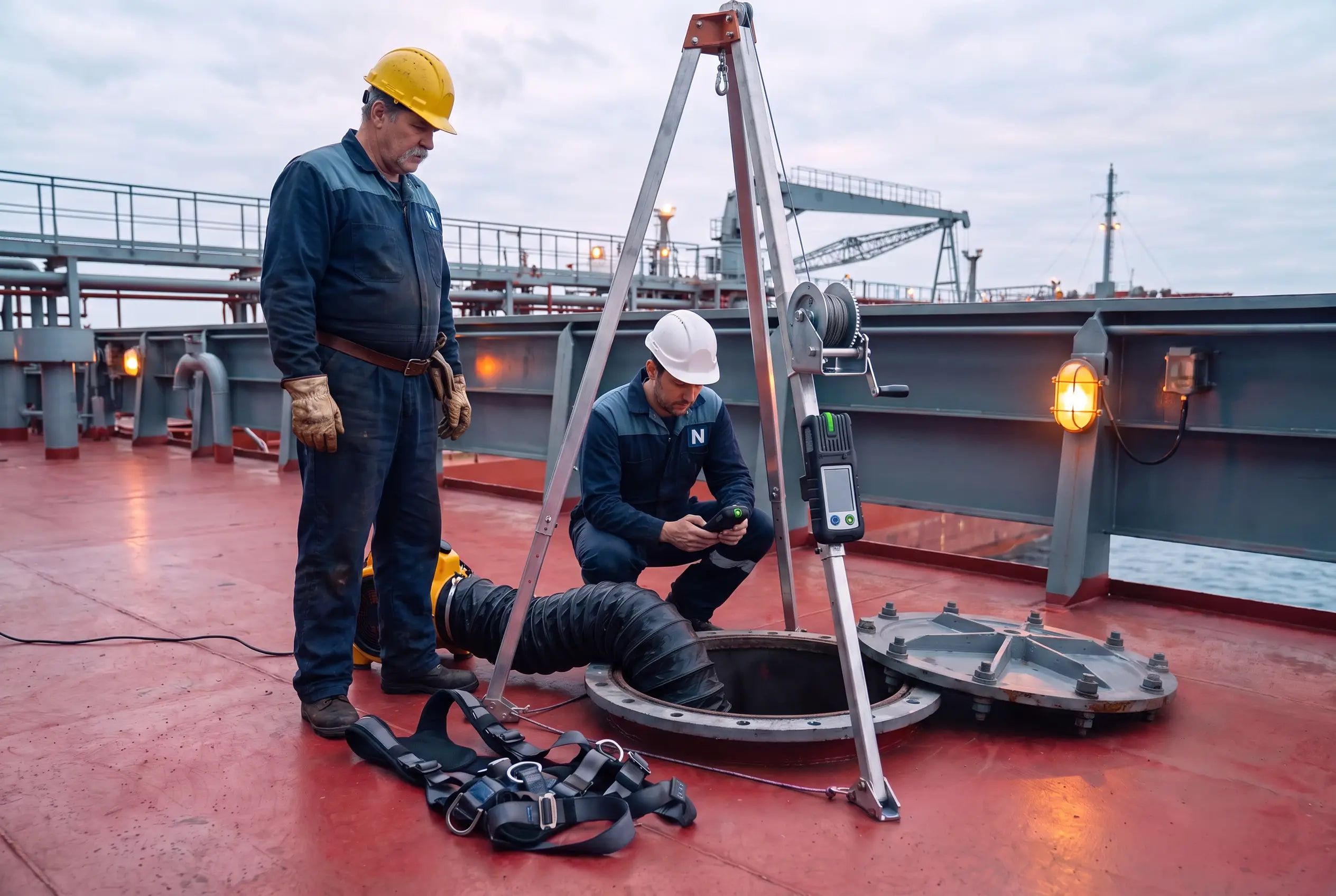
Chief officer testing the atmosphere at an open tank hatch before an enclosed-space entry

15

Work Categories

From hot work and enclosed space entry to diving

7

Permit Roles

Authorising Officer to Fire Watch

6

Signature Stages

From approval to closure

9

Isolation Methods

From spades to electrical lock-out

Benefits

Why Operations?

Key advantages of Operations as part of Navatom's integrated platform.

No Work Before the Permit Is Ready

Issue is refused until the gas test, isolations, risk assessment, checklist and required signatures are all in place, and a red message names each gap.

Every Signature in Its Place

The signatory matrix sets which role signs at which stage and which ranks may hold it, so approvals follow your safety management system, not memory.

Simultaneous Work Kept Apart

Conflict rules block or warn when a permit would run alongside conflicting work, in the same ship section or anywhere on board.

Operations Run the Same Way Every Time

Bunkering, mooring or any routine operation runs from the office’s published definition, stage by stage, with its checklists, briefings and permits.

The Office Sees Every Vessel

Superintendents follow every vessel’s permits and operation runs on the company app, without phone calls or scanned paper.

One Record from Request to Closure

Gas readings, isolation tags, attendance, handovers and extensions stay on the permit, with its comments, attachments and full event history.

Overview

Operations puts shipboard procedures and the permit to work on one system: the office writes how each operation is done and what each permit needs, and the vessel runs them step by step.

Read the full overview of Operations

Navatom Operations is where a vessel plans and controls its operations and its hazardous work. The office keeps operation definitions, with their steps, responsibilities, checklists and risk assessment template, and work permit definitions, which set what each type of permit needs: roles, signatures, gas limits, isolation, validity and conflict rules.

On board, the crew run each operation from the last published definition, stage by stage, and raise a work permit before jobs such as hot work or enclosed space entry. A permit moves from Draft through Submitted and Approved to Active, and it is issued only when its gas test, isolations, risk assessment, checklist and signatures are complete.

Ashore, superintendents follow every vessel’s runs and permits on the company app, and the KPI board measures permit flow, gas testing, isolation and simultaneous work across the fleet.

Capabilities

Key Features

How Operations helps ship managers work faster and stay compliant.

01

Issue Gate with Readiness Checks

Only the Issuing Officer can issue a permit, and Issue is refused while anything its permit type requires is missing. Red messages under the status steps name each gap, so the crew know exactly what to fix before the work starts.

OPS

Issue Gate with Readiness Checks

  • Gas test missing, failed or out of date
  • Isolations not yet applied and verified
  • Risk assessment not completed, or its worst residual risk stops the work
  • Required checklist questions unanswered, or a precaution answered No
  • A required role has not signed at Issuance

02

Simultaneous Operations Control

Conflict rules on each permit type name the work it must not run alongside: a work category, another permit type, an operation category or an operation. A rule can block the permit or warn, for the same ship section or anywhere on board, and only crew with the override right can proceed past a warning.

OPS

Simultaneous Operations Control

  • Block or Warn on each conflict rule
  • Same ship section or whole-vessel scope
  • Override Work Permit Conflicts access right
  • Board of Active and Suspended permits by ship section

03

Step-by-Step Operation Runs

On board, the crew create a run from the operation definition, answer which conditional steps apply today, and start it. Steps unlock stage by stage, risk assessment and work permit steps complete only when their record is ready, and the run completes when every step that applies is done.

OPS

Step-by-Step Operation Runs

  • Run numbers such as OP 00012
  • Planned, In Progress, On Hold, Completed and Cancelled
  • Starting a run starts its risk assessments and drafts its work permits
  • Runs started from a maintenance job show their origin

04

Digital Permit to Work

  • Ten statuses from Draft to Closed, shown as steps on the permit
  • Permit numbers such as WP 00008, given on issue
  • Current and Archived lists, and a Board of the permits in force
  • Hold, Resume, Extend, Handoff and Cancel, each in the event history
How it works

Raise a work permit on board for each hazardous job, at one place and for a set time, from the permit types the office defines. The permit names the people who take part, links the job’s risk assessment, and records the gas tests, isolations, checklist answers and signatures the job needs.

05

Gas Testing with Safe Limits

  • Oxygen, LEL, hydrogen sulphide, carbon monoxide and carbon dioxide
  • Retest interval per gas, one hour when none is set
  • Continuous monitoring for gases watched all through the work
  • Only the assigned Gas Tester records readings
How it works

Each permit type sets the gases to test, their minimum and maximum safe values, and how long a passing reading stays valid. The Gas Tester records each round with its sample point and instrument, and a failed or expired reading blocks issue until the air is tested again.

06

Energy Isolation and Lock-Out

  • Nine energy types, from electrical and hydraulic to gravity and stored pressure
  • Nine isolation methods, from physical disconnection and spades to electrical lock-out
  • Positive, proved and non-proved isolation security
  • A permit can’t be closed until every point is removed
How it works

Record an isolation point for each energy source cut off before the work, apply it with its lock-out tag number, and have a second person verify it. The permit type names the energy types that must be covered and the least secure isolation method it accepts.

07

Signatory Matrix by Role and Stage

  • Seven roles, from Authorising Officer and Issuing Officer to Gas Tester and Fire Watch
  • Approval, Issuance, Extension, Handover, Completion and Closure stages
  • Any assigned or Every assigned signing
  • Rank filters for who may hold each role
  • Optional wet signature on the printed permit
How it works

Each permit type sets which roles sign, at which of six stages, and which ranks may hold each role. A permit can’t move past a stage until every role required there has signed.

08

Enclosed Space Entry and Attendance

  • Entry and exit time for each Performing Person
  • Inside until each person is checked out
  • Standby Person and Fire Watch can’t also be Performing Persons
  • Post-work monitoring time before closure
How it works

For enclosed spaces, the permit logs each person going in and coming out, so everyone knows who is still inside. A permit with anyone still inside can’t be closed, and an enclosed space entry permit lasts eight hours at most.

09

Handover, Extension and Suspension

  • Incoming people named for each role
  • Risk assessment confirmed still valid at handover
  • Maximum validity and maximum extensions per permit type
  • Expired by the system when Valid To passes
How it works

At a change of watch, Handoff passes the permit to the incoming team, with their names, a briefing confirmation and the Handover signatures. Extend gives more time within the type’s maximum validity and number of extensions, and Hold stops the work until Resume.

10

Operation Definitions and Procedures

  • Eight step types, from instruction and briefing to work permit and sign off
  • Mandatory and conditional steps
  • Steps grouped into stages, such as preparation and transfer
  • Vessels work from the last published version
How it works

The office writes down how each operation is done on board, such as bunkering or a pilot boarding: its steps in order, who is responsible, its checklists and the risk assessment template every run starts from. Definitions are sorted into operation categories, published as versions and offered to the ship groups they apply to.

11

Permit Type Library

  • 15 work categories, from enclosed space entry and hot work to diving
  • Risk assessment Required, Not Required, or The Permit Is the Risk Assessment
  • Checklist questions under categories, optional or required
  • Draft, Active and Archived, by ship group
How it works

Work permit definitions set what every permit of a type needs: work category, ship groups, validity, risk assessment, isolation, attendance log, post-work monitoring, gas limits, conflict rules and a checklist. A permit copies its definition when it is created, so a later change never alters a permit in progress.

12

Risk Assessment and Maintenance Links

  • Risk assessment status and worst residual risk checked at issue
  • A risk assessment template on each operation definition
  • Maintenance jobs linked to permit types and operations
  • Related maintenances listed on each permit type
How it works

A permit links the completed risk assessment of its job, and Issue checks that assessment’s worst residual risk. In the Planned Maintenance System, a maintenance job’s work control names the permit type, operation or risk assessment the job needs.

13

Office Oversight Across the Fleet

  • Current and Archived lists for permits and runs
  • Read-only on the company app
  • Comments, attachments and events on every permit and run
  • Ship groups decide which vessels get each definition
How it works

Superintendents follow every vessel’s operation runs and work permits on the company app, and open each one with its gas readings, isolations, signatures and history. Permits and runs are issued and signed on the vessel, so the office sees exactly what the crew recorded.

14

Fleet KPIs for Permits and Operations

  • Permit volume, flow and validity
  • Gas testing, enclosed spaces and energy isolation
  • Roles, signatures, risk and checklists
  • Simultaneous work, operation runs and procedure governance
How it works

The KPI board measures permits and operations across the fleet, from permit flow and validity to gas testing, isolation and the people who sign.

OperationsIssue Gate with Readiness ChecksSimultaneous Operations ControlStep-by-Step Operation RunsDigital Permit to WorkGas Testing with Safe LimitsEnergy Isolation and Lock-OutOperationCloud-BasedReal-TimeMaritime

FAQ

Frequently Asked Questions

Common questions about Operations answered.

What is a permit to work system on a ship?

A permit to work is a written authorization for one hazardous job, at one place and for a set time, such as hot work or entering an enclosed space. In Navatom, the crew raise the permit on the ship app from a permit type the office defines, and it can be issued only once its gas test, isolations, risk assessment, checklist and required signatures are complete.

Which kinds of work can a Navatom work permit cover?

Permit types are set up in 15 work categories: enclosed space entry, hot work, energy isolation, electrical work, high-voltage electrical work, work at height, cold work, breaking containment, lifting, adverse weather on deck, diving, pressure testing, safety system impairment, fumigation clearance and other controlled work.

Can a permit be issued before the gas test and isolations are done?

No. Issue is refused while the latest gas reading is missing, failed or older than the permit type allows, while an isolation point is not applied and verified, while the risk assessment is not completed, while a required checklist question is unanswered, or while a role required at Issuance has not signed. Each reason shows as a red message on the permit.

Who signs a work permit, and when?

Each permit type has a signatory matrix: which of seven roles (Authorising Officer, Issuing Officer, Performing Person, Gas Tester, Isolating Officer, Standby Person and Fire Watch) signs at which of six stages (Approval, Issuance, Extension, Handover, Completion and Closure), whether one or every assigned person signs, and which ranks may hold the role.

How does Navatom handle simultaneous operations (SIMOPS)?

Each permit type can carry conflict rules naming a work category, another permit type, an operation category or an operation it must not run alongside, in the same ship section or anywhere on board. A rule either blocks the permit or warns, and a warning can be overridden only by crew with the Override Work Permit Conflicts access right. The Board shows the Active and Suspended permits by ship section.

What is the difference between an operation run and a work permit?

An operation run records one time the vessel carried out an operation, such as bunkering, step by step from the office’s operation definition. A work permit authorizes one hazardous job. A run can include risk assessment and work permit steps, which complete only when that assessment is completed or that permit is issued.

Can the office change a permit or a run from ashore?

No. Permits and runs are issued, signed and recorded on the vessel, and the company app shows them read-only. The office keeps the operation definitions and the work permit definitions the vessels work from.

Navatom AI

Ask Navatom AI about Operations

Navatom AI knows the permit, run or definition open on your screen, with its status, roles, signatures, checklist progress, gas readings, isolation points and readiness warnings, so you can ask about it in plain language.

  • What does this permit still need before it can be issued?
  • How many people are still inside on this permit?
  • Which steps of this run are still open?
  • Which roles sign this permit type, and at which stage?

Navatom AI reads the record in view; permits are still approved, issued and signed by the crew.

Related Modules

Identify hazards, rate them on your own risk matrix before and after controls, and approve each risk assessment by rank before work starts.

Schedule, track, and manage planned maintenance jobs across your fleet with real-time synchronization.

The ship's electronic logbook: log each event once, and it lands in every record book it belongs to.

Ready to try Operations?

Start your free trial today and see how Operations fits into your fleet operations.

Free Trial
No credit card required
40+ Modules
Fully integrated platform
Cloud-Based
No installation needed