
Benefits
Why Dashboard?
Key advantages of Dashboard as part of Navatom's integrated platform.
One Centralized Dashboard for Your Entire Fleet Operation
Stop switching between modules to check KPIs. The Dashboard aggregates data from 27+ modules into a single view — maintenance, safety, certificates, finance, crew, inventory, and more — giving fleet managers a complete operational picture without leaving one screen.
83 Pre-Built Widgets — No Configuration Required
Every widget in the 83-widget catalog works out of the box. Drag a widget onto your dashboard and it immediately shows live data from the relevant module. No queries to write, no integrations to configure, no IT support tickets — just instant access to the KPIs that matter.
Drag-and-Drop Customization for Every User
Every team member builds the dashboard that fits their role. The fleet superintendent sees fleet-wide compliance metrics. The Chief Engineer sees maintenance KPIs. The Captain sees vessel-specific operational data. Drag-and-drop customization means every user gets exactly the view they need without affecting anyone else.
Real-Time Data Across 27+ Integrated Modules
Dashboard widgets query live data — not cached snapshots or yesterday's report. When a work order is completed, an incident is filed, or a certificate expires, the dashboard updates immediately. Real-time accuracy means decisions are based on the current state of your fleet, not stale information.
Shared Dashboards for Consistent Fleet Oversight
Publish standardized dashboards to your entire organization with User Public and Control Panel sharing. Fleet managers push curated KPI views to all vessels and offices, ensuring every team member monitors the same critical metrics. Consistent oversight means consistent performance across the fleet.
Navatom Dashboard is the operational command center for your entire fleet — a fully customizable, widget-driven analytics platform that aggregates real-time data from 27+ integrated modules into a single, unified view. Instead of logging into individual modules to check KPIs, fleet managers, superintendents, and vessel crews see everything they need on personalized dashboards built from 83 pre-built widgets.
Built on a responsive drag-and-drop layout engine, the Dashboard module lets every user create, customize, and share dashboards tailored to their role. Three widget display types — Metric cards for single-value KPIs, Table widgets for tabular data, and Chart widgets for visual analytics — cover every reporting need.
Five sharing and visibility levels (User Private, User Shared, User Public, Control Panel Private, Control Panel Shared) ensure the right people see the right data at the right time.
Three environment contexts — Company (shore-side), Ship (vessel), and Third Party (external stakeholders) — ensure dashboards adapt to where they are viewed. Multi-ship aggregation, permission-aware data pipelines, and module-specific widget controllers deliver live, accurate data across your entire fleet without manual data gathering or spreadsheet consolidation.
Capabilities
Key Features
How Dashboard helps ship managers work faster and stay compliant.

83 Pre-Built Widget Catalog
Access a library of 83 pre-built widgets covering 27+ integrated modules across your entire fleet operation. From PMS work order counts and inventory stock levels to safety incident tracking and financial summaries, every critical metric is available as a ready-to-use widget — no configuration or custom development required.
Widgets are organized by module: 8 for Planned Maintenance, 8 for Bookkeeping, 7 for Spare Parts, 6 each for Inventory Management, Deficiencies, Non-Conformities, Accidents, Near Misses, and Technical Findings, 5 each for Drydock, Forms, and Audits, 4 each for Certificates and Circulars, 3 for Manuals, 2 for Crew Manager, and 1 for Enquiries. Every module your fleet uses feeds directly into the dashboard.
Three Widget Display Types
Every widget renders in one of three display types optimized for its data: Metric widgets show single-value KPIs with bold numbers and trend indicators — perfect for overdue counts, completion rates, and fleet totals. Table widgets present tabular data with sortable columns and pagination — ideal for listing open work orders, pending approvals, or expiring certificates.
Chart widgets visualize data as bar charts, line charts, pie charts, and other visual formats — turning raw numbers into actionable patterns. The three-type system ensures that every piece of fleet data is presented in the most effective format for quick comprehension and decision-making.
- Metric cards for single-value KPIs
- Table widgets for tabular data
- Chart widgets for visual analytics
- Automatic format selection per widget

Drag-and-Drop Dashboard Builder
Build your perfect dashboard layout with an intuitive drag-and-drop interface powered by react-grid-layout. Pick widgets from the catalog, drag them onto your dashboard canvas, and arrange them in any configuration.
Resize widgets by dragging corner handles to give more space to critical KPIs and compact secondary metrics.
The responsive layout engine automatically adapts to different screen sizes with configurable breakpoints. Dashboards built on a desktop monitor reflow intelligently on tablets and smaller screens.
Grid snapping ensures clean alignment, and collision detection prevents widget overlap — every layout looks professional without manual pixel-pushing.
- react-grid-layout powered canvas
- Drag, drop & resize widgets freely
- Responsive breakpoint adaptation
- Grid snapping & collision detection
- Clean layouts on any screen size

Custom Dashboard Creation
Create unlimited custom dashboards with full CRUD operations — create new dashboards, copy existing ones as a starting point, edit titles and descriptions, and delete dashboards you no longer need. Each dashboard is an independent canvas with its own widget selection, layout, and sharing settings.
Copy an existing dashboard to quickly spin up a variant — take a fleet superintendent's overview dashboard and adapt it for a port captain by swapping a few widgets. The copy operation preserves the full layout and widget configuration, saving setup time when creating role-specific views.
- Unlimited custom dashboards
- Full CRUD — create, copy, edit, delete
- Copy existing dashboards as templates
- Independent widget & layout per dashboard

Five Sharing & Visibility Levels
Control exactly who can see each dashboard with five sharing and visibility levels. User Private keeps a dashboard visible only to its creator.
User Shared lets you share with selected colleagues. User Public makes a dashboard visible to everyone in your company — ideal for fleet-wide KPI boards displayed on office monitors.
Control Panel Private and Control Panel Shared are administrator-managed levels for Navatom-curated dashboards distributed to customers. These levels enable fleet management companies to push standardized dashboards to all vessels and offices, ensuring consistent KPI monitoring across the organization without requiring each user to build their own views.
- User Private — creator-only access
- User Shared — selected colleagues
- User Public — company-wide visibility
- Control Panel Private & Shared
- Granular distribution control

Fleet & Vessel Scoping
Toggle between fleet-wide aggregate views and single-vessel detail views on any dashboard. Fleet scoping aggregates widget data across all vessels in your managed fleet — total overdue maintenance items, combined safety incident counts, fleet-wide certificate expiration summaries. Vessel scoping drills down to a single ship for focused operational review.
Ship-level filtering lets the Captain or Chief Engineer see only their vessel's data on the same dashboard layout that shore management uses for the full fleet. The same widgets, the same layout, the same KPI definitions — just scoped to the relevant context. Switch between fleet and vessel views instantly without rebuilding your dashboard.
- Fleet-wide aggregate view
- Single-vessel drill-down
- Instant scope toggle
- Same layout, different data context
- Captain-to-superintendent flexibility

Three Environment Contexts
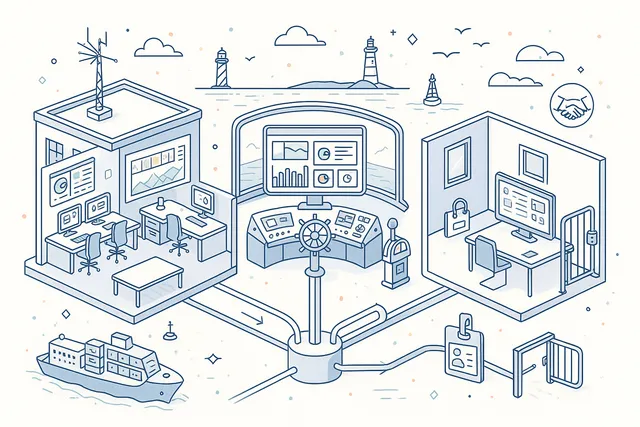
Dashboards adapt to three operating environments: Company for shore-side fleet management, Ship for vessel-based crew access, and Third Party for external stakeholders like charterers, classification societies, or port state control interfaces. Each environment context determines which widgets are available and what data scope is applied.
Shore-side Company dashboards show fleet-wide aggregations, multi-ship comparisons, and management-level KPIs. Ship dashboards focus on the individual vessel's operational data — maintenance due, inventory levels, certificate status.
Third Party dashboards provide controlled external visibility into selected fleet metrics without exposing internal operational details.
- Company — shore-side management
- Ship — vessel crew access
- Third Party — external stakeholders
- Context-aware widget availability
Default Dashboard Selection
Set any dashboard as your default — the view that loads automatically when you open the Dashboard module. Each user can designate a different default dashboard per environment context, so your shore-side landing page differs from your vessel-side landing page. The default selection is personal and does not affect other users.
For new users or roles without a custom setup, administrators can assign Control Panel dashboards as organizational defaults. New crew members joining a vessel immediately see a curated, role-appropriate dashboard without any setup, reducing onboarding friction and ensuring immediate access to critical operational data.
- Per-user default dashboard
- Per-environment context defaults
- Admin-assigned organizational defaults
- Zero-setup onboarding for new users

Module-Specific Widget Controllers
27 dedicated widget controllers — one per integrated module — handle data retrieval, aggregation, and formatting for every widget in the catalog. Each controller understands the domain model of its module: the PMS controller knows about work order statuses and maintenance intervals, the Safety controller knows about incident categories and severity levels, the Finance controller knows about budget periods and cost centers.
This modular architecture means widget data is always accurate and domain-aware. Controllers apply the correct business logic, status mappings, and aggregation rules for their module.
When a module adds new features or data fields, its widget controller extends naturally without affecting the rest of the dashboard system.
- 27 dedicated controllers
- One controller per integrated module
- Domain-aware data retrieval
- Correct business logic per module
- Extensible as modules grow

Real-Time Data Aggregation
Widget handlers query live MongoDB data with every dashboard load, ensuring you always see current operational status — not stale cached reports. When a maintenance work order is completed, an incident is reported, or a certificate expires, the dashboard reflects the change immediately.
Permission-aware data pipelines ensure users only see data they are authorized to access. Widget handlers enforce the same role-based access controls as the underlying modules — a Chief Engineer sees maintenance and technical data, while a DPA sees safety and compliance metrics. The dashboard never exposes data beyond a user's module-level permissions.
- Live MongoDB queries on every load
- No stale cached reports
- Immediate change reflection
- Permission-aware data pipelines
- Role-based access enforcement

Multi-Ship Count Aggregations
Specialized DTOs — CountByShip, CountByShipAndType, and CountByShipAndRank — power fleet-wide comparison widgets that break down metrics across vessels, categories, and crew ranks. See which ships have the most overdue maintenance items, compare incident rates by vessel type, or track certification compliance by crew rank across your entire fleet.
Multi-ship aggregations transform the dashboard from a simple status board into a fleet intelligence tool. Identify outlier vessels, spot trends across ship types, and benchmark performance — all from pre-built widgets that require zero custom report building.
- CountByShip breakdown widgets
- CountByShipAndType comparisons
- CountByShipAndRank analysis
- Fleet-wide benchmarking
- Outlier vessel identification

Newsfeed Integration
A real-time activity stream runs alongside your dashboard views, surfacing the latest operational events across your fleet. New maintenance completions, safety reports filed, certificate renewals, crew changes, and other significant events appear in chronological order — giving you a narrative view of fleet activity that complements the quantitative widget data.
The newsfeed provides context that raw numbers cannot. When a KPI widget shows a spike in deficiency counts, the newsfeed shows exactly which vessels reported issues and when.
The combination of quantitative dashboards and qualitative activity streams gives fleet managers both the "what" and the "why" in a single view.
- Real-time activity stream
- Chronological event feed
- Context alongside KPI numbers
- Cross-module event visibility

Control Panel Dashboards
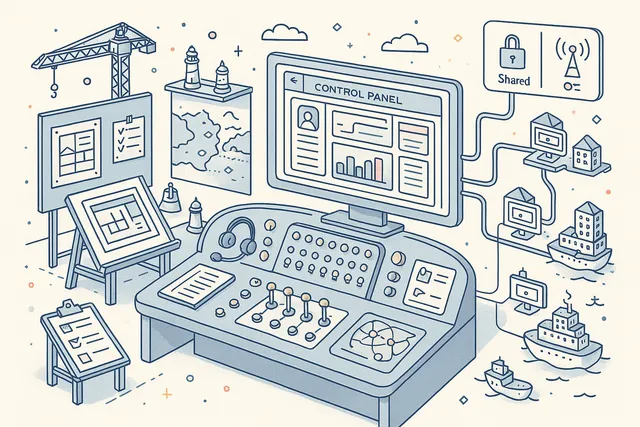
Navatom administrators create and manage Control Panel dashboards — curated, standardized views distributed to all customer companies. These dashboards ensure that every fleet management company has access to best-practice KPI layouts from day one, without needing to build dashboards from scratch.
Control Panel dashboards come in two visibility levels: Private (visible only to the administrating entity) and Shared (distributed to all customer organizations). Shared Control Panel dashboards serve as templates and starting points — customers can use them as-is or copy them as a base for their own customized versions.
- Admin-curated standard views
- Distributed to all customers
- Private & Shared visibility levels
- Best-practice KPI layouts
- Copyable as customization base
Dashboard & Analytics Overview
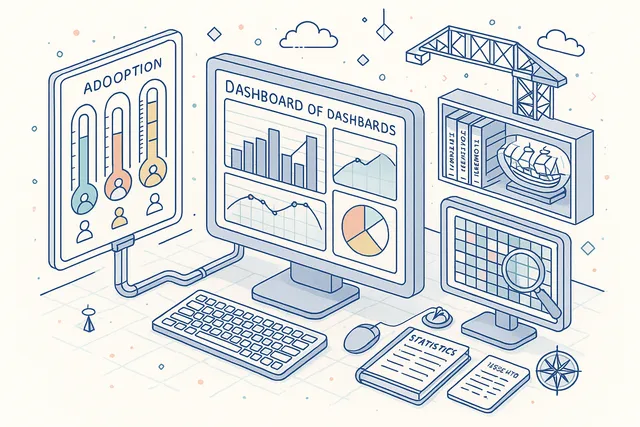
The Dashboard module itself provides a meta-level analytics view of dashboard usage and adoption across your organization. Track how many dashboards have been created, which widgets are most popular, and how frequently users engage with their dashboard views.
Usage analytics help fleet IT administrators and operations managers understand which KPIs their teams value most, identify under-utilized modules that may need training attention, and ensure that the dashboard investment translates into actual daily operational use across vessels and offices.
- Dashboard usage tracking
- Widget popularity metrics
- User engagement analytics
- Adoption insights for management
FAQ
Frequently Asked Questions
Common questions about Dashboard answered.
What data can I see on the dashboard?+
The dashboard provides 83 pre-built widgets covering 27+ modules: Planned Maintenance (8 widgets), Bookkeeping (8), Spare Parts (7), Inventory Management (6), Deficiencies (6), Non-Conformities (6), Accidents (6), Near Misses (6), Technical Findings (6), Drydock (5), Forms (5), Audits (5), Certificates (4), Circulars (4), Manuals (3), Crew Manager (2), and Enquiries (1). Every operational, safety, financial, and compliance metric your fleet tracks is available as a dashboard widget.
Can I create my own custom dashboards?+
Yes. You can create unlimited custom dashboards with full control over widget selection, layout, and sizing.
The drag-and-drop builder lets you pick from 83 widgets, arrange them freely on the canvas, and resize each widget to emphasize your most critical KPIs. You can also copy an existing dashboard as a starting point and adapt it for a new role or context.
How do I share dashboards with my team?+
Five sharing levels give you precise control: User Private (only you can see it), User Shared (shared with selected colleagues), User Public (visible to everyone in your company), Control Panel Private (admin-managed, internal), and Control Panel Shared (admin-managed, distributed to all customer organizations). Choose the level that matches your intent — from personal workspace to fleet-wide standard.
Can I view data for a single vessel or the whole fleet?+
Yes. Every dashboard supports fleet-wide and single-vessel scoping.
Toggle between views to see aggregated fleet metrics or drill down to a specific vessel. The same dashboard layout works in both modes — widgets automatically adjust their data scope to match your selection.
How many widgets are available?+
83 pre-built widgets are available across 27+ integrated modules. Each widget renders as one of three display types: Metric (single-value KPIs), Table (tabular data with sortable columns), or Chart (visual analytics).
The widget catalog grows automatically as new modules are added to the platform.
Is the data shown in real time?+
Yes. Widget handlers query live MongoDB data with every dashboard load.
There is no batch processing delay or scheduled refresh cycle. When operational data changes in any module — a work order completed, an incident reported, a certificate renewed — the dashboard reflects the change immediately on your next view.
Related Modules
Track and analyze vessel operating expenses with budget comparison and forecasting.
Record and manage financial transactions with chart of accounts and journal entries.
Schedule, track, and manage planned maintenance jobs across your fleet with real-time synchronization.
Ready to try Dashboard?
Start your free trial today and see how Dashboard fits into your fleet operations.
Free Trial
No credit card required
30+ Modules
Fully integrated platform
Cloud-Based
No installation needed