Voyage

Record every voyage from departure to arrival, and report its emissions for EU MRV, IMO DCS and CII.

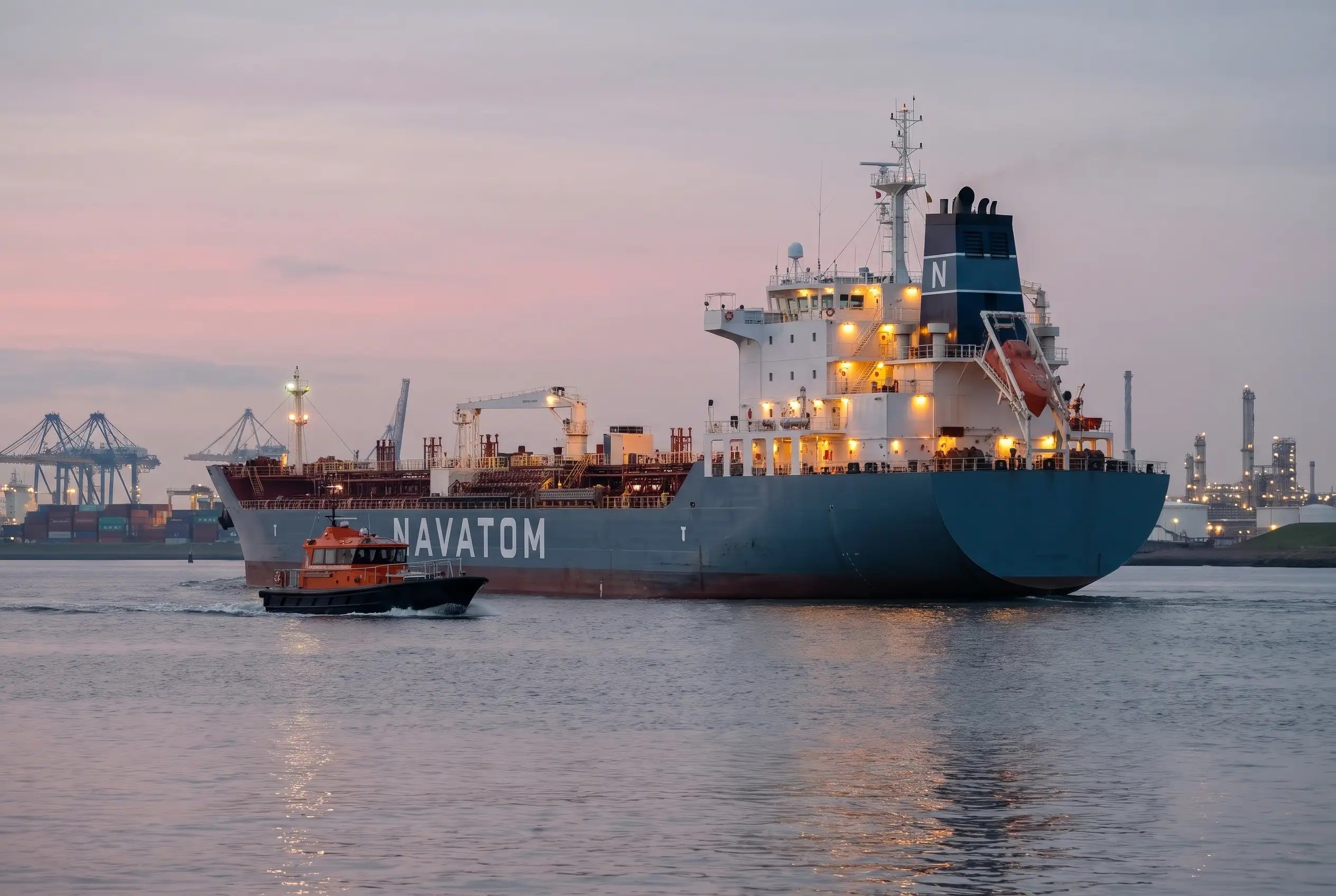
Laden product tanker leaving Rotterdam at first light with a pilot boat alongside

3

Emissions Datasets

EU MRV per voyage, CII and IMO DCS per year

4

EU MRV Scopes

Between, from or to EU ports, or outside

5

Voyage Purposes

Commercial, repositioning, shipyard, delivery and other

3

Departure & Arrival Types

Berth, ship-to-ship in port, or offshore point

Benefits

Why Voyage?

Key advantages of Voyage as part of Navatom's integrated platform.

Emissions Reported from What the Ship Logged

EU MRV, CII and IMO DCS figures come straight from the engine room's fuel entries, so there is no second spreadsheet to reconcile at year end.

Every Voyage Accounted For

Voyages start and end from the bridge log, so the office sees each departure and arrival as it is recorded.

CII Adjustments Itemized

Ice and safety adjustments are listed with their dates and the fuel and distance they remove, ready to explain to a verifier.

Gaps Found Before the Verifier Does

Incomplete voyage data and a missing capacity show on the record itself, while there is still time to fix them.

Overview

Navatom Voyage keeps each vessel's voyages from departure to arrival: the ports, berths and times at both ends, the purpose, whether the vessel sails laden or in ballast, and the cargo carried. Voyages are planned in the office or on board, and they start and end from the bridge: a Start Voyage entry in the logbook starts the voyage, and an End Voyage entry completes it.

Read the full overview of Voyage

Because the voyage and the logbook share the same records, its emissions need no second report. Each voyage shows its EU MRV figures, from CO2 to transport work and whether it ran between, from, to or outside EU ports. Each year, Voyage builds the CII dataset, with the attained annual efficiency ratio and the ice and safety adjustments the CII guidelines allow, and the IMO DCS dataset of fuel by type and consumer, distance and hours underway.

Every figure is derived from the daily fuel consumption the engine room records in Logbooks, so the numbers the office reports are the numbers the ship logged. Commercial voyages hold the contracted cargo for each charterer above the vessel's own voyages.

Capabilities

Key Features

How Voyage helps ship managers work faster and stay compliant.

01

Voyages from Departure to Arrival

Each voyage records the departure and arrival port, the time at each end, and whether the vessel lay at a berth, alongside another ship in port or at an offshore point. It carries its purpose, commercial, repositioning, shipyard, delivery or other, and whether the vessel sailed laden or in ballast.

A voyage is planned, active, completed or canceled, and a completed voyage can be reopened to correct it. Each vessel has one active voyage at a time, and every change is kept in the voyage's event history.

VOY

Voyages from Departure to Arrival

  • Port, time & berth at both ends
  • Berth, ship-to-ship or offshore point
  • Laden or ballast
  • 5 voyage purposes
  • Planned, active, completed, reopened

02

EU MRV per Voyage

Each voyage shows its EU MRV figures: CO2, CH4, N2O and CO2 equivalent, the fuel burned by type with its carbon factor, distance, time at sea, cargo carried and transport work. It shows the voyage's MRV scope, between EU ports, from or to one, or outside, and whether its data is complete.

VOY

EU MRV per Voyage

  • CO2 & CO2 equivalent per voyage
  • Fuel by type with carbon factor
  • Distance, time at sea & transport work
  • MRV scope worked out
  • Complete or incomplete at a glance

03

CII & IMO DCS Annual Datasets

For each vessel and year, the CII dataset gives the CO2 emitted, the distance sailed and the capacity, deadweight or gross tonnage by vessel type, and works out the attained annual efficiency ratio. The IMO DCS dataset gives the fuel burned by type and by consumer, what was burned while not underway, total and laden distance, hours underway and onshore power used.

VOY

CII & IMO DCS Annual Datasets

  • Attained CII per vessel & year
  • DWT or GT capacity basis
  • Fuel by type & consumer
  • Laden distance & hours underway
  • Onshore power recorded

04

Started and Ended from the Logbook

  • Start Voyage entry starts the voyage
  • End Voyage entry completes it
  • Draft entries the other way round
  • The voyage's logbook entries listed
  • Chosen per vessel
How it works

A Start Voyage entry in the logbook starts the vessel's voyage, a planned one or a new one, with its ports, time and position. An End Voyage entry completes it. Started from Voyage instead, the logbook gets a draft Start Voyage or End Voyage entry for the officer to complete, so the two never disagree.

Each voyage lists the logbook entries made during it, and warns when an active voyage has no entries yet.
05

Cargo Carried per Voyage

  • From the departure manifest
  • In the vessel's cargo unit
  • Breakdown by cargo
  • Passengers counted
How it works

The cargo a voyage carries comes from the manifest of its departure entry in the logbook, in the unit each vessel reports in, with a breakdown by cargo and the passengers carried. The same figure feeds the voyage's transport work.

06

CII Voyage Adjustments

  • Gross and net CO2 & distance
  • Ice conditions on ice-classed ships
  • Safety & rescue events
  • Each adjustment itemized
  • Never deducted twice
How it works

The CII dataset shows gross and net figures. Fuel and distance logged during ice conditions, on ice-classed vessels, and during safety or rescue events under MARPOL Annex VI Regulation 3.1 are taken out, each adjustment listed with its dates and what it removed. A fuel entry inside two adjustments is taken out once.

07

Voyages on Board

  • Voyage list on the ship app
  • Create & update on board
  • Intended arrival port
How it works

The ship app lists the vessel's voyages, creates a new one, sets its intended arrival port and updates it, so the master keeps the voyage current from the bridge.

08

Commercial Voyages & Contracted Cargo

  • Contracted cargo by line
  • Charterer per cargo line
  • Its own status & history
How it works

A commercial voyage holds the cargo contracted for it, line by line: the cargo, the contracted quantity and unit, and the charterer from your directory. It moves from planned to active and completed like the vessel's own voyages.

09

FuelEU Maritime Figures (Provisional)

  • Energy at sea & at berth
  • GHG intensity per year
  • Marked provisional in the app
How it works

For each vessel and year, the energy used at sea and at berth by fuel, onshore power, and the GHG intensity in gCO2eq/MJ, shown as a provisional model while some factors and scope weighting are approximate.

10

Voyages in Crew Changes

  • Voyage calling at the port
  • Arrival date kept in step
How it works

A crew change in Crew Planning shows the vessel's voyage that calls at its port, and offers to take the voyage's arrival date when the two disagree.

VoyageVoyages from Departure to ArrivalEU MRV per VoyageCII & IMO DCS Annual DatasetsStarted and Ended from the LogbookCargo Carried per VoyageCII Voyage AdjustmentsOperationCloud-BasedReal-TimeMaritime

FAQ

Frequently Asked Questions

Common questions about Voyage answered.

Is Navatom Voyage a voyage management system?

It manages the operational side of each voyage: departure and arrival, purpose, laden or ballast, cargo carried and the emissions reporting that follows. Voyages start and end from the logbook. It does not do voyage estimates, voyage P&L or laytime.

What voyage reporting does Navatom produce?

EU MRV figures for every voyage, and CII and IMO DCS datasets for every vessel and year, all derived from the fuel and distance recorded in the logbook.

Does Voyage need Navatom Logbooks?

Yes, for the figures. Every emissions number is derived from the logbook's daily fuel consumption entries, and Start Voyage and End Voyage entries start and complete the voyages. Voyages themselves can be planned and kept in Voyage alone.

How is CII calculated?

From the year's CO2 and distance in the logbook and the vessel's capacity, deadweight or gross tonnage depending on its type, giving the attained annual efficiency ratio. Fuel and distance during ice conditions on ice-classed vessels and during safety or rescue events are taken out, and each adjustment is listed.

Which emissions does each voyage show?

CO2, CH4, N2O and CO2 equivalent, with the fuel burned by type, distance, time at sea and transport work. The CH4, N2O and CO2 equivalent factors are marked provisional in the app.

Related Modules

The ship's electronic logbook: log each event once, and it lands in every record book it belongs to.

Monitor fuel consumption, waste management, and environmental compliance across the fleet.

Plan every vessel's tours, take candidates from proposal to engagement, and run crew changes port by port.

Ready to try Voyage?

Start your free trial today and see how Voyage fits into your fleet operations.

Free Trial
No credit card required
40+ Modules
Fully integrated platform
Cloud-Based
No installation needed